teamviewer send windows credentials

RDM(2024.1.17)
TV(15.51.6)
I have found this KB https://docs.devolutions.net/kb/remote-desktop-manager/knowledge-base/sending-windows-credentials-teamviewer/
I have created Teamviewer session entry, entered ID/password and when I click on entry I connect to remote machine.
Now I also want to send windows credentials and automatically login to windows.
- I have created credential entry(username/password) and entered user/pass of windows login.
- I have laso enabled under security settings > Allow password in variable
- Then I created entry (typing macro) and enterd next
- typing macro > $USERNAME${TAB}$PASSWORD${TAB}{ENTER}
- initial wair > 5 sec.
I think I'm missing something here or doing something wrong because I don't understand how data from credentials entry will be sent to teamvewer when I go to teamviewer entry and click on that macro while teamiewer session is open.
I have tried to run macro but it wants to open some multiple sessions.
Allow password in macro (send keys) - is enabled in DVLS.
Regards,
Darko Bazulj
https://triton-grupa.hr
All Comments (2)
Hello,
The current entry is used as the context when you execute a Macro. This means that if you execute the Macro while the Credentials is selected, it will be used for the variable replacements. I will create ticket to also allow a linked credentials into the After Open: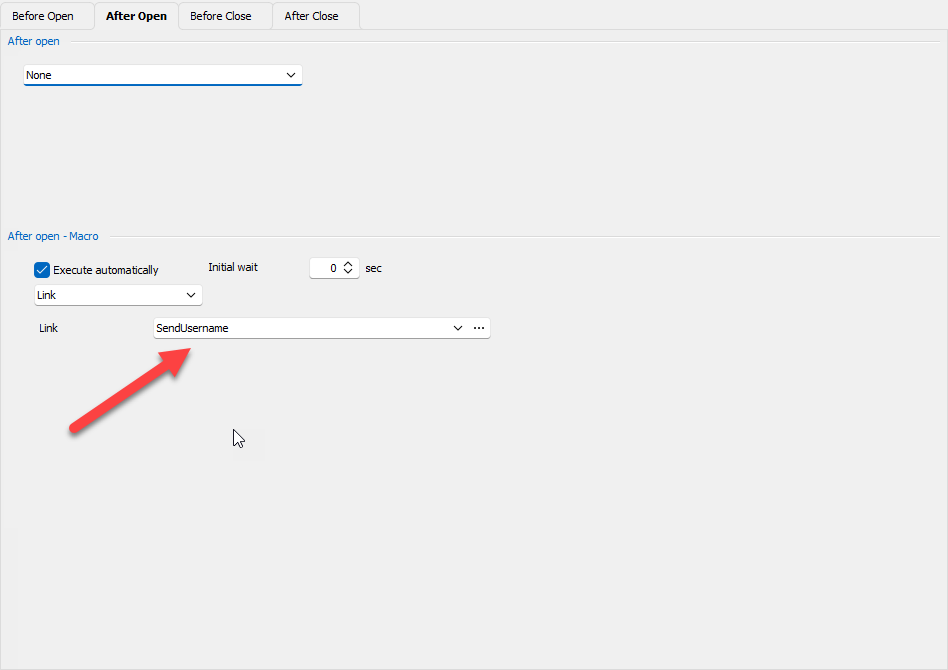
I have an idea, perhaps you could use the tool credentials variables: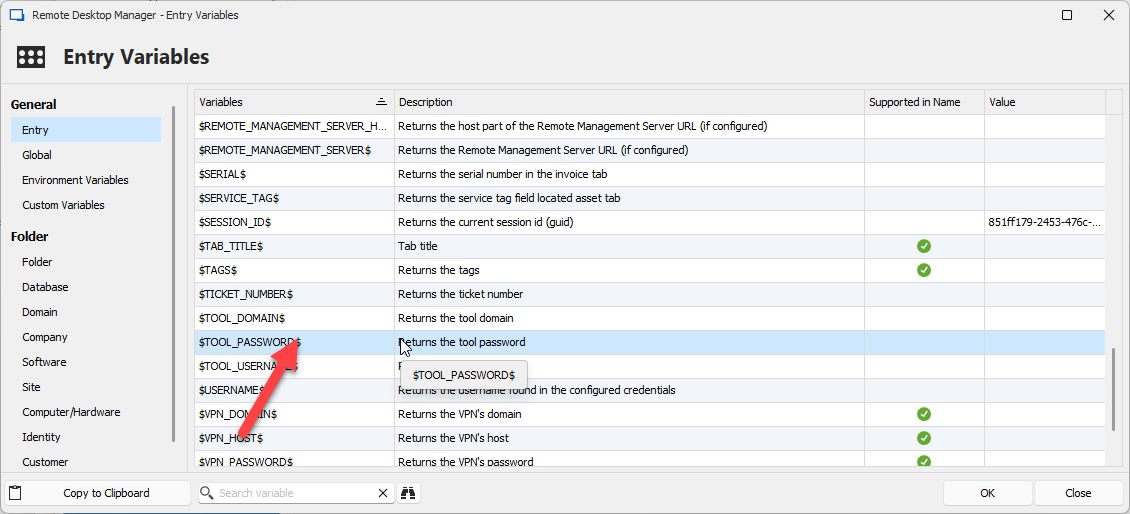
Maybe one of my colleague will have another solution.
Regards
David Hervieux
5e523c12-8839-4789-8325-44f2466547a7.png
18e70574-0f23-477c-bf76-700f1594497b.png
I have successfully setup auto login to teamviewer entry session after enabling after open - macro and $TOOL_PASSWORD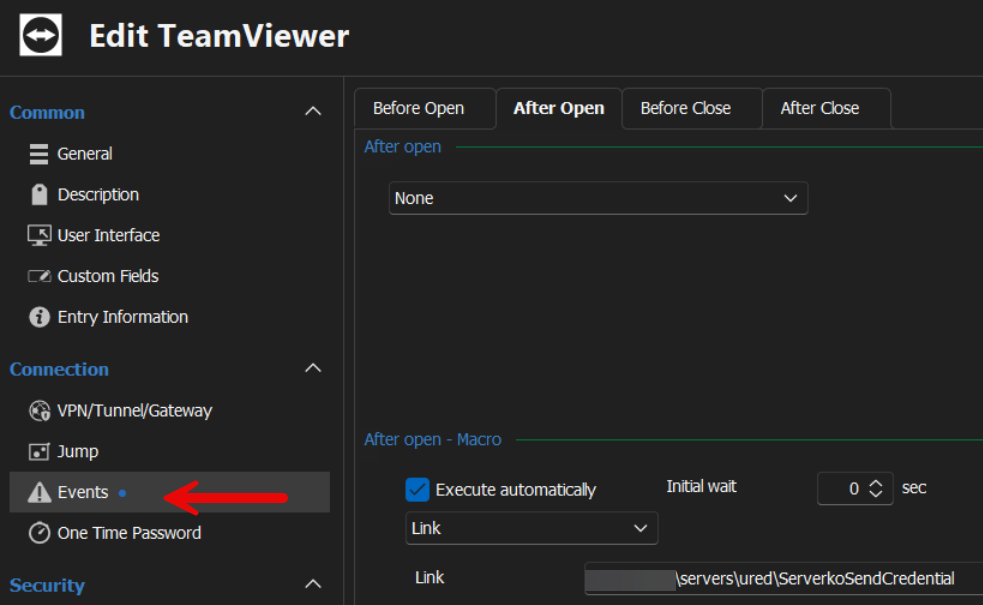
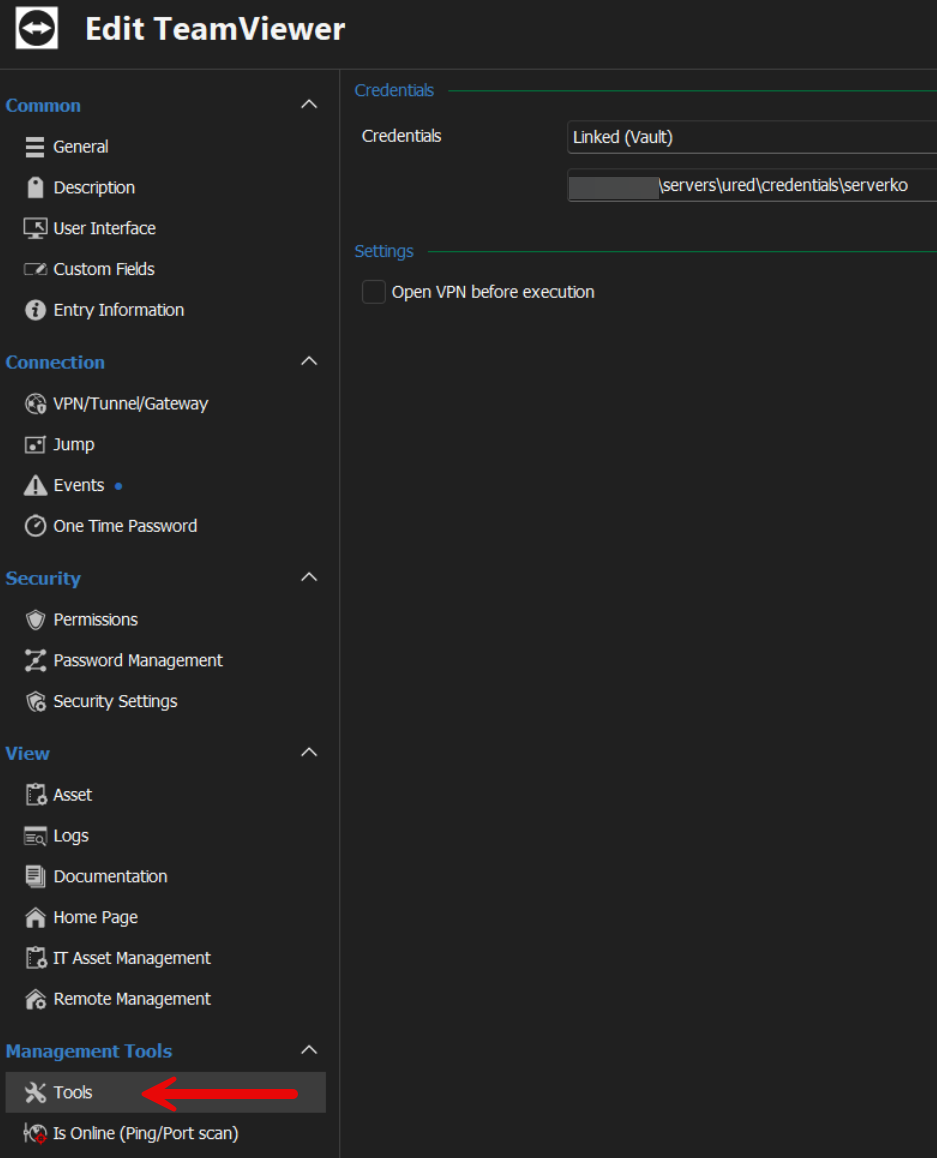
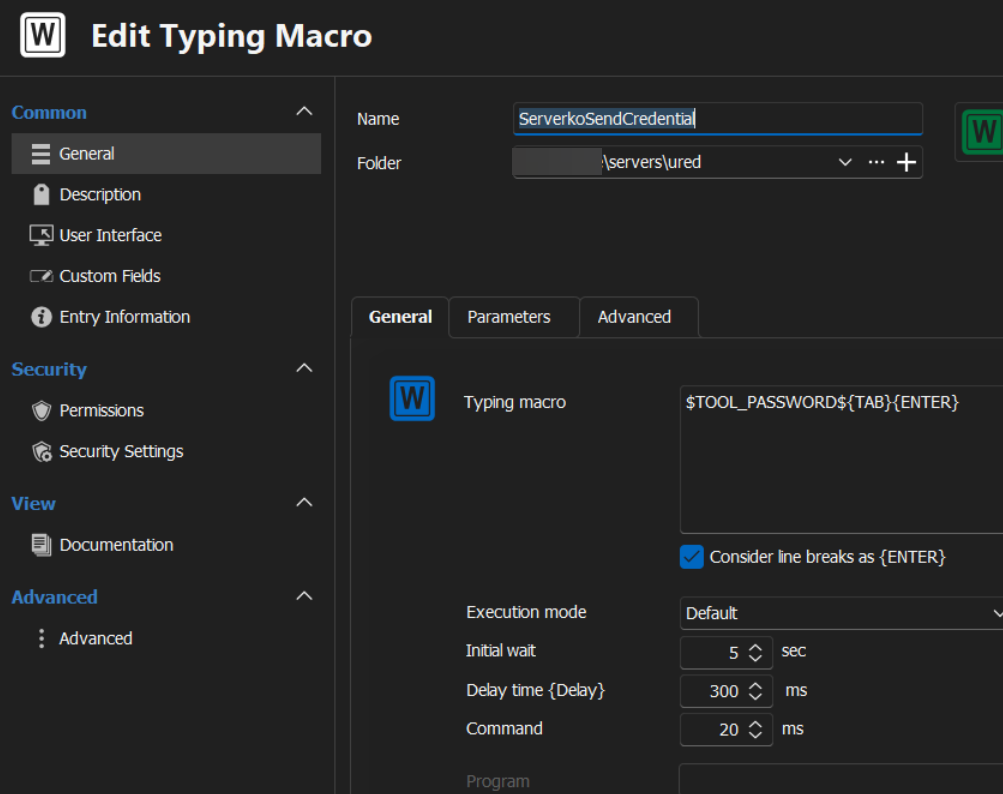
Regards,
Darko Bazulj
https://triton-grupa.hr
536abd8f-3dbb-4572-be34-962b6c7ac2ef.png
f3a902ea-e7f2-4dba-bd7b-2cba7c2a219a.png
dea014f9-bc4d-4258-809d-7d0496bcf68e.png