Horizontal rule across entire screen at the bottom

Latest version 2024.1.5.1
At the bottom, there is a horizontal rule across entire area.
No matter if there is ssh session or RDP (like on screenshot below), rule is visible.
db4cec67-f5c7-4d6f-baed-b3d2579ac701.png
All Comments (7)
Hi,
I apologize for the inconvenience.
I've tried to replicate the issue by opening multiple entry types, but I haven't seen the horizontal rule in any of them.
Could you please share the version of macOS you're using?
Best regards,
Jesse Galarneau
Sure, MacOS Sonoma 14.4 (23E214), MB Pro Intel based (2020).
Initial window seems to be ok:
But opening ssh session makes:
Edit: previous verions were fine, no rule over session window.
15ccc40b-0542-43e0-845d-e6c43a897e25.png
a0a4fde7-32d1-49bb-a4bc-381bfb54e7cc.png
Hi,
I've figured out the steps to reproduce the issue and have opened a ticket to address the horizontal bar appearing across the screen.
In the meantime, you can use the following workaround:
- Navigate to File -> Settings... -> User Interface.
- Uncheck the "Footer" option, as illustrated in the screenshot below.
This will slightly change the user interface, but it should remove the horizontal rule until we release a fix.
Best regards,
Jesse Galarneau
Screenshot 2024-03-13 at 8.14.22 AM.png
Thank you!
Version 2024.1.6.2, issue not fixed: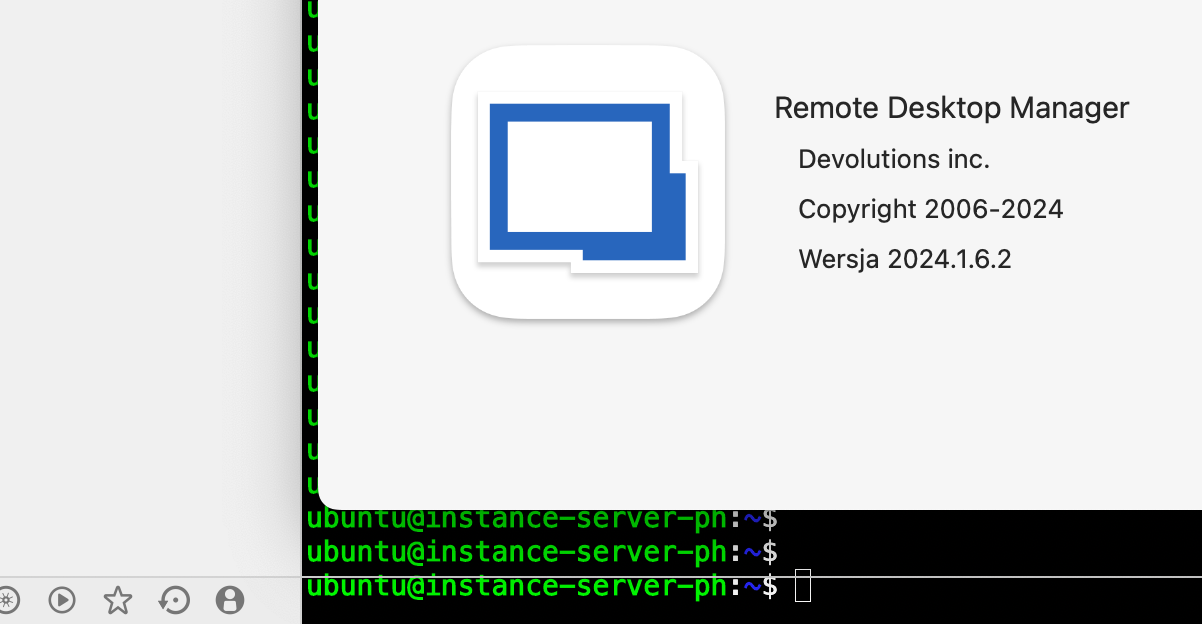
769a0fca-06e5-4d9f-bca9-8858bbdae2a9.png
Hi,
If everything goes as planned, the issue should be solved in our next release.
Sadly, we can't really give an ETA of when it will come out.
If you have any questions don't hesitate to communicate with us.
Best regards,
Maxim Buisson
Hello,
The issue should be solved in our latest version of RDM Mac (2024.1.7.2)
Don't hesitate to communicate with us if there's anything.
Best regards,
Michel Lambert