SFTP on SSH is empty

i connect to Linux server using cyberark PSM but SFTP on SSH is not working. when i click SFTP on the session it looks like below.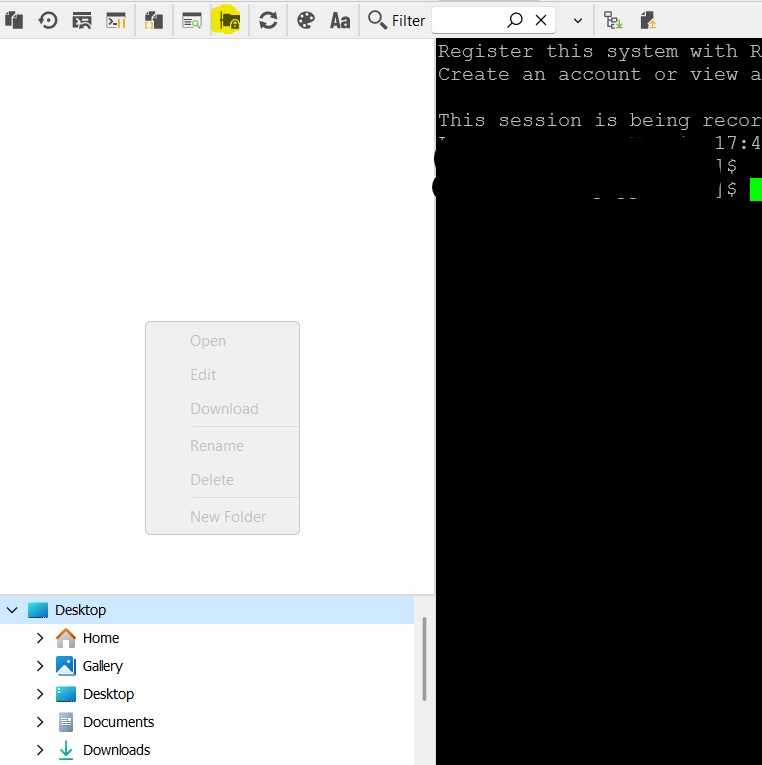
my SFTP config;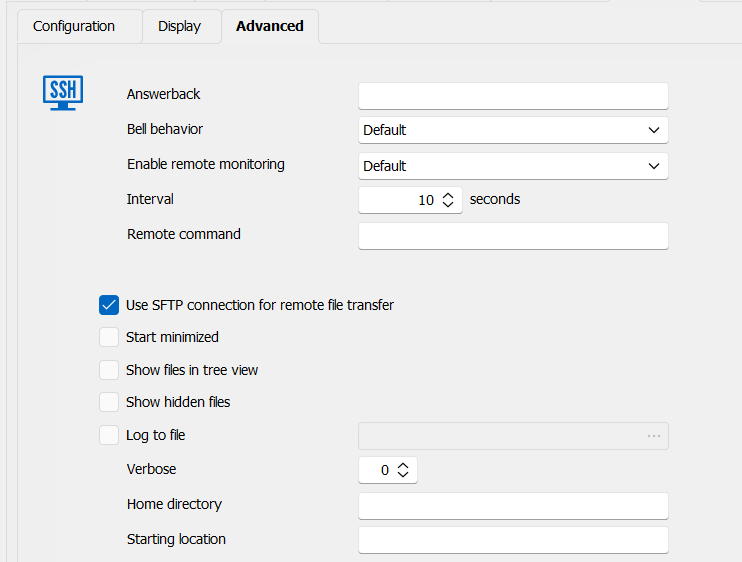
ssh on sftp.png
ssh on sftp conf.png
All Comments (6)
I have the same issue on windows. Pressing the SFTP button inside a SSH entry is displaying a panel with "root" as a folder. You can't expand, go up or inside this folder. If you drag & drop a file there, nothing is shown. If you go via terminal and check the contents of the folder, you see the dropped file there.
If I create a SFTP entry, I get 4 panels, each in one corner of the screen. The 2 panels in the left are used to browse inside the local computer, the 2 panels in the right are used to browse in the remote computer.
The top right panel is the same panel I see when pressing the SFTP button in a SSH entry. Pressing on the "root" folder doesn't do anything, etc. The bottom right panel has a "..." folder and pressing on it does not do anything. If you type the path in the search bar on top of the top right panel, it will populate the bottom right panel with the contexts of the directory you selected in the search path.
Why is searching in a textfield that's on top of the top-right panel show the results in the bottom-right panel and not in the top-right panel?
What's the purpose of the panel with "root" folder inside it?
Why is it so cumbersome to use this whole SFTP layout?
Why is there no title for each panel? I expect no titles if you'd have a self explanatory layout, but this layout is confusing even for technical people (which we all are). Why are there 4 panels when all other systems use 2 (left is host and right is remote)?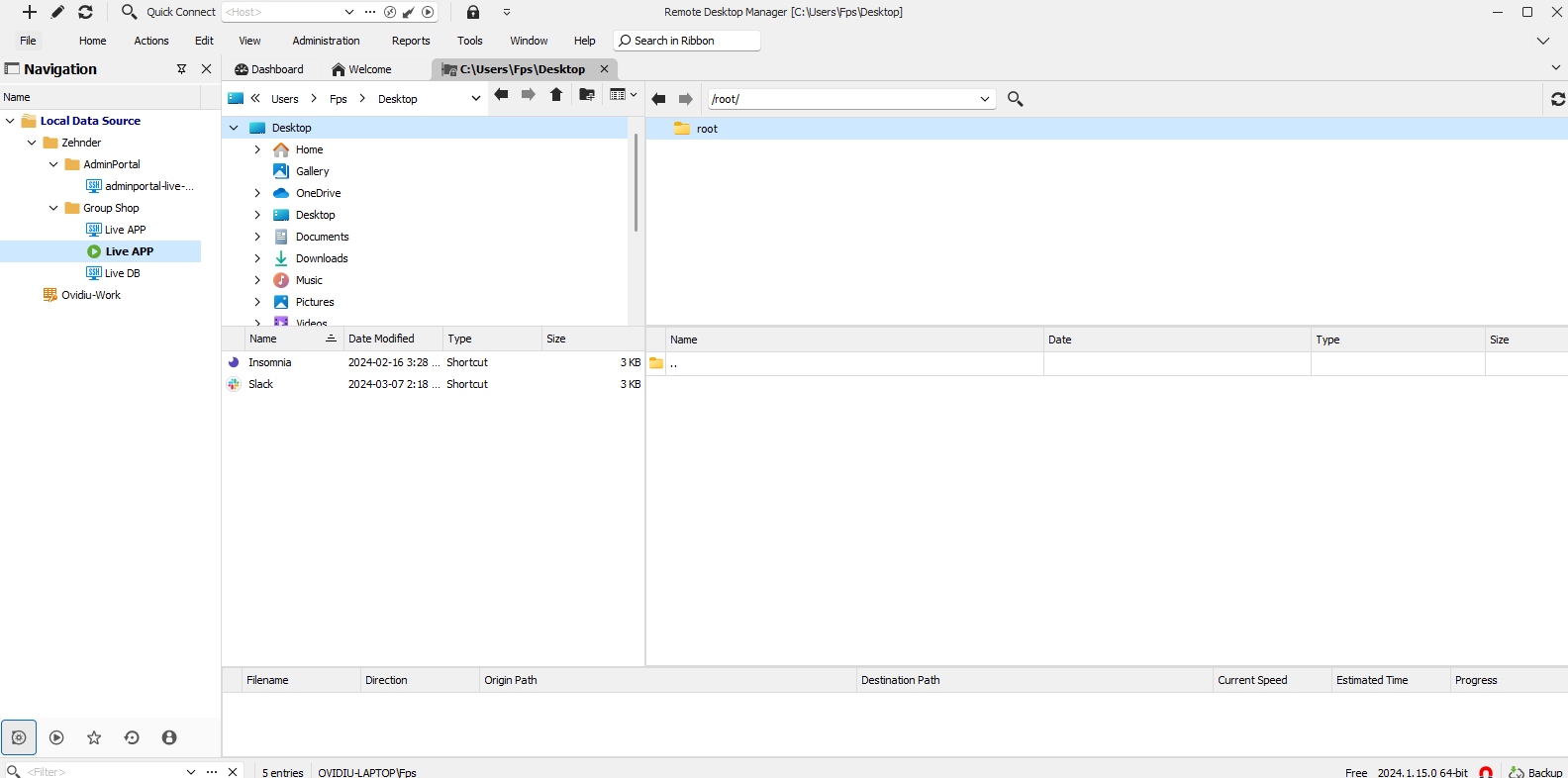
sftp_4_panels.png
Hello,
Thank you for contacting us on that matter!
I will investigate and provide you with any information as soon as possible.
Also, Gkhn, could you tell me which version of RDM you used when the issue occurred?
Thank you for letting me know. If you have any other questions, feel free to let us know.
Best regards,
Maxim Robert
Hello,
Thank you for contacting us on that matter!
I will investigate and provide you with any information as soon as possible.
Also, Gkhn, could you tell me which version of RDM you used when the issue occurred?
Thank you for letting me know. If you have any other questions, feel free to let us know.
Best regards,
Hello Maxim and thanks for your response.
I am on version 2023.3.39.0 64-bit
Hello!
Thank you for being this patient!
We are currently doing some tests regarding Sam's problem, and we will let you know as soon as possible about any information we get. In the meantime, could you update to version 2024.1.17.0 and see if the problem persists?
About the question of Dofige1462, I've contacted the development team to get more information about the UI of our SSH/SFTP entry and will let you know as soon as possible. However, as for the fact that it opens in the "root" folder, that's usually when a user logs in as root. Usually, each user has their own account, or there may be an "admin" user. We would not recommend logging in with the root.
Could you tell me if you have a user or admin account? And to what you are connecting to?
Thank you for letting us know. If you have any other questions, feel free to let us know.
Best regards,
Maxim Robert
Hello Maxim
I updated the app to version 2024.1.17.0 but the issue still persist.
also my connection string like this;
user@user#domain@server connected@PSM server
i can connect to ssh session through PSM server successfully but embeded sftp still not working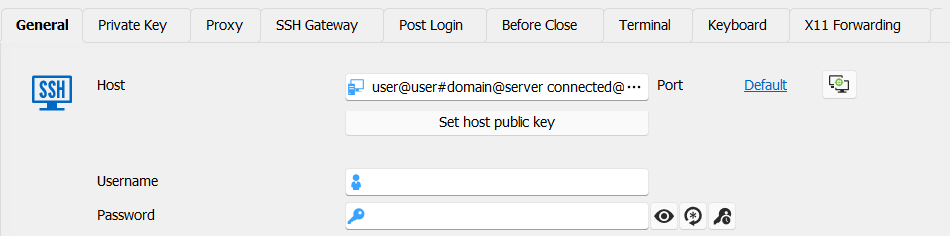
a60592e0-5ebe-4326-9fd7-9b227d4726a0.png
Hello,
Thank you for the information!
I created a ticket regarding Sam's issue and will contact you by email.
Regarding Dofige1462 questions,
- Why is searching in a textfield that's on top of the top-right panel show the results in the bottom-right panel and not in the top-right panel?
A ticket has been opened regarding this issue, and we will keep you posted with any information as soon as possible.
- What's the purpose of the panel with a " root " folder?
The section on the right, which includes the "root," is what's on the remote host. That's usually when a user logs in as root. Usually, each user has their own account, or there may be an "admin" user. We would not recommend logging in with the root.
- Why is there no title for each panel? I expect no titles if you'd have a self-explanatory layout, but this layout is confusing even for technical people (which we all are). Why are there 4 panels when all other systems use 2 (left is host and right is remote)?
The section on the left is local, and the section on the right is remote. In both cases (left and right, regional and remote), the top section is a tree for browsing folders, and the bottom is the folder's contents.
If you have any other questions, feel free to let us know.
Best regards,
Maxim Robert