RDM Powershell button launches Windows Powershell instead of Powershell
RDM Powershell button launches Windows Powershell instead of Powershell

Even though the RDM module now requires pwsh.exe, the button still launches Windows Powershell. So, it always generates an error. 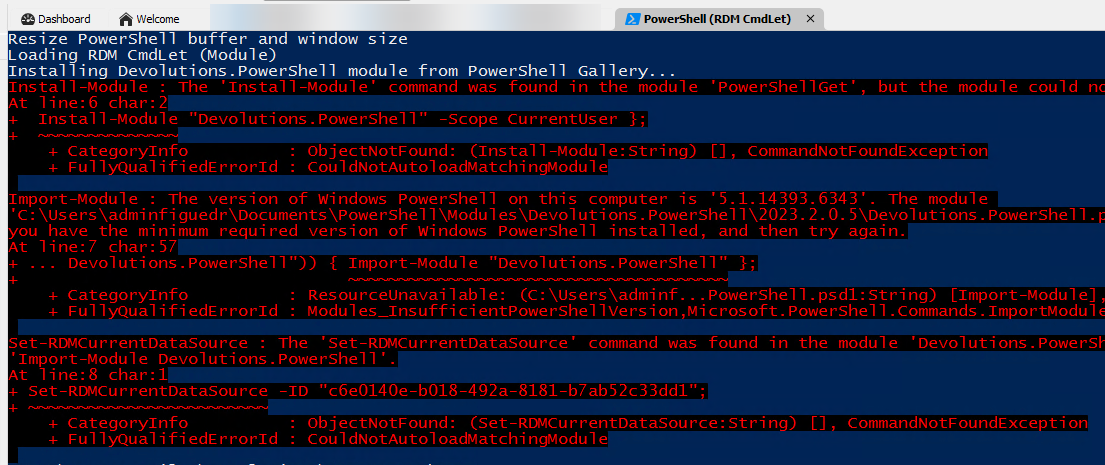
Thank you,
David F.
02750f4f-3fc1-4fcc-9acf-6bdca32ec7cf.png
All Comments (9)
Hello David,
Thank you for reaching out to us regarding this,
- Could you please specify the version of RDM you are currently using?
- What type of data source are you using?
That being said, I'm assuming you're referring to the "Open Session" action on one of your entry is that correct? Could you provide us with a screenshot of the entry in question Properties, feel free to blur or remove any sensitive information.
If you're having this issue with a PowerShell(Local) type entry, it's possible to change the "PowerShell Version" field to specify which one it should open.
Alternatively, you can change this globally by going under "File" -> "Settings" -> "Types" -> "Sessions" -> "PowerShell" and changing the "PowerShell Version".
Let me know
Best regards,
Samuel Dery
It's the same version as my other thread, and it is the same behavior in the portable version I just downloaded to try it. 2024.1.15.0, 64bit on Server 2016. The datasource is just the local sqllite database.
And I am referring to the button the Tools ribbon Powershell (RDM Cmdlet). I'll reply again in a minute with the screenshot. (different computer).
David F.
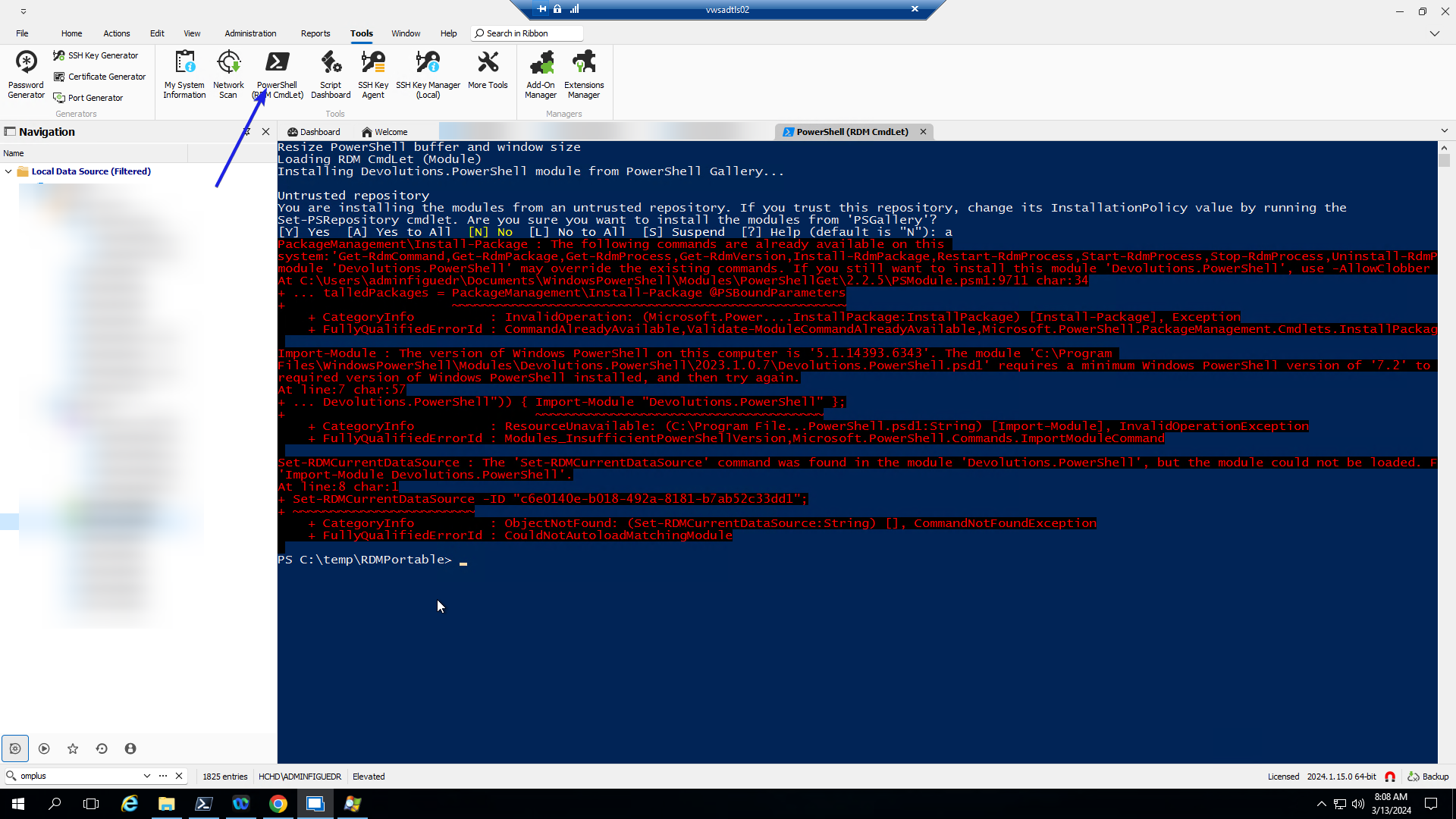
4cac1747-90d2-455e-b673-150567d0c494.png
Hello David,
Have you set the PowerShell version property in File - Settings - Type - Sessions - PowerShell to PowerShell 7?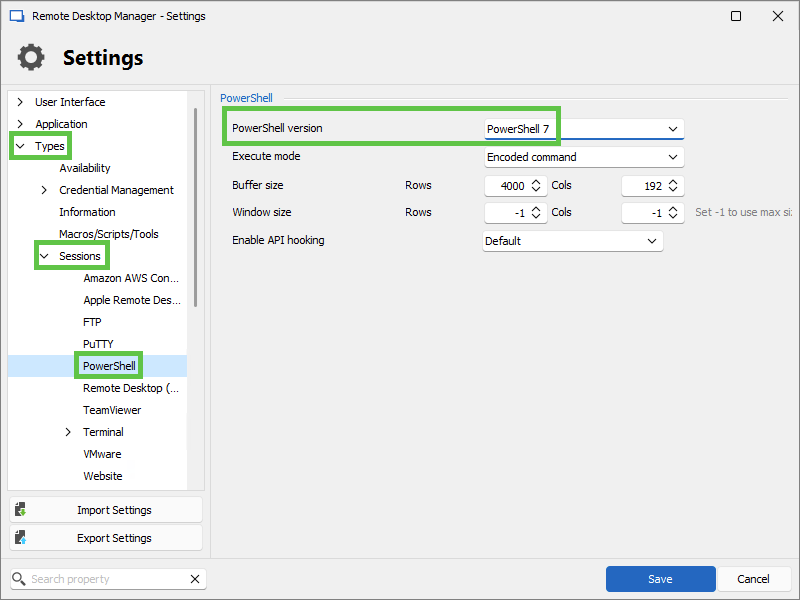
Let us know if that helps.
Best regards,
Érica Poirier
e991bccd-36e1-403d-b5dd-ea1e59f5d345.png
I had not.. I tried it and it worked like it should have. It still didn't fix my forever embedding problem, but it worked :-D
So my next obvious question - Why isn't this the default for the installation? I can understand why you wouldn't want to change user defined sessions automatically, but for the built in, I'd think it should just happen. Or you could have 2 buttons in there.. a Powershell and a Windows Powershell, and the WinPS would NOT try to load the RDM module.
Anyway, thanks again Erica :-)
David F.
Hello David,
Thank you for your feedback.
I think it's not the default value because some computers don't have PowerShell 7 yet installed.
A workaround is deploying RDM using this policy.
https://docs.devolutions.net/kb/remote-desktop-manager/how-to-articles/group-policies/#select-the-default-powershell-version
Let us know if that's a good alternative to your proposition!
Best regards,
Érica Poirier
Hi,
I have created a ticket internally to get this fixed. We can't assume PowerShell 7 is installed, but there's no point in launching Windows PowerShell for the PowerShell (RDM Cmdlet) tool since it always loads the Devolutions.PowerShell module which is no longer compatible with Windows PowerShell. Rather than let it fail we should just throw an error if PowerShell 7 is missing.
Best regards,
Marc-André Moreau
That's kind of what I was thinking.. check if pwsh is installed, and if not, load powershell, but don't try to load the PS module.
And it seems like you could just check at launch time to see if pwsh is installed. It won't work for portable versions of pwsh, but to me that's on the user.. it could possibly offer a function to browse for it.
Thank you :-)
We can consider this closed.
David F.
Oh.. another little "side bug" I _literally_ just noticed.. the icon on the powershell tab is blue no matter what when it's not in focus. It should follow the color of the PS version (blue for WinPS, black for pwsh)
:-D
David F.