SSH sessions not opening when using SSH tunnels - RDP sessions work fine.
SSH sessions not opening when using SSH tunnels - RDP sessions work fine.

I have a bit of an odd issue. When trying to create an SSH Shell session using an SSH tunnel, the session itself never opens - the tunnel session will, but not the actual session itself. (Eg, the tunnel session to Proxy A will open, but the SSH session to localhost:1234 will not.)
I've set these sessions up the exact same way as I have RDP sessions, the only difference being that instead of of using the RDP remote destkop entry, i've used the SSH shell session entry. One additional oddity is that when using the Remote Desktop entry, setting the host to "127.0.0.1" works. When using SSH Shell, it's overwritten by the proxy server host number(see the screenshots for examples of how i've set it up.
Here's how my setup is:
RDP Sessions:
Note how the host is 127.0.0.1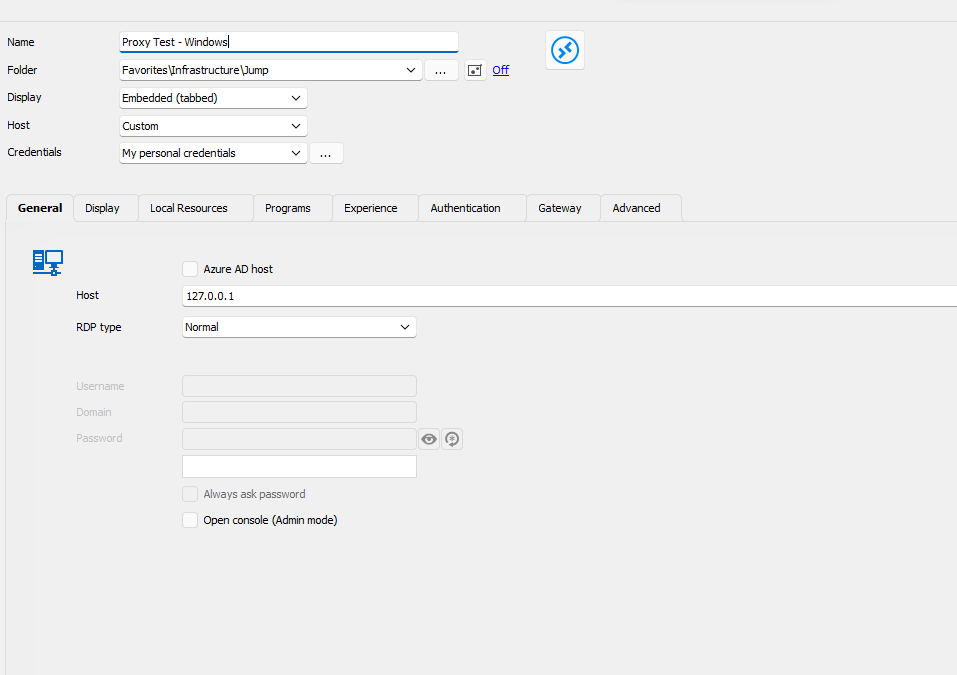
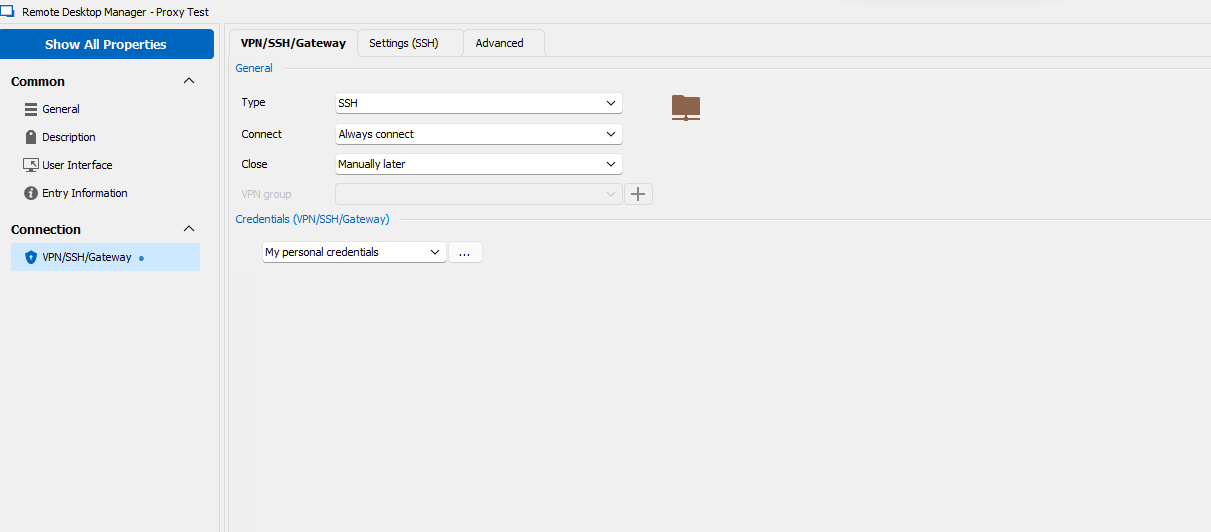
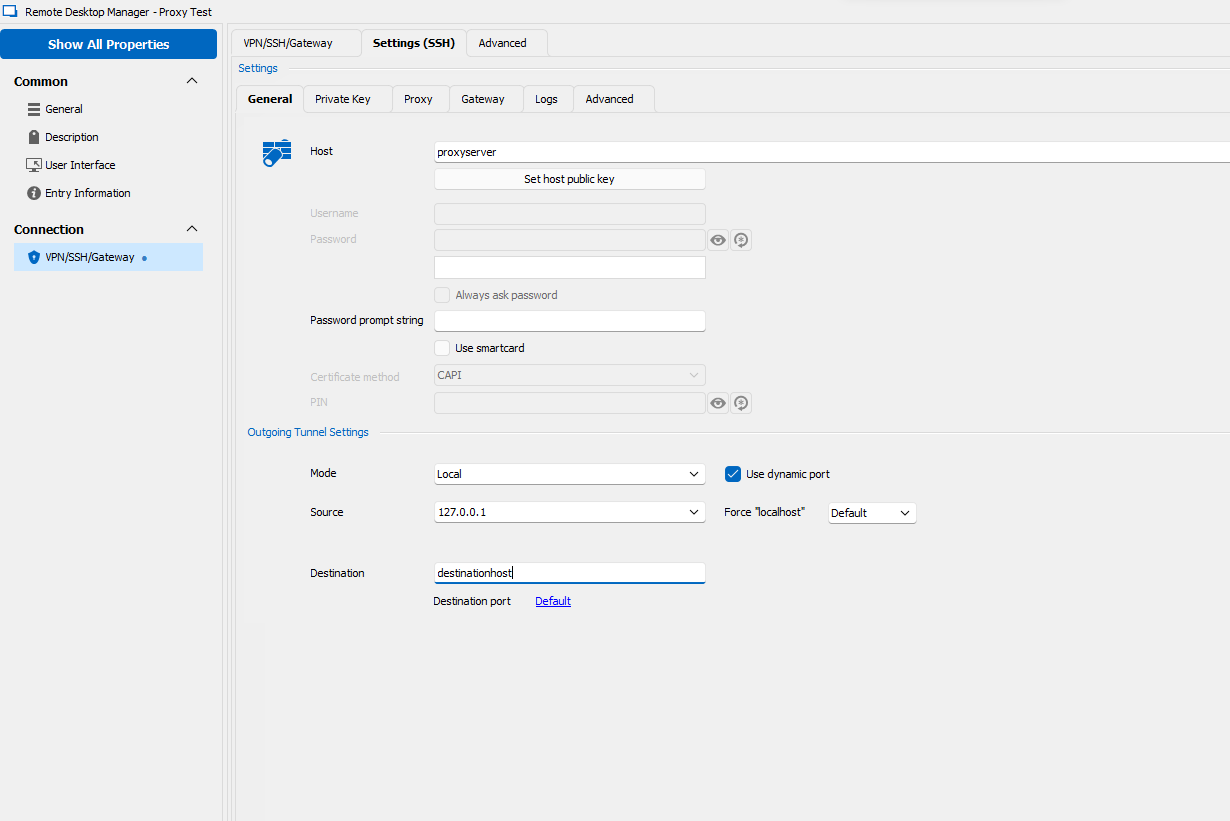
End result: When opening the "Proxy Test - Windows" session, it opens up two sessions:
one SSH session to the "Proxyhost", forwarding a dynamic port to port 3389 of the destination host.
It then opens up a second session, one RDP session to 127.0.0.1:dynamicport, which successfully connects and allows me to RDP into the destination host.
SSH:
Notice how the host is proxyhost. This is DESPITE me having set it to 127.0.0.1 multiple times. 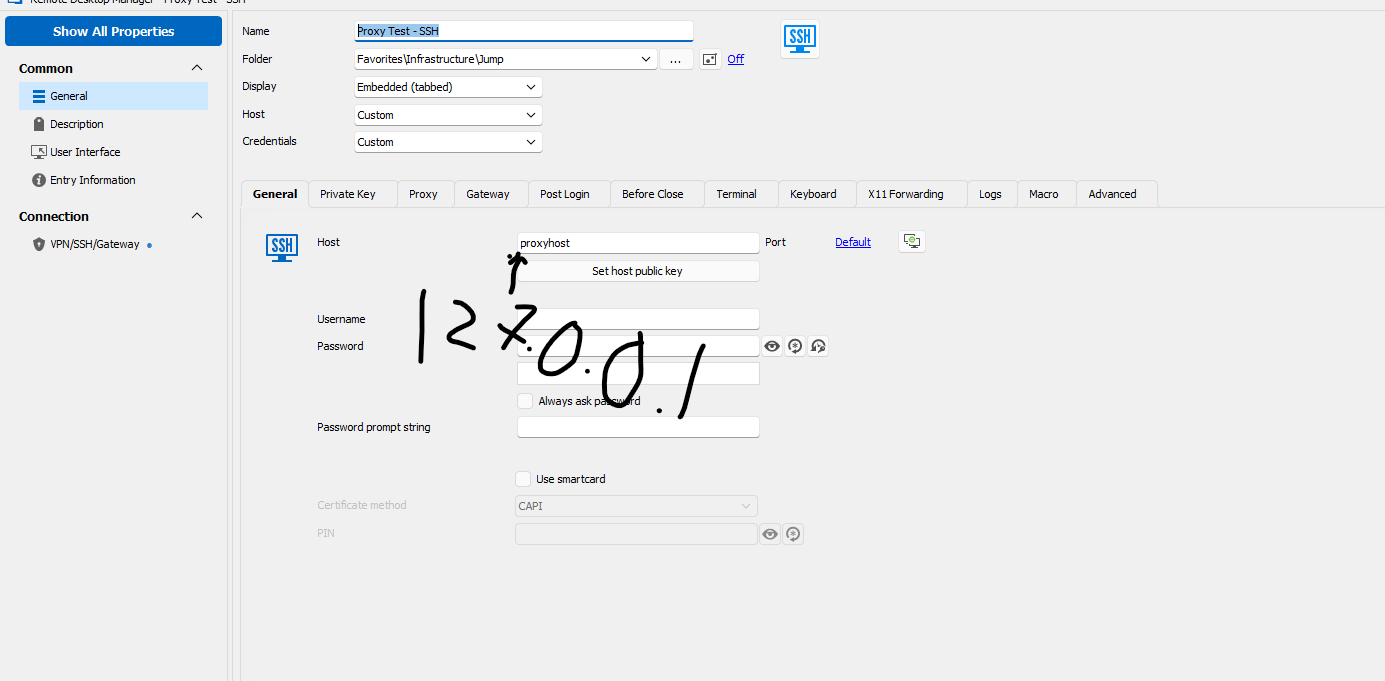
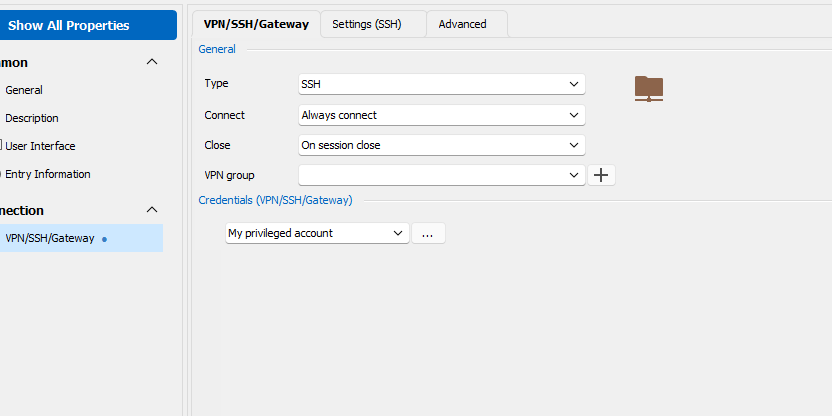
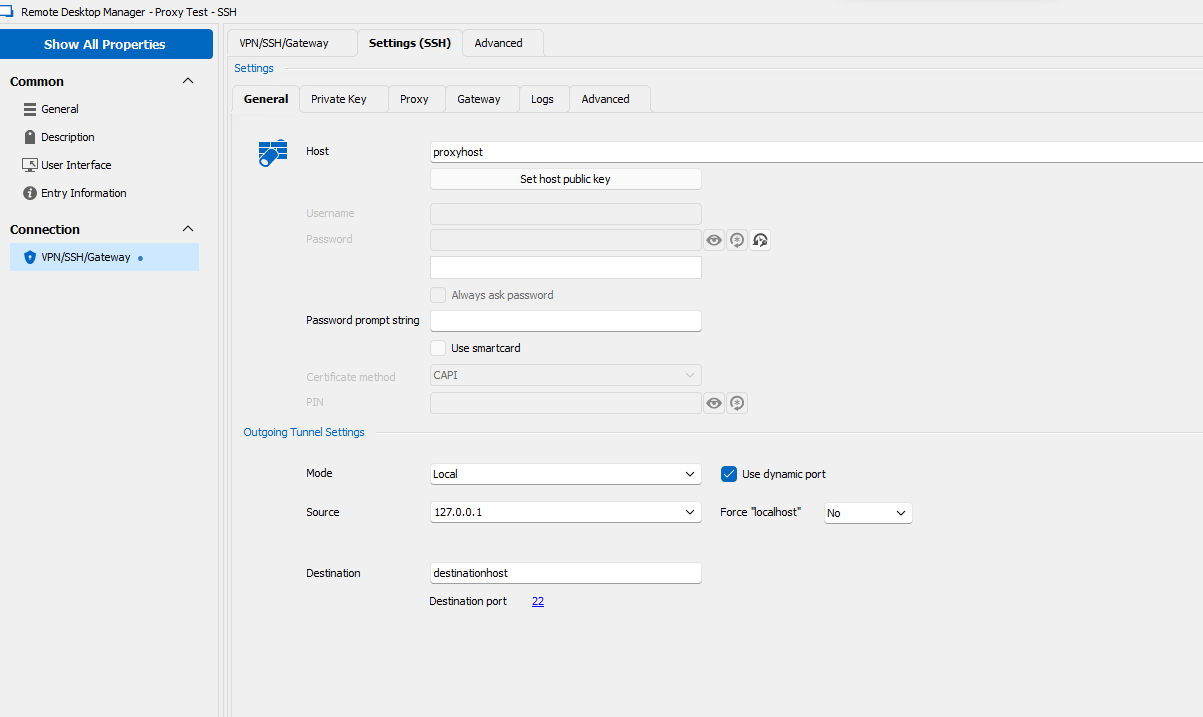
Result:
This opens up one session, to proxyhost, forwarding a dynamic port to the destination host on port 22. It does NOT open up a second session to 127.0.0.1:dynamicport
After a bit, i get an error message:
"(10057L) A request to send or receive data was disallowed because the socket is not connected and (when sending on a datagram socket using a sendto call) no address was supplied."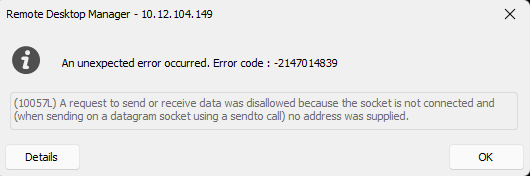
This session DOES work - if I were to open up a putty session to localhost:dynamic port, it works fine. However, i would like to do everything in the same way, just for ease of use :)
Has anyone experienced this before? What am I doing wrong here?
socketerror.png
WindowsProxyGeneral.png
WindowsProxyGateway.png
WindowsSSHSettings.png
LinuxProxyGeneral.png
LinuxProxyGateway.png
LinuxSSHSettings.png
All Comments (7)
Hello,
Thank you for contacting us regarding this. I would appreciate your assistance with the following inquiries:
- Could you please specify the version of RDM you are currently using?
- What type of data source are you using?
That being said, could you provide me with some logs of the issue? We have the following knowledge base article to generate
https://docs.devolutions.net/kb/remote-desktop-manager/how-to-articles/send-ssh-logs-verbose/
I will reach out to you via private message so that you provide us the logs.
Best regards,
Samuel Dery
Thank you!
Currently using v2023.1.23.0 - 64 Bit.
I'm currently only using a local data source. And oddly enough, no logs seem to be generating - seeing if i can figure out why...
Hello,
Thank you for your reply,
Did you configure the logs on the Tunnel entry or in the SSH Shell entry Properties?
Perhaps you could provide me with a screenshot of the configuration?
Let me know,
Best regards,
Samuel Dery
SSH Shell entry. I'll save it, then when i go back to it, it's unchecked again. 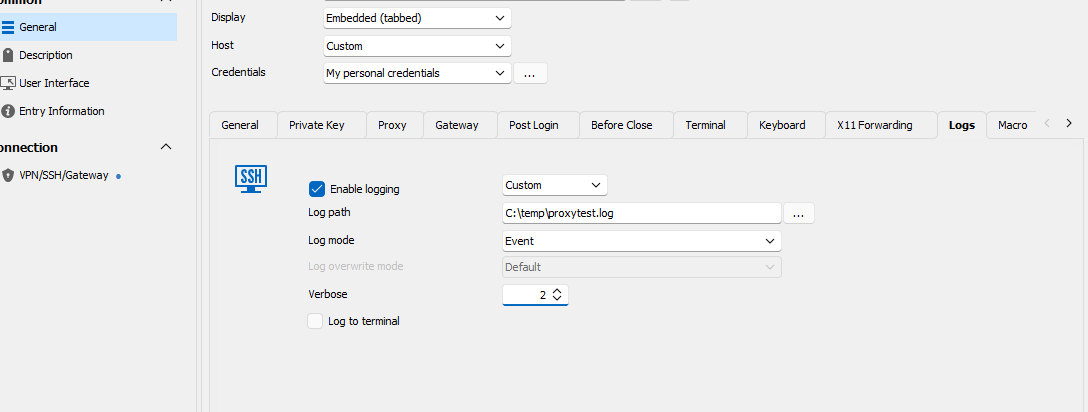
826ce128-0a97-4006-a2da-596c007fff99.png
Hello,
Thank you for your reply,
I see, could you attempt to change the Path to your Desktop and see if the logs now generate?
Let me know,
Best regards,
Samuel Dery
Nope, no dice. Anything I'm missing in that?
Hello,
Thank you for your reply,
Odd indeed, I'd like to have a remote session with you to have a look at this, would that be something you are interested in?
If so, would the email used for your account be the correct one to use?
Let me know,
Best regards,
Samuel Dery
