Importing sessions from SecureCRT
0 vote

Hello team.
I am trying to import SSH sessions from SecureCRT to RDM. I import it successfully. However, when I try to open the session, it opens in SecureCRT instead of RDM!
During the import process, I have a list of sessions to import, but I can't edit them. Edit button is faded out. If I right click on a session and choose "Edit", nothing happens.
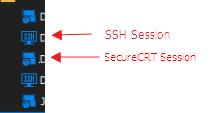
The sessions are getting obviously imported as "SecureCRT sessoins" and not as "SSH Shell" sessions. below I am including a photo of how SSH sessions and SecureCRT sessions look like in Navigation pane.
Is there a way to fix the issue so I import the session from SecureCRT and got it opened on RDM when I click on it? (I assume if we import them as SSH Shell, not as SecureCRT sessions, that'll fix the issue. But there can probably be other ways to do it as well).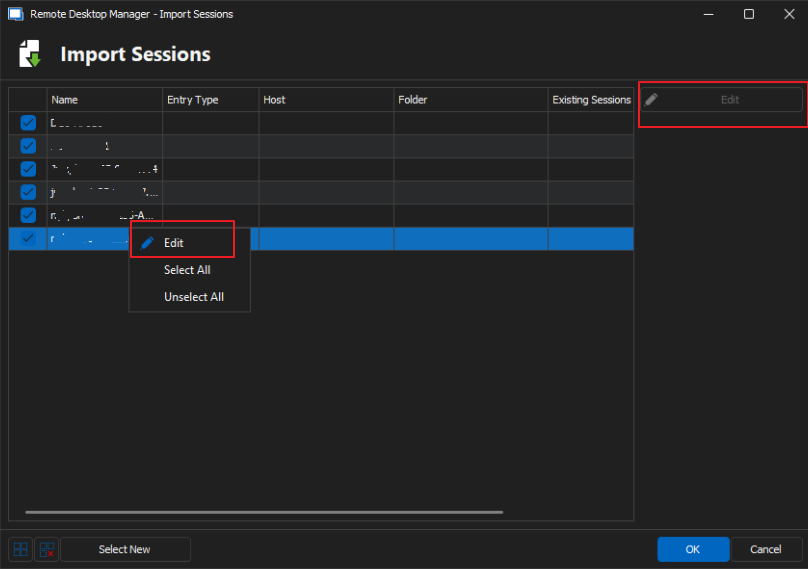
cb39deca-ad45-49f3-a8c0-37ba3772d2e6.png
3115e9ea-d6de-449f-a0cd-a96c5fd53218.png
All Comments (6)
Hello,
At the moment this is the expected behavior. I will move your thread to the feature request forum and we will open a ticket to allow importing as SSH Shell entries instead of SecureCRT entries.
Regards,
Hubert Mireault
Thank you Hubert. Appreciated.
Hello Hubert.
I also noticed that when I import .rdp files (remote desktop sessions) to RDM, they also reflect the same behavior. The session is imported to RDM but when I click it it opens on windows RDM client instead, and not on RDM. Would you please include this in the improvement request as well?
Best,
Hello,
At the moment this is the expected behavior. I will move your thread to the feature request forum and we will open a ticket to allow importing as SSH Shell entries instead of SecureCRT entries.
Regards,
Hello,
How are you importing your RDP file? It should already allow between either linking to the file or importing its content.
If you right click in your tree > Import > Import sessions from > RDP configuration (.rdp), you will be prompted to select your RDP, and then whether you want to import its content or link to that file. In your case, you would want to import its contents.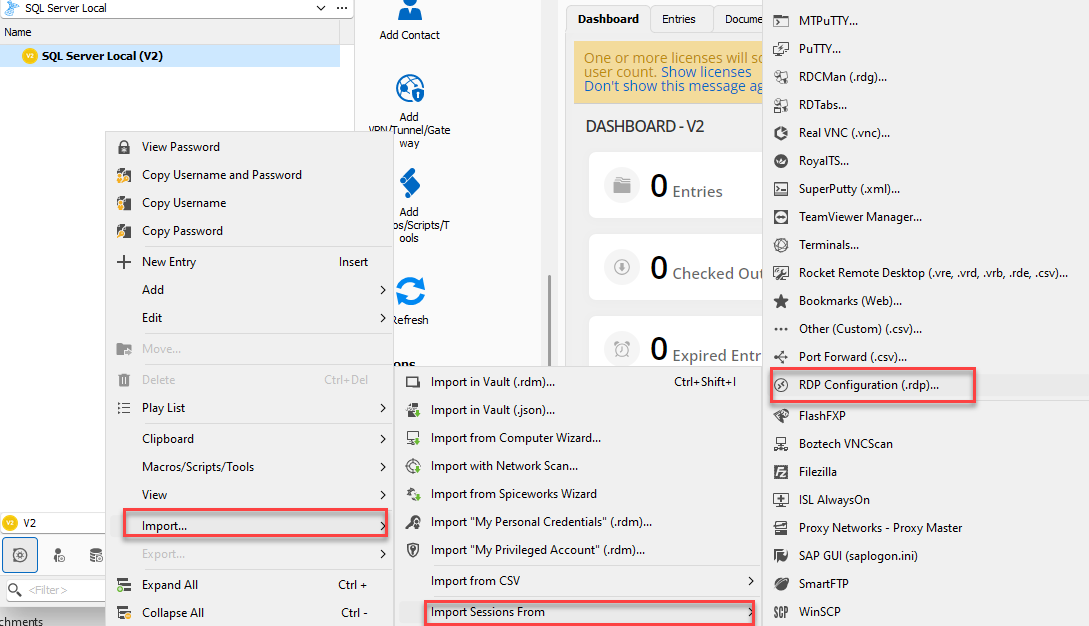
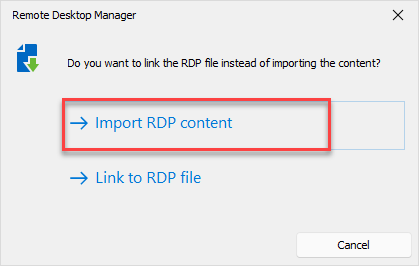
From there, the entries created will not link to the RDP file and instead have all of their content stored in RDM. If you've created an RDP entry that is linking to the RDP file, then it's the expected behavior that RDM will always open it using MSTSC.
If your RDP entries are still opening externally, I would suggest checking to make sure you haven't configured either your entries to open externally, and in File > Options > Types > Sessions > Remote Desktop, making sure the display mode is set to Configured and not External.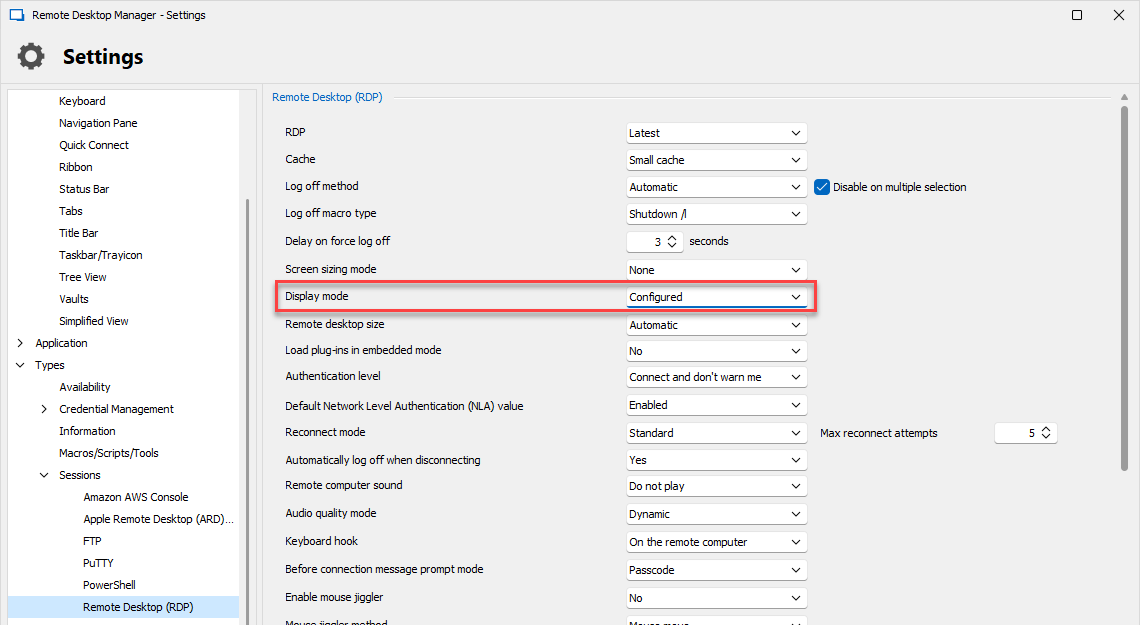
Let me know if you have any questions.
Regards,
Hubert Mireault
ff9e1045-6756-4ace-b8d4-8c9aac6d59eb.png
a96a3d42-06d7-460a-aaf3-7fede733c09a.png
662a3f43-bcb5-40bc-892e-88cd337647cb.png
Hello Hubert and thank you. Sorry for my late response.
I tried both options. Only externally option worked.
When the session tries to run embedded (not with mstsc) it doesn't seem to distinguish the password imported from original session. It prompts for password and even if I provide correct password it doesn't work! strange.
I don't currently have access to the machine itself to double check. But I'll be happy to collect any info you want in upcoming days when I get the access back.
Hello Andaluspc,
Thank you for the information!
I've opened a ticket regarding your issue and will contact you by email to further investigate.
If you have any other questions, feel free to let us know.
Best regards,
Maxim Robert