Session recording on template level

Hi,
I have template created that I'm using in QuickConnect for setting up SSH connections to remote hardware like routers and switches with preconfigred setting. I wanted to achinve situation where all new sessions are logged (recoreded) in separate txt files sou i could see what was hapenning in particular session.
How to achive that? On Template level ther is no "session recording" and Logs tab allows only to setup one log name which can be ethier overwritten or apenneded.
All Comments (6)
Hello,
Which recording setting do you want. Could you post a print screen from the session properties?
Regards
David Hervieux
Hi David,
let me put this way. I have template based on which I'm creating session to device using SSH. I want to record all SSH output (session logging) to txt file for future reference. Do you know how to achive that?
Hi all, I would really like to find a way for recording SSH session output into sepeareate files for sessions created thru template using Quick connect.
So I start SSH session to Y.Y.Y.Y using Quick Connect, which is using prepared template.
I want to have all that shown on terminal recorded, save to file called Y.Y.Y.Y.
Hello,
Perhaps you could try to configure the default template?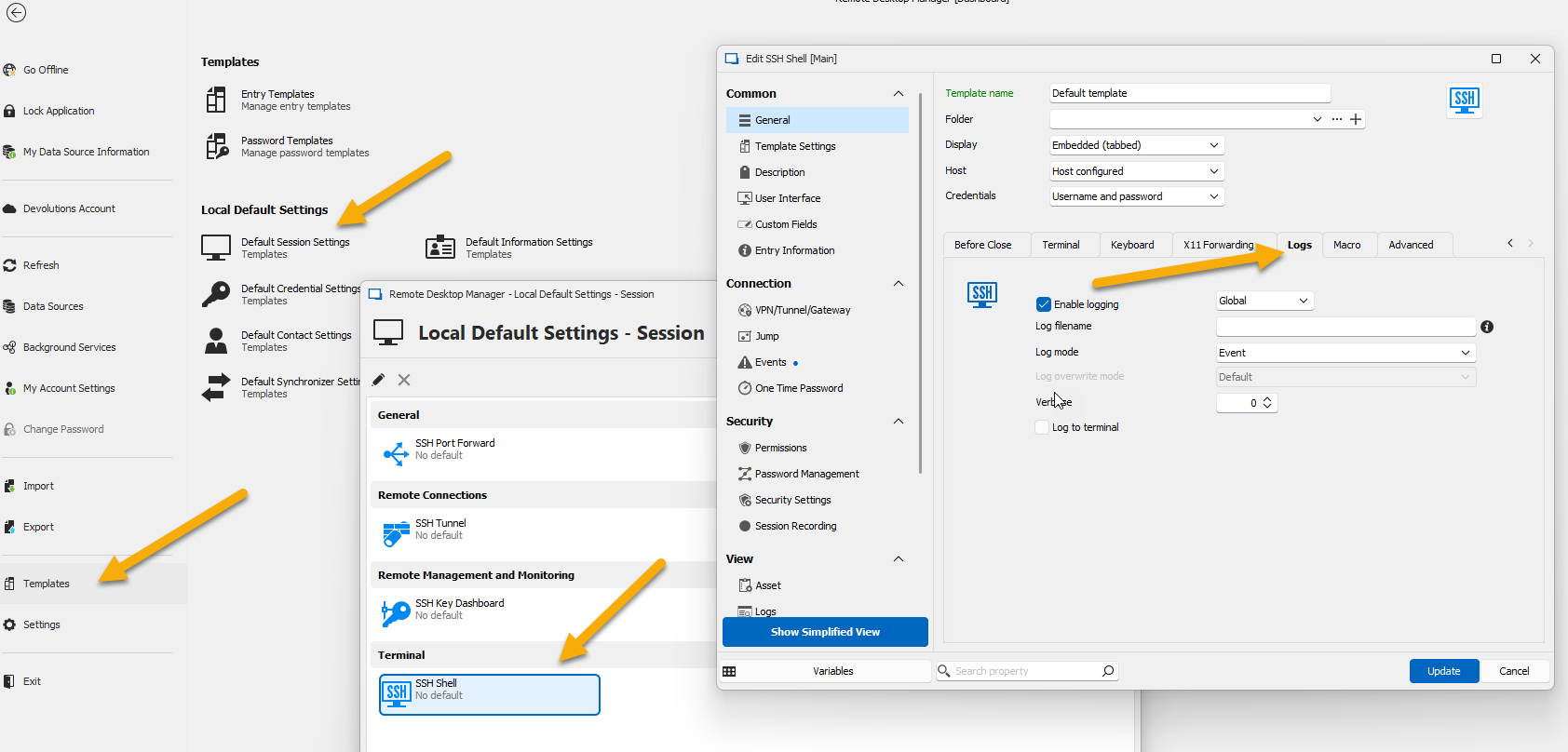
David Hervieux
b186763b-f7c1-442d-ab86-ee894d16aef4.png
Hi David, thanks for replying. I did found that option before. The problem is that if I set up filename field to any value this will be static like examplelogfilename.log. Creating session using that template would mean that data will be ovwrriden and stored in one file no mather how many session to different devices i create.
if only there would be possibility to use some kind of variable that could allow to put hostname of device I’m connecting to in that filename field.
Hello,
In your specific case, have you try the $QUICK_CONNECT$ variable?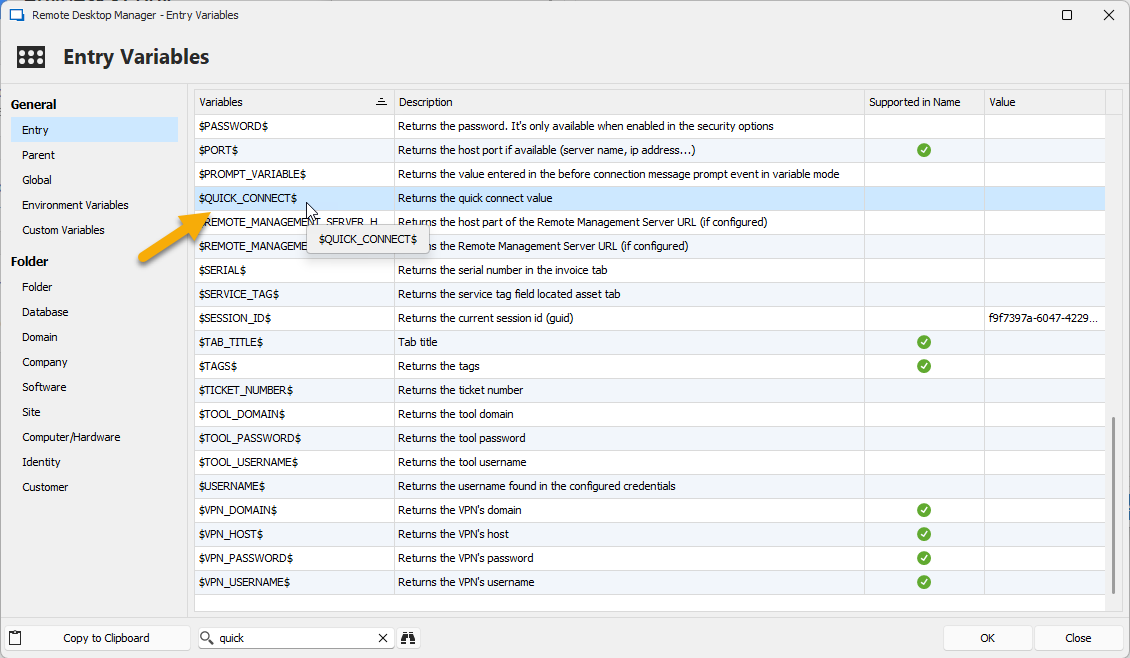
Regards
David Hervieux
8278951c-1b2b-460d-85e4-1a4522b7a2b3.png