Auto 'Check-In' Linked Account in session

If a Linked account (with a setting 'Manual Check-Out) is used for a session, for example RDP session, RDM will neatly display a popup asking whether this should be done and will automatically set the relevant account 'Checked-Out', but if this RDP session is closed, the linked account used will not automatically get 'Checked-In'.
If you have any questions or concerns, please let me know.
Marcel
Version: 2023.3.39.0
Datasource: Azure SQL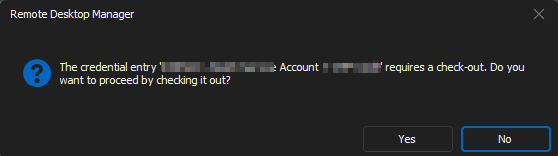
622b34e9-0388-4e22-9527-fce005cf3d67.png
All Comments (7)
Hello Marcel,
I cannot reproduce this issue.
Could you send us a screenshot of your RDP properties -> Security Settings?
And any other configuration related to this issue.
Best regards,
Patrick Ouimet
Hi Patrick,
General settings RDP: Linked credentials prompt where they can choose between 3 accounts for this RDP session: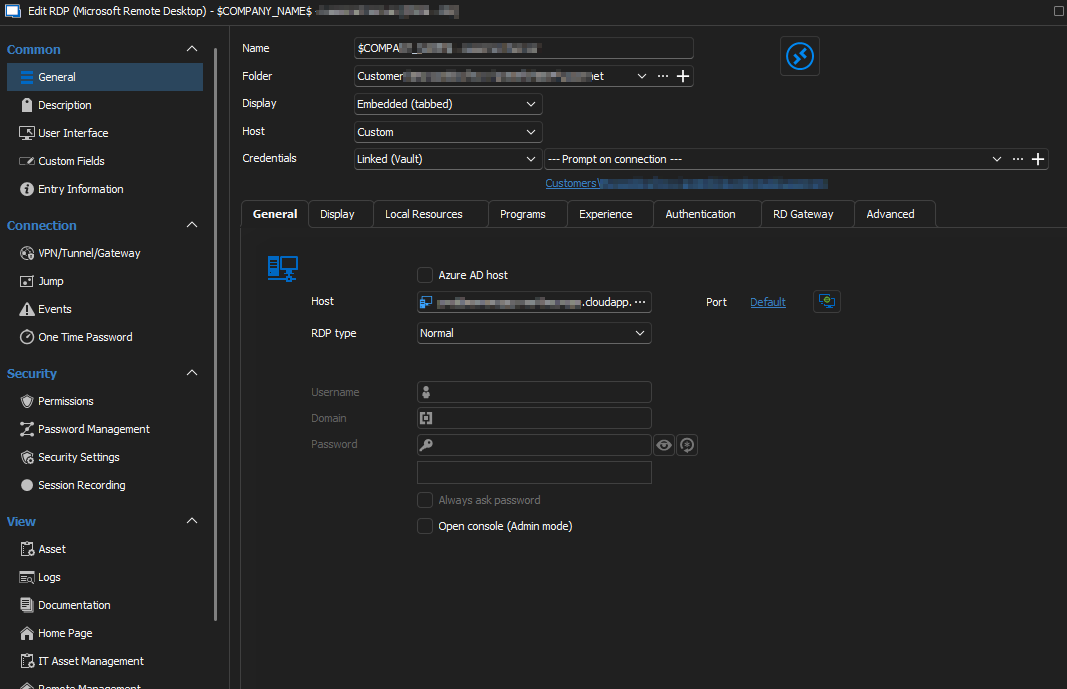
Security Settings check-out Mode are No, for this RDP session (So can be used Multi):
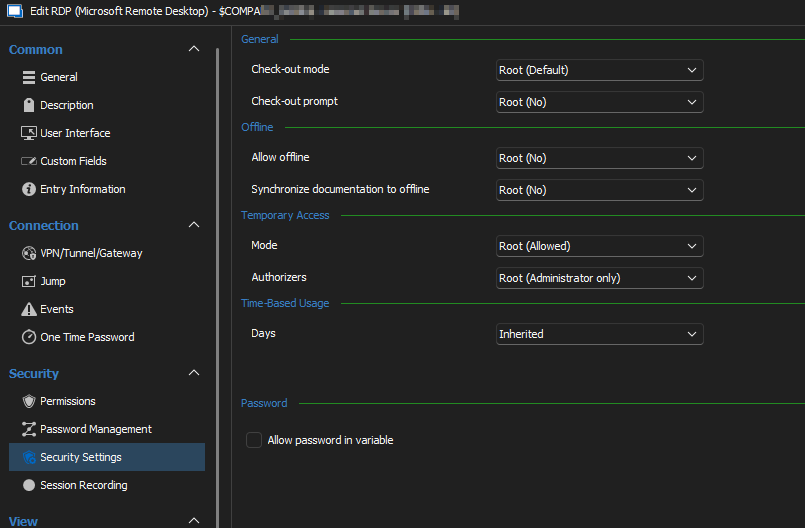
Security Setting Check-out mode for used Account/Credential = Automatic: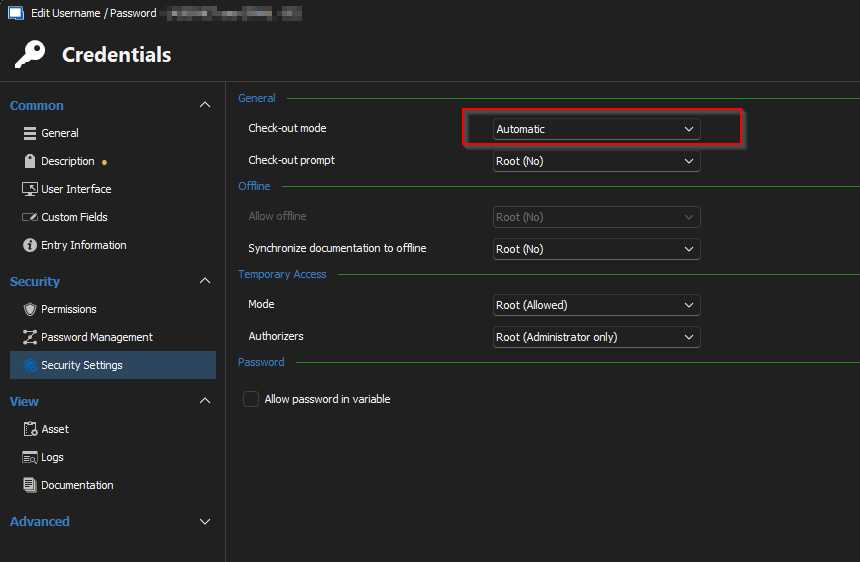
Selected account for RDP is auto checked out when starting RDP, but after stopping/close RDP the checkout for the used account stays on account/credential,
Regards, Marcel
6c0643e1-b65b-4884-b8ec-1164680b6657.png
a9588a29-5eb1-42da-a443-c3c46ee3c687.png
525dd695-9f5f-4f61-84d2-9ff204974bb4.png
Hello Marcel,
I tried multiple combinations to reproduce the issue you are facing, but the prompt did not appear.
To resolve this problem, could you try resetting the database cache? You can do this by going to File -> Data sources -> Edit -> Advanced -> Manage cache -> Clear cache.
Please let me know if this fixes the issue.
Best regards,
Patrick Ouimet
Hi Patrick,
Did a cache reset but same problem, account remains checked out.
Also tried the same in a 2024.1.7 Beta version and there the same phenomenon.
Start RDP session with a linked - prompt on connection - account, choose 1 of 2 available and (selected account gets checked out after starting RDP).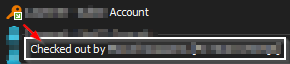
Logoff RDP and closing session the selected account remains status Checked-Out.
Security settings RDP : Check-out Mode - Not Available (so can be multi used given 2 possible selectable accounts)
Security settings Account(s): Check -out Mode - Manual (Prompt will come for user "Requires a check-out, do you...." and same behavior if - Automatic
Checked out.png
Hello Marcel,
Thank you for your feedback.
I have created an internal ticket to investigate the issue you reported. I will keep you updated as we make progress.
Best regards,
Patrick Ouimet
Hello,
We now have an internal working feature for the auto-checkin of "Prompt on connection" credentials.
It will be available with the 2025.1 release.
Regards
Jonathan Del Signore
Thank You! ;-)