Dynamic Filter
0 vote

I just imported 96 SSH and 96 HTTP sessions into the same folder. I want to bulk update the HTTP to open the sessions using an external browser. Instead of holding down the ctrl key and clicking on each HTTP session one at a time it would be help to filter on the folder to only show a specific session type, so in my example only HTTP would be showing so I could easily select all of the HTTP sessions to bulk update so they would open with an external browser.
All Comments (2)
Hello,
You could use the Advanced Search for this: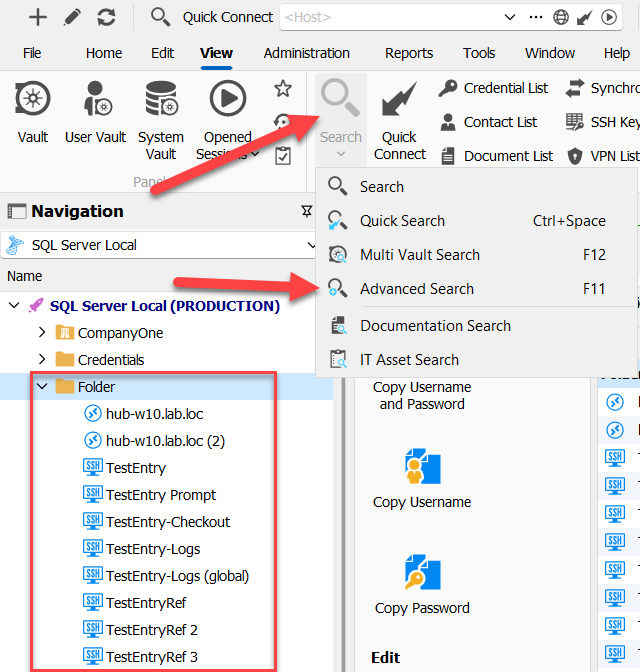
In my example, in my folder I have RDP and SSH Shell entries.
In the resulting advanced search window, I search for only SSH Shell types belonging to the "Folder" folder. In my result I only get the correct entries: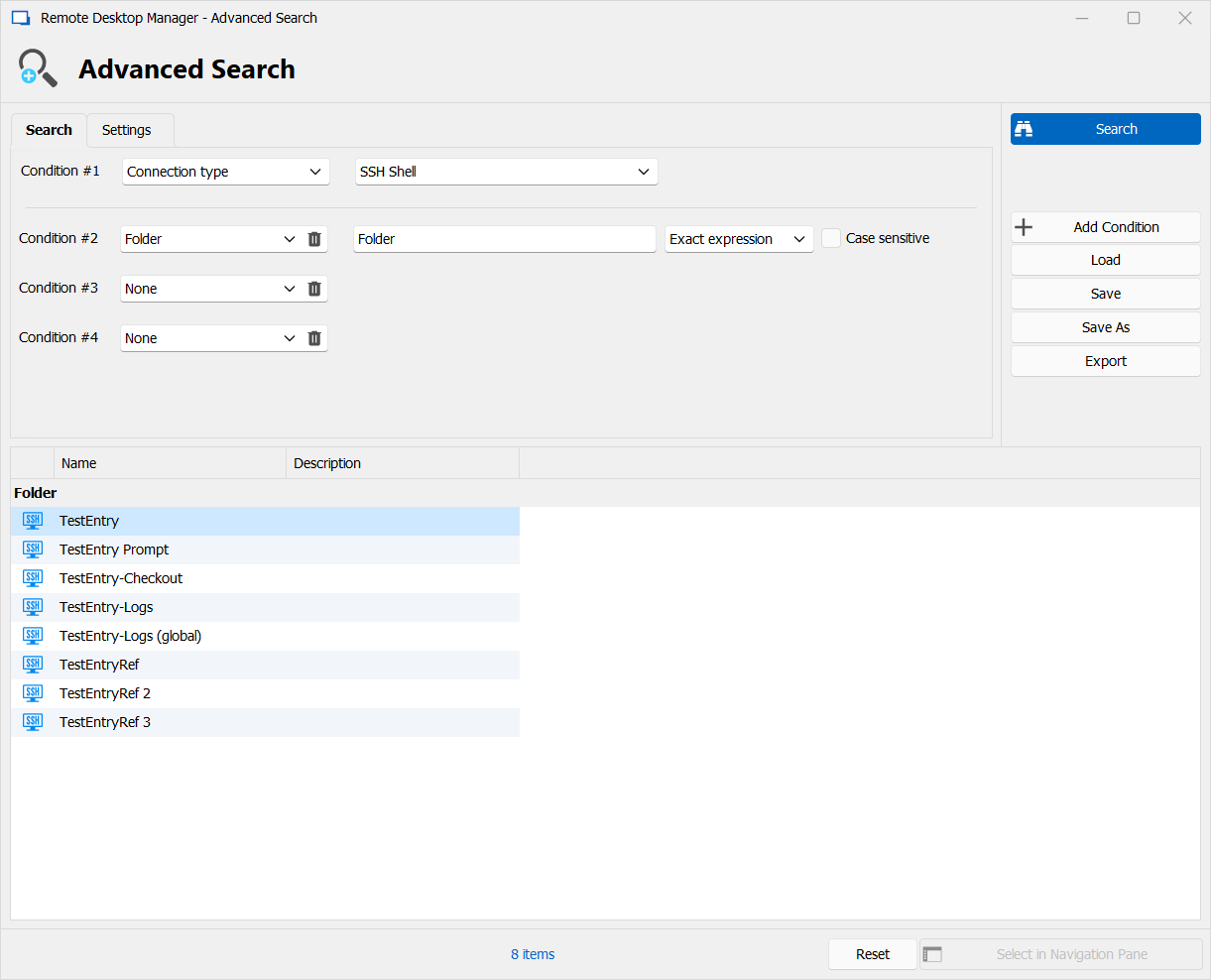
From there you can select the entries and batch edit them.
Let me know if this works for you.
Regards,
Hubert Mireault
262df1a2-3a57-41d3-ba08-e2df4503e9c7.png
8564b0b2-fbd3-49df-89cd-857dff1e7273.png
Thank you, I use advanced search as well.