RDP always in fullscreen

Every time I launch an RDP session from RDM, the session opens in full-screen. I have to manually restore down so that it shows up embedded in an RDM tab.
What setting do I need to change to get it to show up embedded by default?
All Comments (3)
Hello,
In the properties of your RDP session, make sure that the Display setting is set to Embedded as per the screenshot below 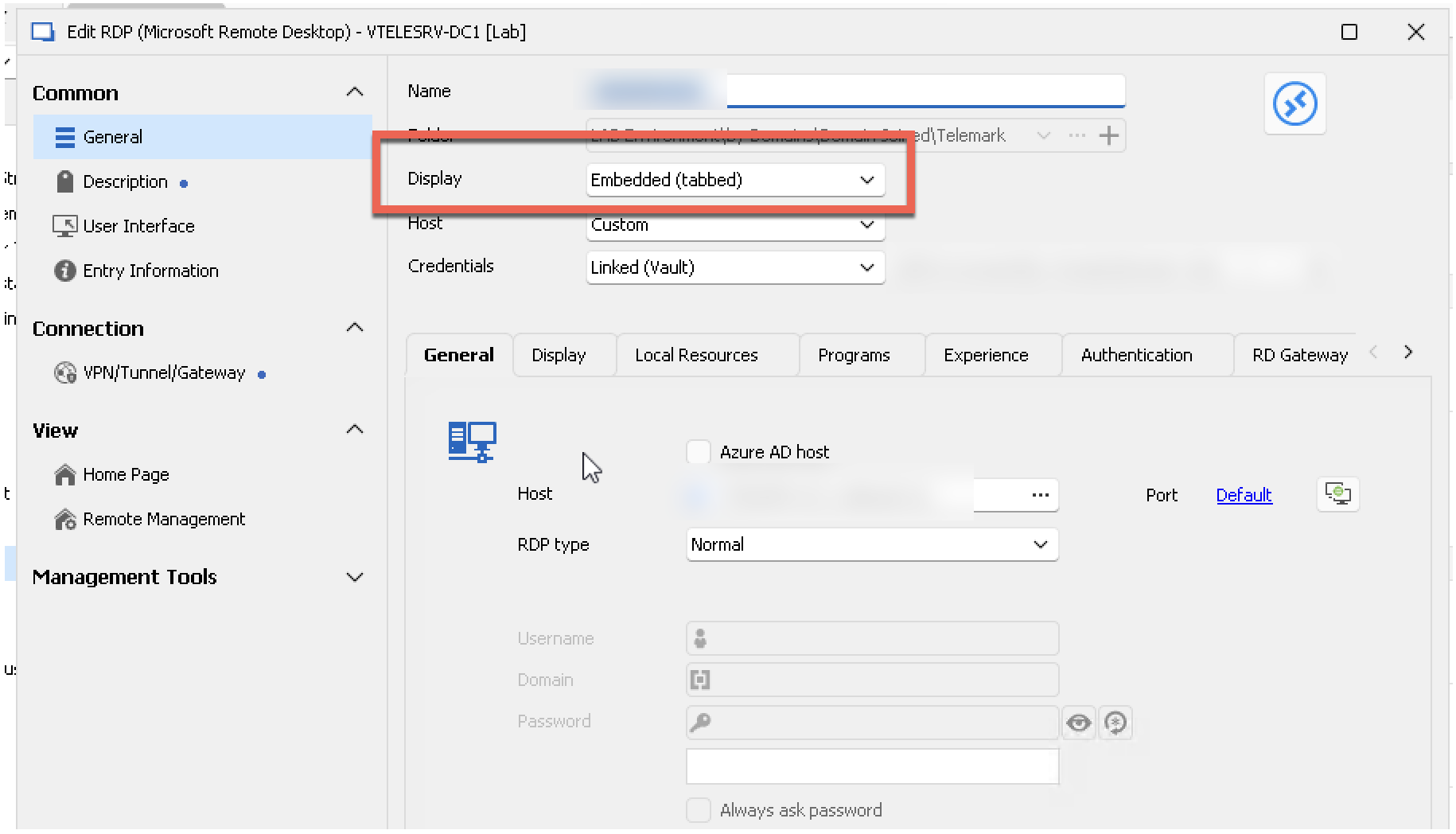
Best regards,
Jeff Dagenais
91749ab0-b84c-4c47-a106-5d4c4c5f1189.png
Yes. That is exactly the setting, and it doesn't seem to work. Every time I open the RDP connection, it opens maximized over the entire screen instead of within the RDP pane.
Version 2024.1.19.0 64-bit
Hello Dbramblett,
In that case, would it be possible for you to create a portable installation of the latest version of RDM and see if this issue still occurs? To do so, you will need to do the following:
(Close RDM)
1- Download the .zip file below:
https://remotedesktopmanager.com/home/thankyou/rdmbin
2- Create a new folder on your Desktop
3- Extract the content of the .zip file into the folder created at #2
4- Go to this folder once the .zip file has been extracted and run remotedesktopmanager.exe
5- Connect to your data source
This test will allow us to rule out your local installation of RDM as a possible cause for this issue.
Please note that if you are using an Advanced Data Source, I would recommend skipping step #5 and using the default data source created by the portable installation of RDM instead.
Best regards,
Maxim Robert