SSH Snippets

Hello,
To avoid confusion, by SSH Command I mean a single command, and by SSH Snippets I mean a smaller set of commands with a single purpose.
For example, a simple bash script:
#!/bin/bash

sudo apt update
sudo apt dist-upgrade -y
sudo apt upgrade -y
sudo apt autoremove -y
sudo apt clean
sudo apt autoclean
sudo do-release-upgrade
if [ -f /var/run/reboot-required ]; then
	sudo reboot
fi
QUESTION
What to use to execute this script, because SSH Command does not support multi-line commands (snippet), it simply ends the activity after the first command from the first line of the snippet?
Best Regards,
Ljubomir Manojlovic
All Comments (7)
Hi,
This specific case is already fixed in the upcoming 2024.1 version: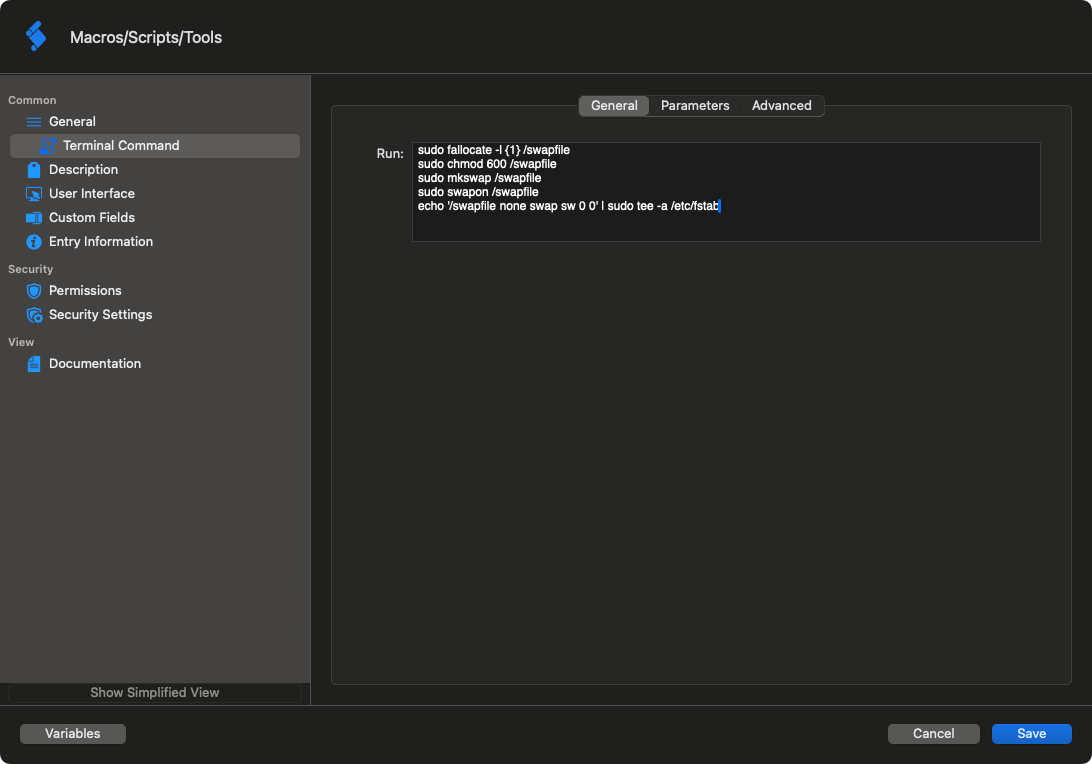
Best regards,
Xavier Fortin
MultiLine.png
Hello,
Great.
Sorry, but what is that in the picture? There is nothing like "Terminal Command" for me. Is it some new type of Macro/Script entry?
Best Regards,
Ljubomir Manojlovic
Terminal Command is SSH Command, it's just been renamed to be more generic since it technically also applies to Telnet and (possibly) Serial Port entries.
Best regards,
Xavier Fortin
Hi, I have just tried to set this up and I can't get it to do multi-line.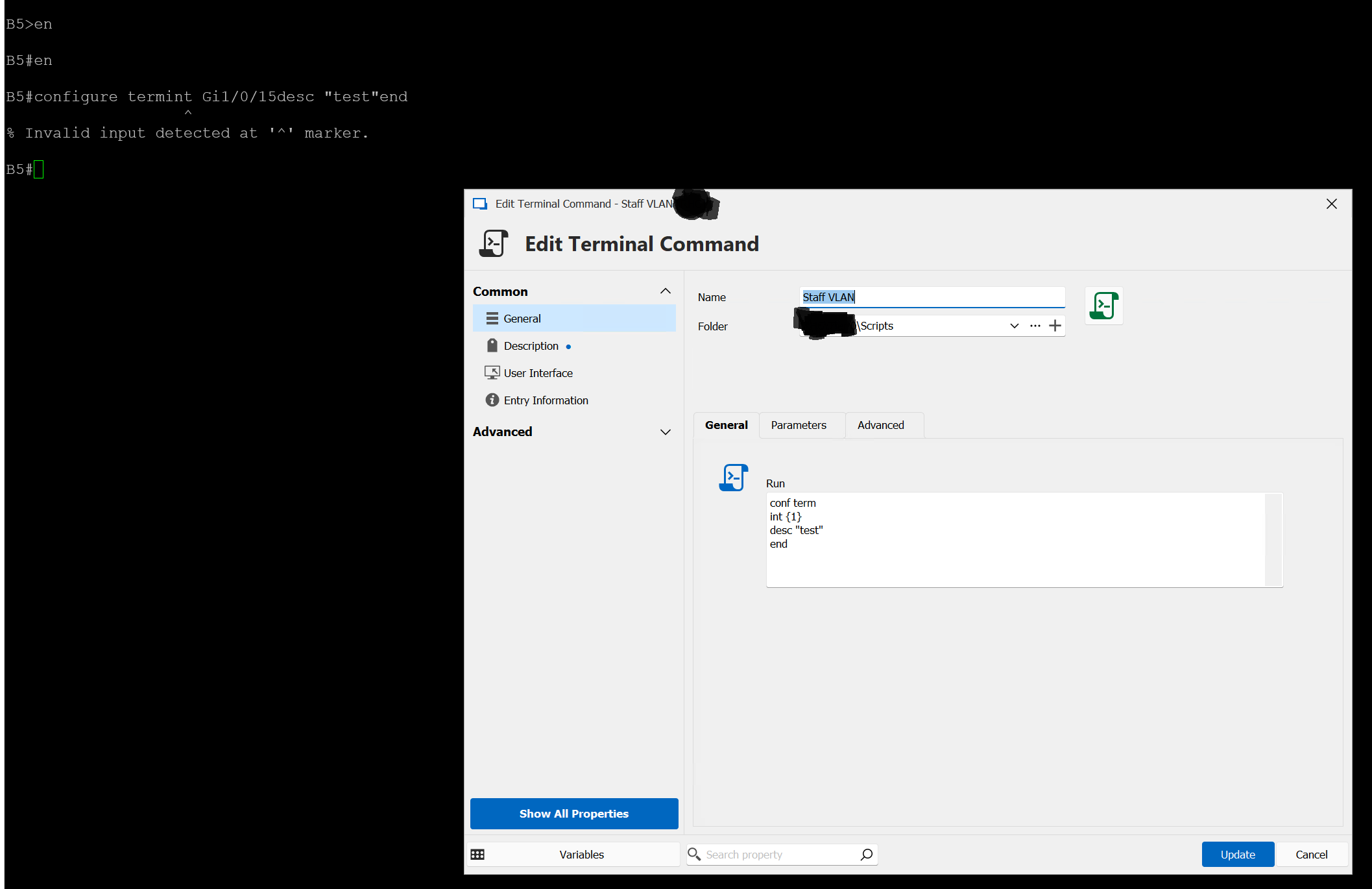
Any ideas?
14db4c54-c317-4e1c-aa8c-049fb1bf4000.png
Hi Scottu,
you can't get it to do multiline in RDM Windows or RDM Mac?
What is the terminal entry type that you are using?
Best regards,
Jesse Galarneau
Ah ok, I was hoping to use it for SSH to network switches using RDM Windows to then configure switchport.
Is there any way to do that so we can setup a script to configure switch ports?
Hi Scottu,
Sorry for the delay. You could configure a typing macro.
It works similarly and should work to configure the switch ports.
Best regards,
Jesse Galarneau