Web Login - not updating password after change

I have to change my password every 60 days for a certain website, and I do so in the RDM. Now I have double checked it is correct and have logged in manually but, the web extension for edge is not updating. I am unsure why this is or how to change it. Web extension is Version: 2023.3.4.1. RDM is 2023.3.37.0 64-bit. Any help be great.
All Comments (3)
Hello,
Thank you for reaching out to us regarding this,
Generally after the entry has been changed in RDM, simply performing a "Refresh" in the extension should resolve this type of issue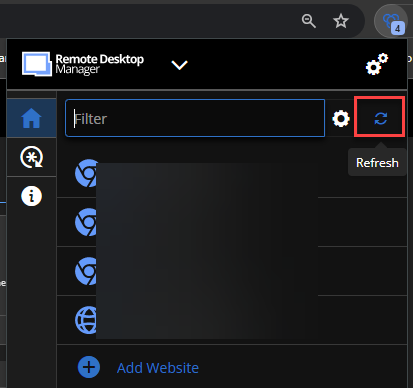
Could you confirm that this was completed and if the issue persists?
Let me know,
Best regards,
Samuel Dery
791e66f4-75c0-4310-9ad2-d2ec2e00fef6.png
issue persists. disabled the extension in edge and turned it back on after closing and reopening the page. cleared cache, cookies and temp files. The page is showing the add in in the bars but still passes the wrong password.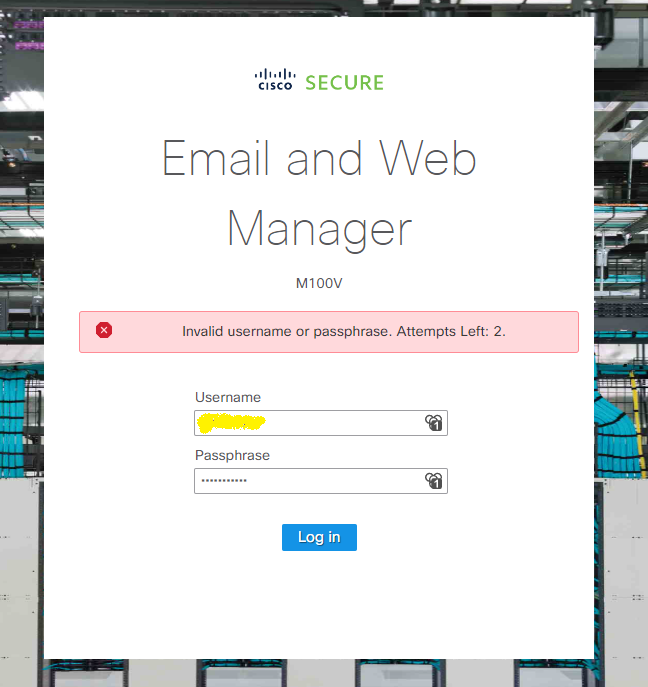
Screenshot1.png
Hello,
Thank you for your reply,
I see, that is indeed odd,
Which type of data source are you using with the Workspace extension? If you use the "Copy Password" option in the extension and paste the credentials can you confirm if the password is correct or not?
Let me know,
Best regards,
Samuel Dery