Text Formatting Configuration in Terminal Environments
Text Formatting Configuration in Terminal Environments
0 vote

I didn't understand how to perform the following setup.
When I'm in an SSH session with a Linux machine, the hostname of the machine appears in bold, and this happens automatically, I didn't make any configuration for this.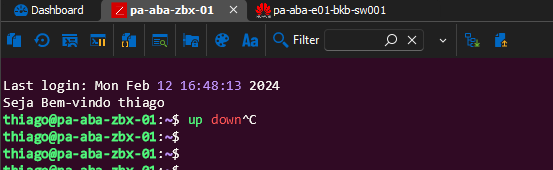
So, I would like to replicate this action for the syntax highlighting I configured for my network devices, but I can't make the font bold, only the color changes according to what I configured in the ANSI Bold.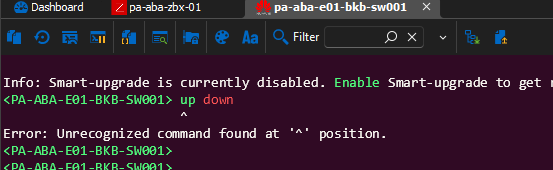
154d76a5-dd30-40eb-95a9-ee2c772d5589.png
a677745e-6cd3-44a7-9fc3-e01ad008e992.png
All Comments (5)
Hello,
I've moved your thread to the Feature Request forum, as bolding characters is not currently supported in the syntax highlighting feature. We have opened a ticket so we can add support for it.
Regards,
Hubert Mireault
Hello Hubert, I appreciate the initiative and look forward eagerly to the implementation of the feature.
Hello Alex,
The support for bold characters in syntax highlighting has been added and will be available in the next major release (2024.3.1.0).
If you have any questions, do not hesitate !
Best regards,
Nathan Beauregard
Thank you very much for your feedback and effort, I will update and test!
I'm also looking forward to when the Linux version has all the features of the Windows version
Hello Alex,
It was a pleasure ! If there is anything else, get back to us !
Best regards,
Nathan Beauregard