"Log Off" command not available in toolbar if Quick Connect

Hi there,
is it normal that from RDP Quick Connect session the "Log Off" command is missing from the toolbar? It is available from the context menu, tough: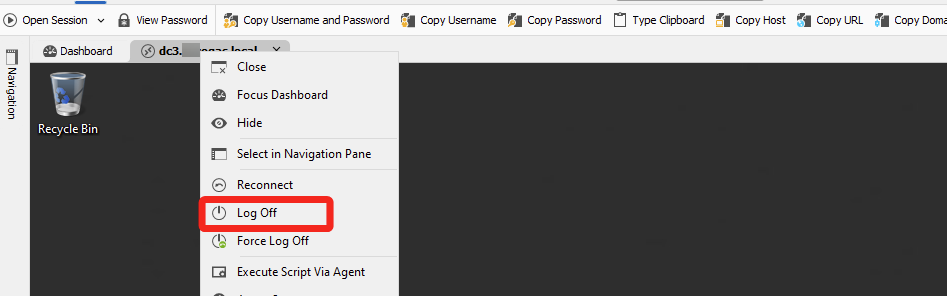
I suppose related to the fact that toolbar is related to tree view selection (https://forum.devolutions.net/topics/41102/logoff-toolbar-command-hits-the-wrong-tab-and-disappears). Right?
Thanks.
2a8584a1-3100-4b4b-b90f-81556b98838b.png
All Comments (1)
Hello,
The log off command should be available. Could you try clicking on 'Window' and then 'Reset Layout' to see if the log off button appears?
Alternatively, you could switch to the classic ribbon layout, which may allow more buttons to be displayed in the layout.
Best regards,
Carl Marien