How can I exit Full Screen

I am a new user of Remote Desktop Manager. While trying out the features, I entered Full Screen mode. Now, I can't exit out of it.
Can someone please help me exit full-screen mode? Any shortcut or option I could use?
All Comments (6)
Hello,
ALT + F11 should bring back the ribbon and allow you to reduce RDM to exit the full screen mode.
Best regards,
Jeff Dagenais
I tried pressing ALT+F11 but nothing is happening. It's still in full-screen mode.
What am I doing wrong? Any alternative solution?
Hello,
At the top right, are you seeing some dots. You should be able to click on it and bring back the ribbon menu.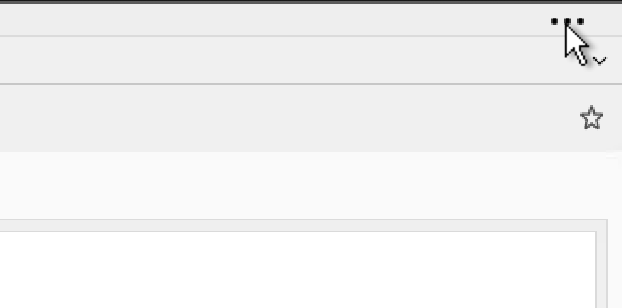
If you are not seeing this, you can also try this to completely reset the layout of RDM :
- Close RDM
- Navigate to %localappdata%\Devolutions\RemoteDesktopManager
- Delete all the *.lyt files
- Restart RDM
Best regards,
Jeff Dagenais
957760c2-5a41-44bd-8a81-e2401ab07f01.png
Hello again,
You could also post a screenshot of what you are currently seeing so that we can help you properly.
Best regards,
Jeff Dagenais
Hi Jeff,
Thanks for your quick reply and help, I really appreciate it!
I was able to exit full-screen using the "Three Dots(...)" in top right corner. I wasn't being able to click it earlier, like it wasn't responding to my click. But then I restarted the RDM, and clicked ... again and it worked.
Thank you so much again!
Regards.
Hello,
Glad that is now working!
Have a nice weekend.
Best regards,
Jeff Dagenais