New-RDMEntry not creating entry

Hello,
Attempting to create Software/Serial entries us RMD via PowerShell with a DVLS datasource. The PowerShell command succeeds but no entries show up.
i.e.
New-RDMEntry -type 'DataEntry' -Name 'TestDataEntry'
but then no results when running
get-rdmentry | where {$_.ConnectionType -eq 'DataEntry'}
Running latest version of RDM.
Pls let me know if you would like any additional info.
Thanks
Joe
All Comments (4)
hello,
To save an entry with the New-Entry cmdlet, we need to use the -Set switch. For the Serial entry type, we need to create a Serial entry like this.
New-RDMEntry -Type Serial -Name "TestSerialEntry" -SetLet us know if that helps.
Best regards,
Érica Poirier
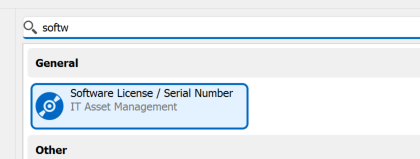
Thanks Erica. That works, but how do I create the new entries as type 'Software Licence / Serial Number'? I tried using the types 'DataEntry' and 'Serial', but the resulting entries are different than when I create a 'software' type entry in the GUI.
Hello,
Sorry for the delay; I struggled with this quite a bit, like you.
The process is more complicated than most of other session types, but here's how :
# create the Entry object
$new_e = New-RDMEntry -Type DataEntry -name PowerShellCreatedLicense
# Create the object collection for the Serial
$obj = New-Object -TypeName Devolutions.RemoteDesktopManager.Business.DataEntryConnectionTypeInfo
$obj.DataEntryConnectionType = "Serial"
$new_e.DataEntry.connectionTypeInfos = @($obj)
Set-RDMSession $new_e
I hope this helps!
Best regards,
Alex Belisle
Thanks Alex. That worked great.
Joe