Reconnect session with double click
0 vote

Hi,
It would be great if we can double click on an entry in the navigation tab and if the entry is already open just in disconnected state to trigger reconnect. This will align the reconnect behavior to the behavior of connecting to a new entry.
All Comments (8)
Hi, just to be clear, when you open a session in RDM from Workspace (Double click on entry in Workspace), you want to reconnect it instead of just focusing it?
Thank you
Sébastien Aubin
Product manager - Password Management
I'm not sure what you mean by workspace. I'm referring to the navigation bar. At the moment single click and double click do the same behavior once a session is already in a tab irrespective of the tab status. (I understand why you might to just bring to focus if a tab is active, but if the tab is disconnected state reconnect on double click makes a lot of sense).
mstsc_bD4tf3o7z9.png
Hello,
In RDM Windows you should already be able to configure this. If you go in File > Options > Types, and check "reconnect on double click", it should act how you describe.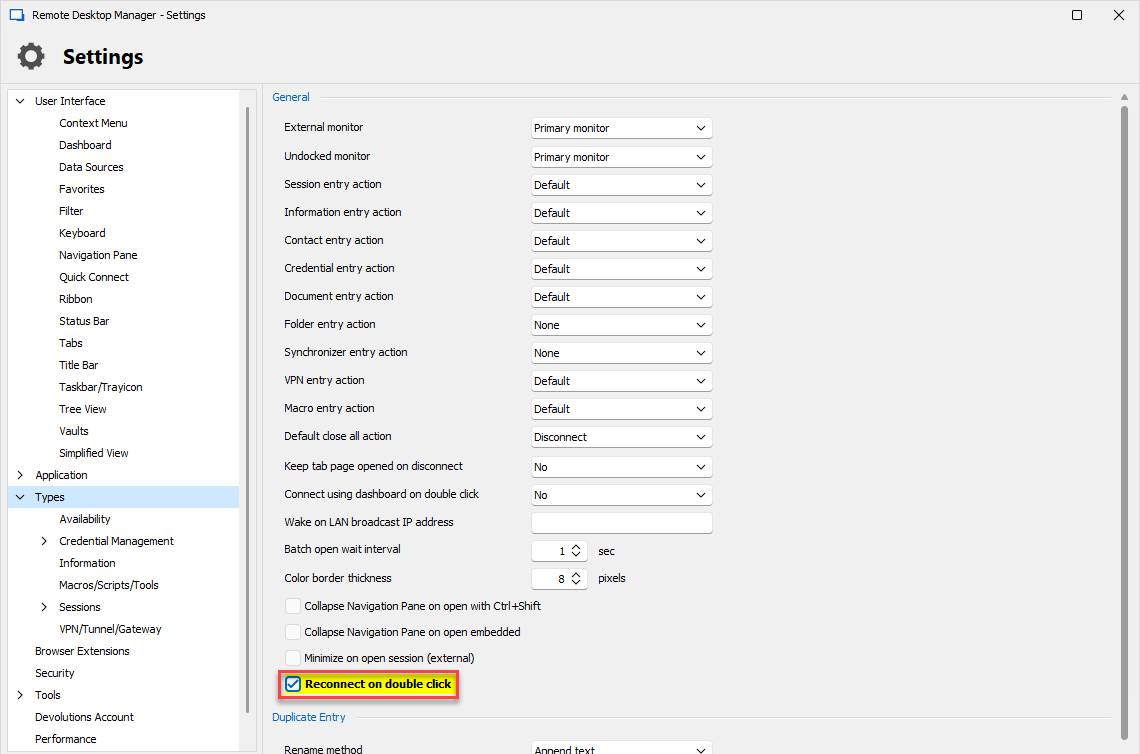
Please let us know if this doesn't work for you.
Regards,
Hubert Mireault
9fb8f8b9-f313-4a76-9f25-3267f8864799.png
Thanks! That did it. I was until now looking per object setting.
Glad this works for you! Let us know if there's anything else.
Regards,
Hubert Mireault
This works but please make this the default behavior. That is how it works in RDCMan (double-click to connect or reconnect)
Hello,
Thanks for the feedback. We will consider changing the default behavior.
Regards,
Hubert Mireault
Adding another "50 cents" to the content, it is also possible to reconnect by double-clicking the tab, by adding the following command to the settings.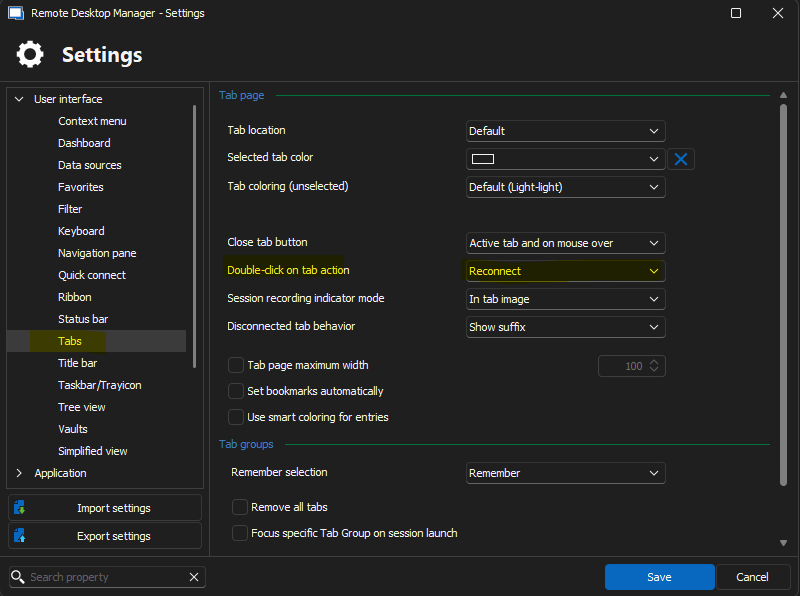
0c2ee105-a341-40f1-8ba5-659c1e078792.png
