Everything Greyed out after migration

Hi All,
I have been a user for years and recently migrated to Devolutions Hub Personal.
The problem is that everything is read only and I cannot make any changes to my entries or add new ones!
Please can someone help me to sort this out?
Cheers,
Johan
de4fe1fc-7d02-49f8-9ecc-a0e0c89d53d8.png
All Comments (8)
OK, I sorted it out. I had to, for the first time ever, run the program "as administrator"!
All good now ;-)
Hello,
Glad that you were able to find the solution! Let us know if you have any further issues!
Best regards,
Etienne Lord
I also have this exact problem using Hub Personal.
I cannot add connections or change existing ones.
It has been working fine for ages and now it seems to be read-only.
Currently using 2023.3.39.0
Any ideas?
Thanks
Bruce
I also have this exact problem using Hub Personal.
I cannot add connections or change existing ones.
It has been working fine for ages and now it seems to be read-only.
I can only change on my hub personal website. nothing in the current app
Currently using 2023.3.39.0
Any ideas?
Hello,
Please update to the latest version of Remote Desktop Manager, this should fix your issue!
https://devolutions.net/remote-desktop-manager/home/downloadenterprise/
Best regards,
Etienne Lord
I had the same issue and this fixed it for me, thank you!
Hello,
Please update to the latest version of Remote Desktop Manager, this should fix your issue!
https://devolutions.net/remote-desktop-manager/home/downloadenterprise/
Best regards,
I'm running the last version of Remote Desktop Manager: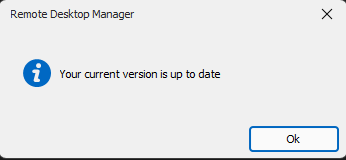
I can modify entries in https://hub.devolutions.com/ without problems, but I cannot modify anything in Remote Desktop.
f6c10d39-e44f-4a84-80d1-9edd5dec4cf3.png
Hello,
Could you send a screenshot of your Help - About window?
Best regards,
Etienne Lord