Add the Name of the Entry for the Passwordserver to the Dialog "authenticator-app"
Add the Name of the Entry for the Passwordserver to the Dialog "authenticator-app"
0 vote

Hi,
I have RDM connected to multiple Pleasant Password Servers (as I sell these to my customers, in most cases the passwords are in a Pleasant Server). All Accounts to the Password Servers are secured with 2FA by an Authenticator app and when a connection to one of the password Servers is opened for the first time, RDM asks me for the Key from the Authenticator App. Everything working fine up to here.
I am Using some Workspaces and Playlists that open Entries from different Password Servers. In this case it would be practical to get a hint, which Passwordserver asks for the Authenticator Key. The Dialog in Mac or Windows dies not have any information about this: 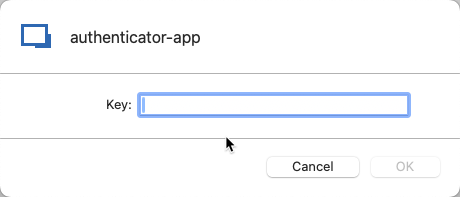
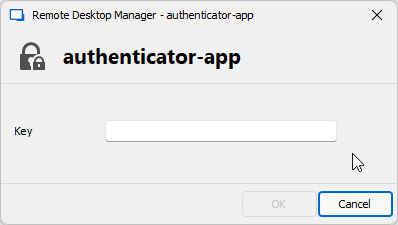
Maybe you could write the Name of the Password Entry that is to open or the URL to the Password Server into the Dialog?
Just a whish, in most cases I am lucky to enter the key for the correct Server :-)
Kind Regards
Christian
Authenticator App Windows.png
Authenticator App Mac.png
All Comments (6)
Hello Christian,
Yes it should be possible. I have created a ticket for the improvement.
If there anything, we will come back to you.
Best regards,
Michel Lambert
Nice Surprise in the Morning: Starting up RDM and it asks me for the TOTP with the Name of my password Server.
Thank you so much guys!
Kind Regards
Christian
Happy to know you are satisfied,
Like usual, if there's anything, don't hesitate to communicate with us.
Best regards,
Michel Lambert
Hi,
just called such a server on a windows System with RDM for Windows.
While the solution on the Mac RDM is clear and stylish: 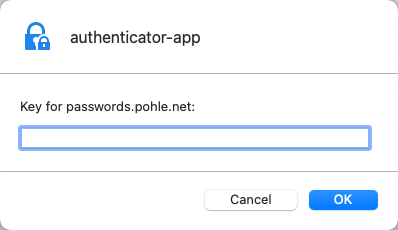
it is unclear and not very stilish what is displayed on my Windows machine: 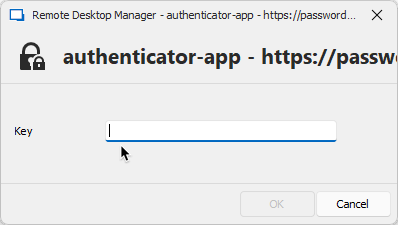
and: all my Pleasant Server listen to "passwords.xxxx.xxx", so with this Windows dialog I do not see, which one is meant...
May I ask you to improve that on windows, please?
Kind Regards
Christian
Windows.png
2024-03-26_07-24-12.png
Hi,
I have informed the Windows team about this. They have opened a ticket to make the Windows form like the Mac one.
If there's anything else don't hesitate to communicate with us.
Best regards,
Maxim Buisson
Hello,
We've implemented a fix for the Windows version of the MFA prompt, and there will also be more changes further down the line as we've been reworking several prompt window.
You can expect the first fix to take effect with the 2024.1.22 version, and the rest of the changes to take place as part of the next 2024.2 update.
Please let us know if you have further issues.
Regards,
Jafran Majeau