RDM - Database Session

Hi
Is there a way to use the connection string (credentials) or the database session entry to connect to a database or how does that work?
I tried to configure those two entries, but i cannot use them for my sql management studio. What are they for?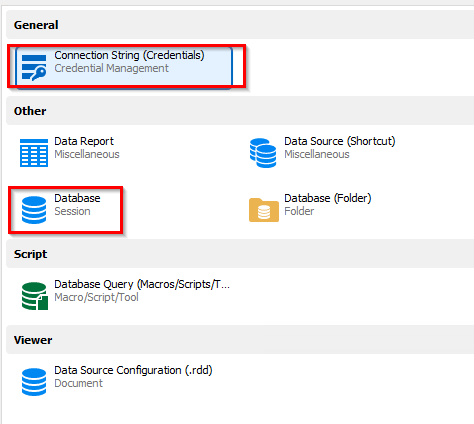
Thank you.
Regards
Martin
e1d1806a-5984-4bdf-9e2d-357c6db9d78e.png
1.png
All Comments (4)
Hello Martin,
If you look to connect to SSMS with RDM, we have a SQL Server Management Studio entry.
The Connexion String entry can be linked to this entry.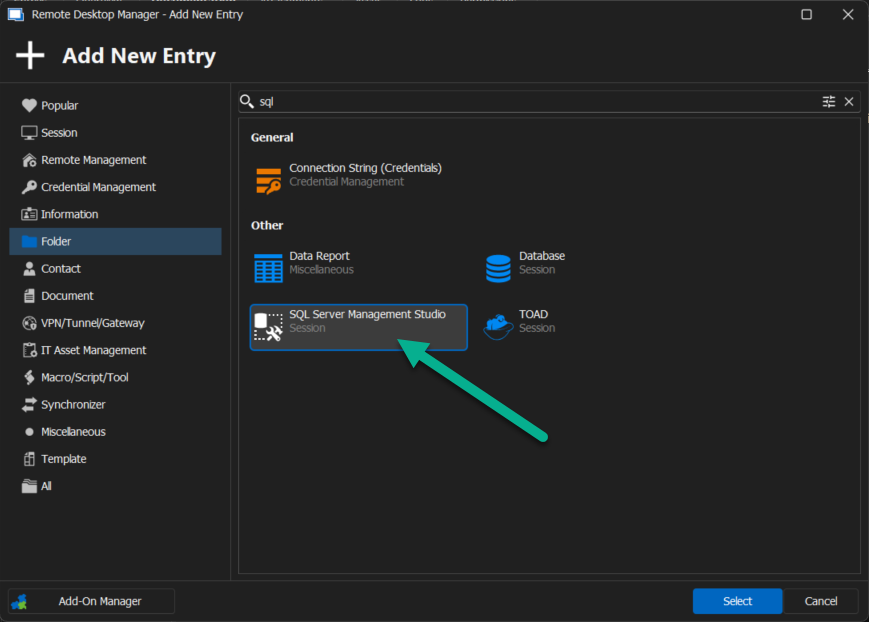
Best regards,
Patrick Ouimet
sql.png
Hello,
I configured SQL IP connection and 'other user' option selected my privileged account.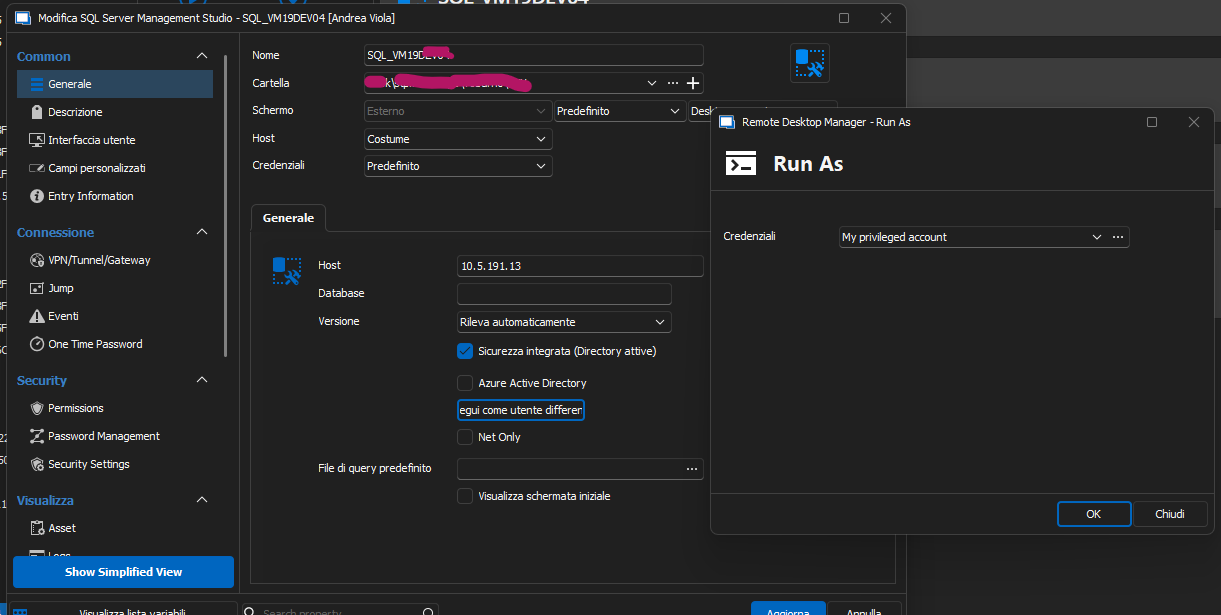
I don't get any errors and it doesn't start ssms.
If I select username in the credentials field, I receive error: the datasource does not support the use or privileged accounts on this entry type.
How can I set it up correctly?
SQL servers are hooked to pam, and the users are imported.
Thank you.
Andrea v.
21cd8c59-3227-4071-93ce-0aaf3a25ae78.png
Hello aviola,
I tried multiple ways to connect to SSMS using RDM.
It seems that the only way that is working now is the Adtive directory (integrated security).
I will open a case with the development department.
I'll keep you posted
Best regards,
Patrick Ouimet
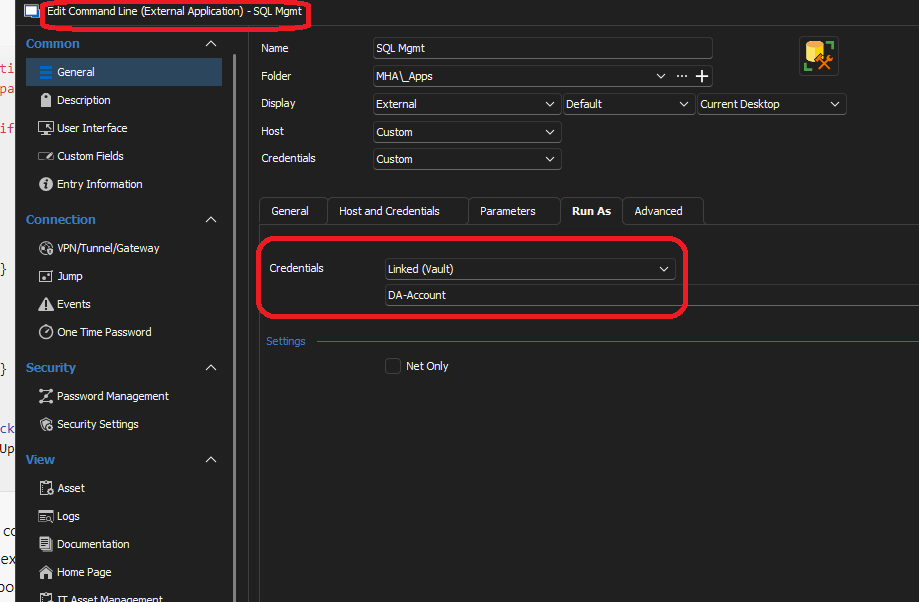
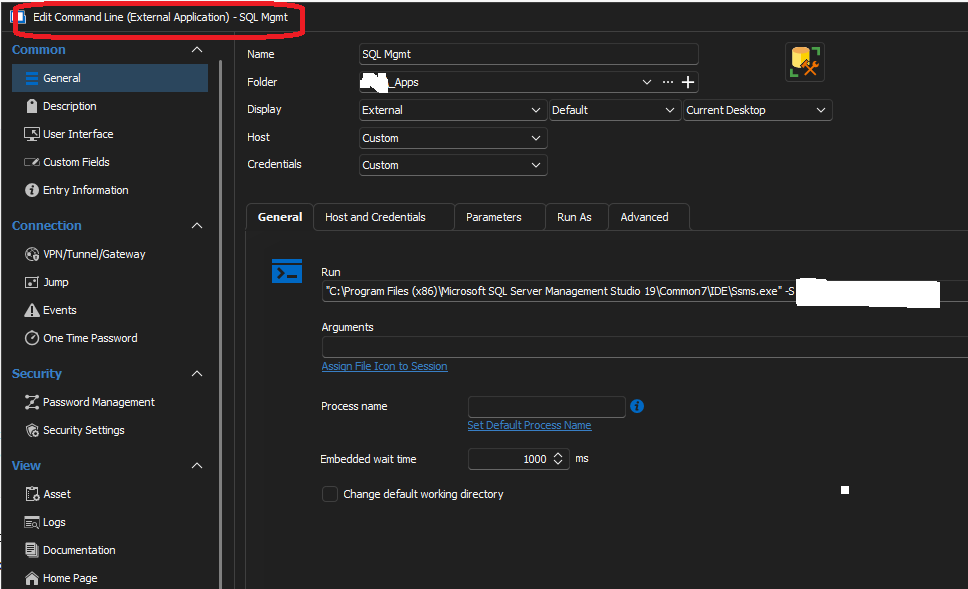
Actually.........there could be a way to do that. install SSMS and create a Command Line in the run line enter where SSMS is installed and use the -S followed by the server name
"C:\Program Files (x86)\Microsoft SQL Server Management Studio 19\Common7\IDE\Ssms.exe" -S SERVERNAME
Host and Creds you can try there or make your own credential entry. you can use the run as if you need to run it on your machine as a different user to connect to SQL. This is how i got mine setup.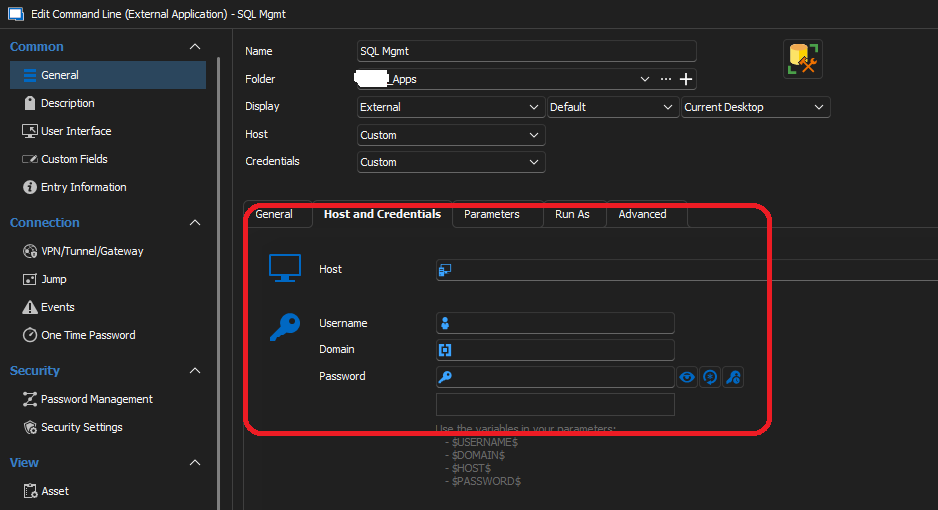
Screenshot3.png
Screenshot2.png
Screenshot1.png