RESOLVED: Unable to Remove 2FA from Local Data Source

I experimented with applying 2FA to my Local Data Source, but decided against using it. However, I can't get rid of the 2FA prompt. In the configuration for my Local Data Source, I have set Credentials to "None", but to no avail. I would appreciate help knowing how to eliminate the requirement for 2FA on my Local Data Source.
Thanks.
All Comments (6)
Hello James,
The 2FA may be configured at the RDM level. Could you go to File > Options > Security and verify that the "Required a TOTP validation" option is not checked?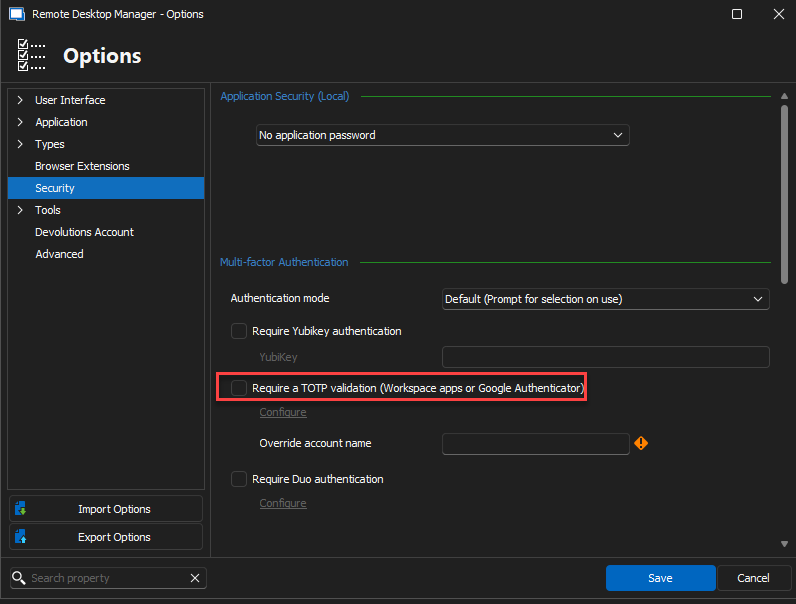
Best regards,
Richard Boisvert
241f53ae-404a-4cdd-b424-21fd9b34ef37.png
Thanks for your reply, Richard. No, TOTP is not enabled at the application level. I did have the application set to require my username and password, but testing to see if that was possibly somehow related, I disabled that option and set it to "No application password". So my configuration now matches exactly what is in your screen capture, but it still prompts for 2FA on my Local Data Source.
I wonder if exporting the Local Data Source and then re-importing it would eliminate the 2FA behavior? I don't want to do that, though, unless it might reasonably succeed and wouldn't likely cause other headaches.
Hello James,
Thank you for your response!
Could you try the following steps below?
- Go to File > Data Source > Edit Data Source > Change the Multi-factor Option to "None"
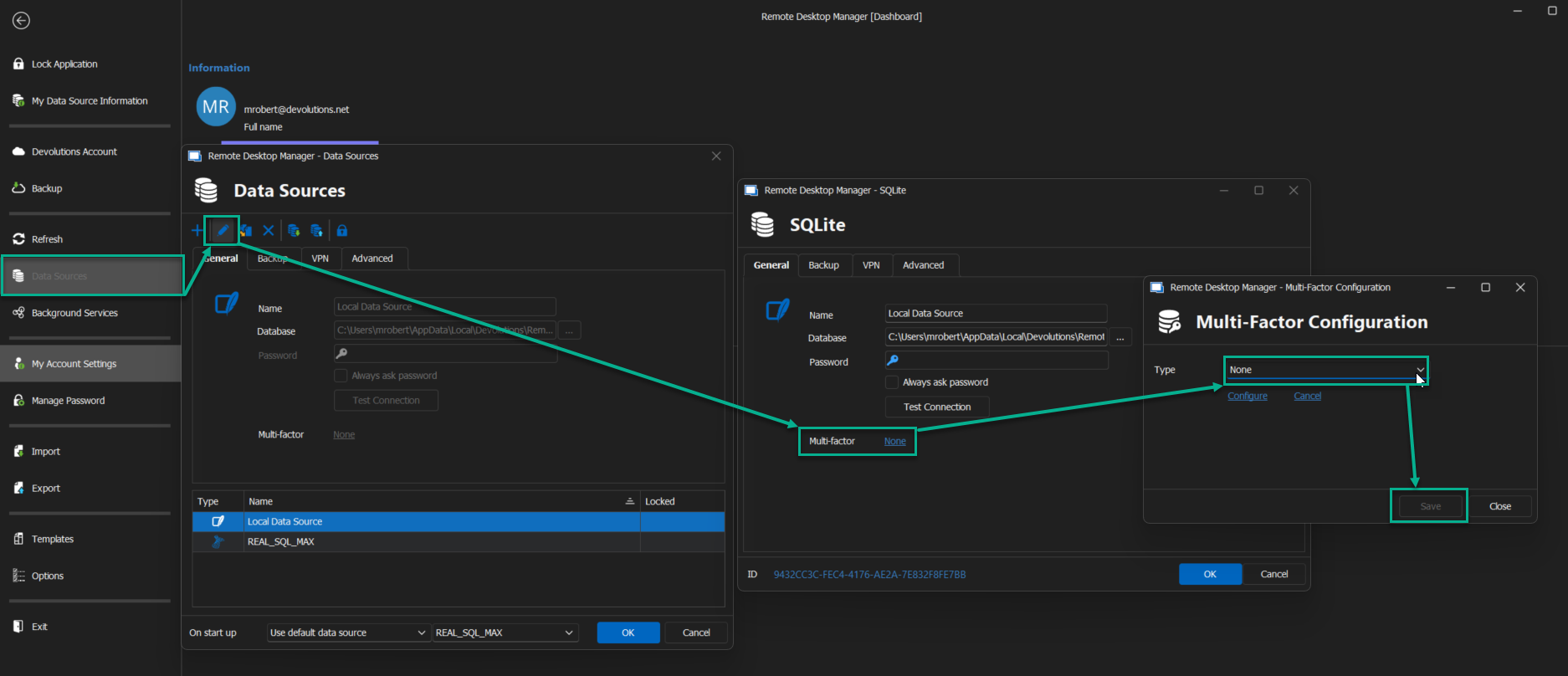
Please let me know if the issue your problem still occurs.
Best regards,
Maxim Robert
2024-01-22_13-25-34.png
Maxim Robert,
Yes, that, fixed it -- thank you! It did seem the ability to change that setting as you suggested here was buggy in practice. The "Save" button would not appear unless I played with the different settings, switching them from one to the other and back again. But once the Save button appeared, I was able to eliminate the F2A dependency.
Thanks again.
Hello James,
Thank you for your response,
I'm pleased to hear that the issue is now resolved. Certainly, configuring MFA can be a bit tricky, particularly when it comes to saving the configuration. To make the "Save" button visible, it's necessary not only to switch the options but also to configure the MFA settings actively. We'll explore ways to improve this process.
If you have any other questions, feel free to let us know.
Best regards,
Maxim Robert