Improve proxy entries usage and add support variables for remote port.
Improve proxy entries usage and add support variables for remote port.
0 vote

Hello,
We are using DPS server version 2023.3.13.0 and RDM version 2023.3.35.0 but the proxy entries were terrible in 2023.2 version as well.
We would like to create a single proxy tunnel entry that represents an internal proxy server and then use that entry for multiple Web and SSH entries to use. There are multiple issues we face when attempting to do so. Typically, when you add the proxy settings to a browser, it needs only the proxy server and proxy port, but the RDM entry requires remote/local host/port which make the proxy entry usable only for specific site. There is no clear documentation on how to achieve such scenario either, which makes this process very frustrating. Below is a brief list of everything we encountered so far.
Local host/port fields - I haven't reached a point where I can confirm what this fields are actually doing. From the scare's documentation available, it appears that this is the host/port that needs to be used in the actual web entry latter on. However, selecting the option to use Dynamic local port prevent me from saving the entry with the following error message "local host port is required". This appears to be a problem only when creating a new proxy entry and doesn't seem to be a problem when updating the entry to use the default port.
Devolutions support suggested to use $HOST$ variable for remote host, however the entry fails to save if we leave the default remote port. We need remote port to be a variable too since our web entries use various ports. Using the Default remote port during creation and when updating the entry always results in the same error message "The remote Port is required"
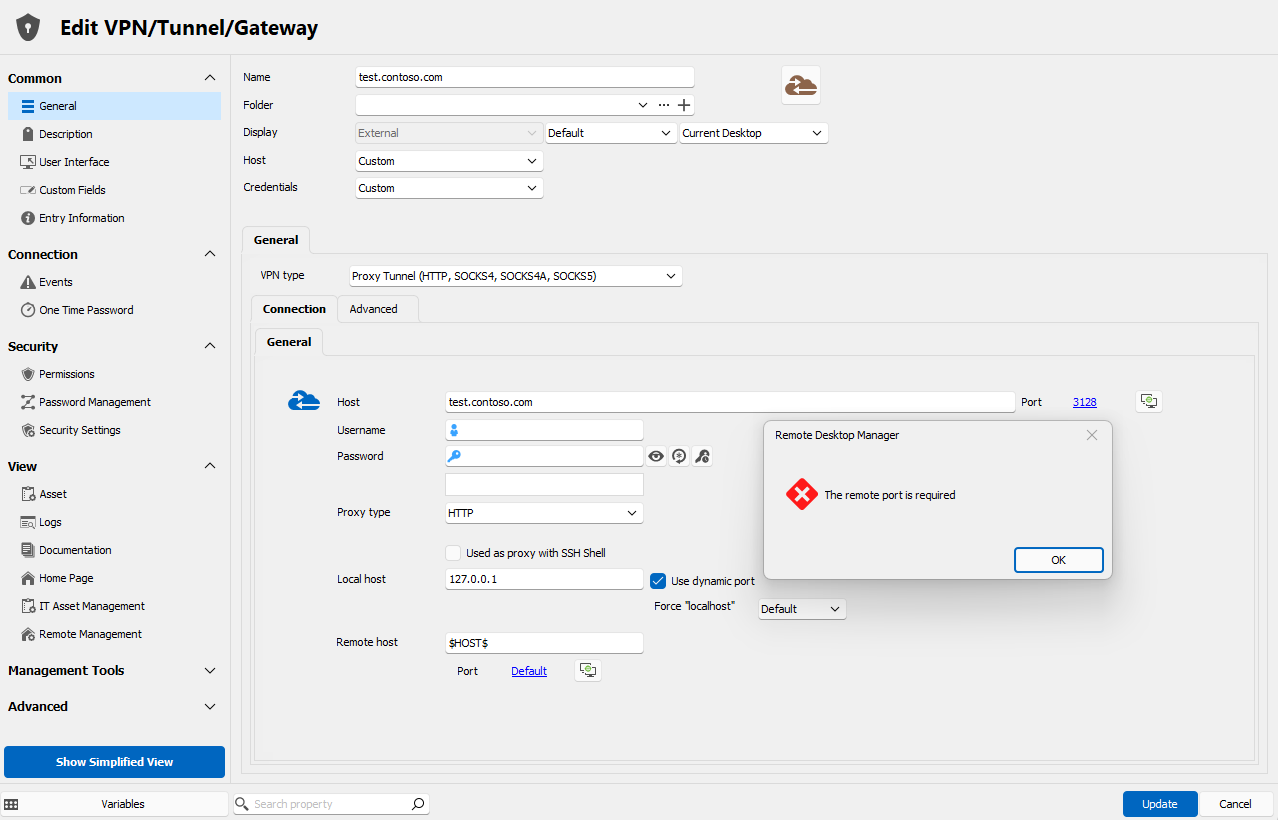
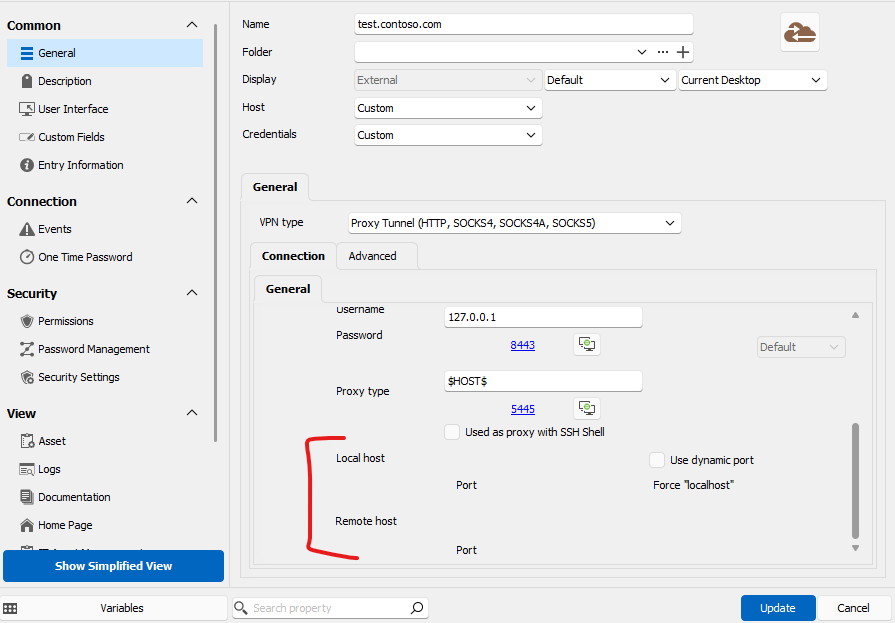
This is a cosmetic issue but annoying as well. When attempting to select the option to "use Dynamic port" the whole layout of the fields messes up and become unclear what am I editing. This happens when the edit window is opened on a small screen. stretching it on large screen fixes the layout.
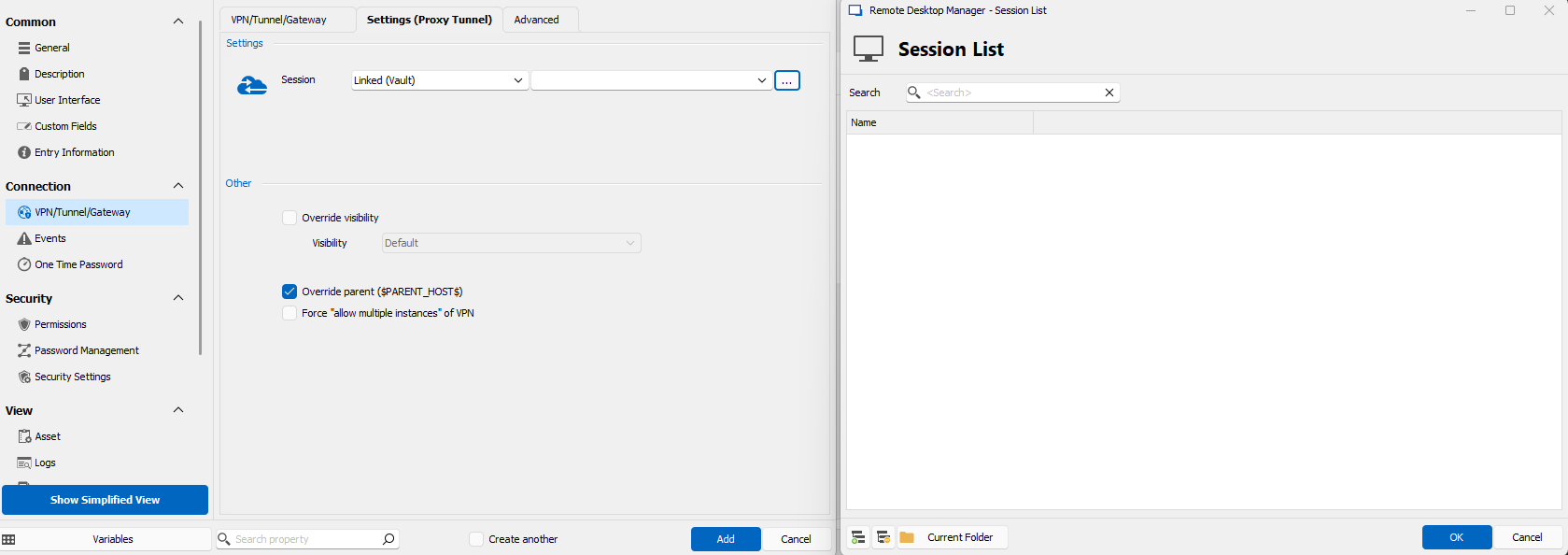
There is also no way to select the newly created proxy tunnel entry in any of the web or SSH entries because the drop-down options are empty making the selection of the newly created proxy tunnel entry impossible.
All of the issues above were valid for 2023.2.x version we used previously.
Point 3 and 4 above appear to be just application bugs which weren't discovered since probalby not many people tried to figure out how the proxy entry works, but 1 and 2 do need some clarification or feature for dynamic port variable.
Thanks!