Problem running external RDP sessions after upgrade.

Hi
After upgrading to RDM 2023.3.35.0 on Windows 11 23H2, I get Invalid connection file when traying to run RDP external sessions.
In the release notes the is an entry that can have something to do with this:
Fixed issue when handling Unicode .RDP file paths in external mode
Running on Data source Azure SQL.
Error message: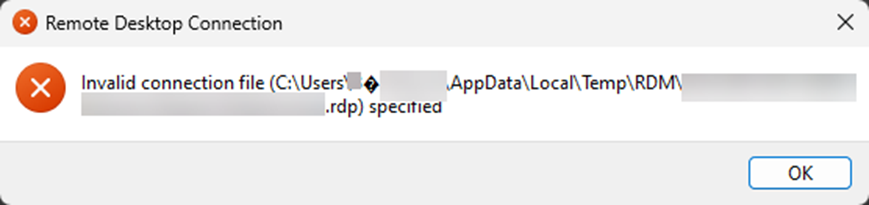
9f840ce5-e329-4c2b-a103-31f6bb5a5d4c.png
All Comments (4)
Hello,
Apologies for any inconvenience. It seems to be a known issue, and our developer team is looking into it. Your feedback is appreciated, and we will update you as soon as possible. Thank you for your patience and understanding.
If you have any other questions, feel free to let us know.
Best regards,
Maxim Robert
It would have been nice if that info was in the release notes.
Hi,
Unicode handling in Windows is not so straightforward, by fixing it in some places, I ended up breaking it elsewhere. The changes I did previously were still good, but I need to fix other call sites that don't handle UTF-8 correctly. I'll get on it right away.
Best regards,
Marc-André Moreau
Thank you. I see that this is fixed in version 2023.3.36