Menu Options and Context Menu faded out

I'm working the whole day with a lot of sessions in RDM on my Mac. Nearly every day it happens that suddenly most of the Menu Options fade to grey: 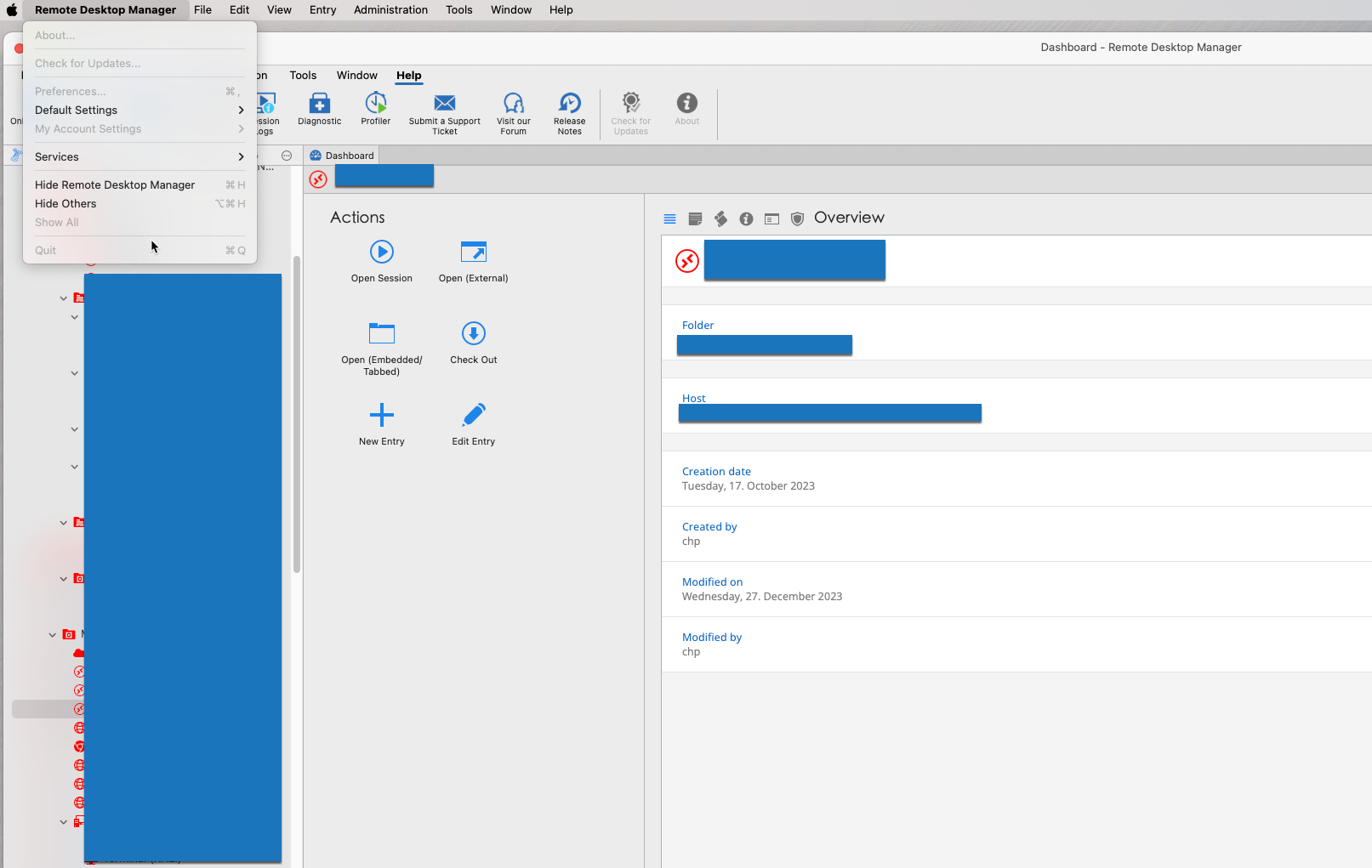
When this happens the Context Menu (Alternate Mouse Click) is also completely grey and not clickable.
I can help myself my killing the process, but this is nasty when I have a lot of sessions opened and want to change an option in a session.
How shall I try to produce a log to give you the possibility to analyze this?
Kind Regards
Christian
Faded Menu.png
All Comments (9)
Hi,
Sorry for the delayed response.
Do you know if that behavior of RDM happens when a certain action happens on the Mac, like coming out of a long sleep with connections open?
As for the logging I will look into it and get back to you.
Best regards,
Jesse Galarneau
Hi Jesse,
not really. I thought it comes sometimes when copying an entry and then ESC-ping instead of saving, but I can't reproduce it.
Would it be of help, when I send the Log (after Killing the Process RDM always offers to send the log when I next start it)?
Kind Regards
Christian
Hi Christian,
The first option that we have is next time this happens could yousend us the application output logs, which are situated in ->
"/Users/*user*/Library/Application Support/com.devolutions.remotedesktopmanager/ApplicationOutput.log"
(replace *user* with your username)
The second option that could help us find out what causes the issue is for you to run the profiler while you use RDM.
To do so follow these steps:
- Open the profiler which situated in the "Help" tab

- In the profiler go to the debug tab and open the debug level selector

- Turn on every checkbox in the selector and apply

Let it run while you work and whenever the problem occurs copy the logs in the profiler and send it to us
Best regards,
Jesse Galarneau
Screenshot 2024-01-08 at 8.47.48 AM.png
Screenshot 2024-01-08 at 8.47.19 AM.png
Screenshot 2024-01-08 at 8.46.15 AM.png
Hi Jesse,
just for the records: I am running RDM since your Post with the Profiler switched on but the Problem hasn't happened since then. I remember it was quite often before. As soon as I encoutered it, I'll send you the logs.
Kind Regards
Christian
For the Records: I was able to get the problem and sent Instruction how to reproduce it along with the Log Data to the Devolutions Service.
Kind Regards
Christian
Go the same behavior today, I duplicated an RDP entry and when I pasted the name from the clipboard this error showed up (I setup the profiler as instructed)
ERROR SILENT: System.NullReferenceException: Object reference not set to an instance of an object
  at Devolutions.RemoteDesktopManager.Managers.MainMenuManager.SetViewControlStates () [0x00317] in <6ddc38be91094b028a428e2bb92be168>:0
  at Devolutions.RemoteDesktopManager.MainMenuControlDecorator+MainMenuDelegate.NeedsUpdate (AppKit.NSMenu menu) [0x00008] in <6ddc38be91094b028a428e2bb92be168>:0
  at (wrapper managed-to-native) ObjCRuntime.Messaging.IntPtr_objc_msgSendSuper_IntPtr(intptr,intptr,intptr)
  at AppKit.NSApplication.RunModalSession (System.IntPtr session) [0x00032] in <5ef9269c8d024d1daa09d37b358fca8f>:0
  at Devolutions.RemoteDesktopManager.DialogHelper+<>c__DisplayClass39_0.<RunSheetForController>b__0 () [0x00095] in <6ddc38be91094b028a428e2bb92be168>:0
  at Devolutions.RemoteDesktopManager.Managers.ThreadManager.Invoke (System.Action action, System.Boolean force, System.Boolean propagateException) [0x00034] in <9dabaa3db2a449199b770db4342844c2>:0
Hi petercroy,
Could you provide the version of your RDM and the datasource that you were using?
Best regards,
Jesse Galarneau
2023-3-13-4
Local Data Source
I noticed that if I use cmd+v I get the error but if I right click and paste I don't.
Maybe this will help in the debugging...