Yubikey for RDP

Hello,
We are moving to Yubikey+PIN authentication for windows. Currently we have our passwords saved in our uservault, and then select them on connection attempt.
Is there a way to setup an RDP session to use my new account and my yubikey? I know this can be done in native RDP, but not sure about how to handle this through RDM.
All Comments (18)
Hello,
The person that could help you is currently on vacation this week. I will forward the question.
Regards
David Hervieux
Hello!
I'm stepping in for our expert on this, but after talking it through, we first wanted to know a few more details to ensure we can best help!
Which of the Yubikey + PIN methods are you implementing?
- Yubikey PIV (Personal Identity Verification) is a traditional Windows smartcard device.
- Yubikey FIDO2, which is WebAuthn and is also used within Passkeys.
Are the systems you connect to (and connecting from) Entra ID (Azure AD) or on-premise Active Directory joined?
Let me know, and we'll help direct you to what we can support and help with!
Adam Listek
Hi Adam,
my apologies for the late reply.
I didn’t see your reply, and just now getting time to circle back to this.
We are currently using PIV and currently using On-Prem AD.
Thanks!
-Chad
Hi,
If it's a Yubikey used for traditional RDP smartcard authentication, then it should be possible to use our new X.509 credential entry to link to the corresponding certificate entry that appears in the current user certificate store when the Yubikey is connected, and link that credential entry with the RDP connection entry. This should work with both the embedded and external modes on Windows. It is also possible to inject the PIN optionally saved in the X.509 credential entry.
I suggest you give it a try first to confirm that it works for you, but normally this should be a supported use case.
Best regards,
Marc-André Moreau
Ok. So I was able to get this setup in RDM with the certificate. I now have a new weird problem.
I have two separate accounts, one for AD admin, and one for server admin both using the yubikey certificate method.
I have created two separate entries in RDM, one for each account. However, if I store my PIN in the credential in the .509 entry, both entries open the connection with the server admin account. I have verified the certificate is correct under both entries.
Hi Chad
This sounds like the wrong credential is getting resolved, but I'd need to understand a bit closer how you set this up.
- What kind of data source to do you use?
- You created two separate X.509 entries, right? How are they setup (e.g. are they linked to the system certificate store by e.g. thumbprint)?
- How are you connecting the X.509 entries to your RDP session(s)? Do you have multiple RDP sessions, each linking to a separate X.509 entry, or are you using a different mechanism to resolve which X.509 entry to use for auth?
Please, let me know if you have any questions or something isn't clear
Kind regards,
Richard Markievicz
Hey Richard.
- What kind of data source to do you use?
- I don't know how to answer this question. But if you give me some context, I can try to figure it out.
- You created two separate X.509 entries, right? How are they setup (e.g. are they linked to the system certificate store by e.g. thumbprint)?
- Yes. I have two separate .509 certificates. They are linked to the Yubikey I have setup, and I have exported them both, and uploaded each one to their respective credential entry and chosen to store them on the server.
- How are you connecting the X.509 entries to your RDP session(s)? Do you have multiple RDP sessions, each linking to a separate X.509 entry, or are you using a different mechanism to resolve which X.509 entry to use for auth?
- I currently have the RDP sessions setup to Prompt on Connection that allows me to select which credential I want to use. We do this as we have a shared database and each user may title their credentials something different.
Hopefully I understood your question and answered them accordingly.
Thanks!
Hello again
Thank you for the information.
It sounds like it could be a bug, but just to confirm - can you double-check the X.509 entries, using the "View Certificate" button to inspect each one and validate that they are distinct (different thumbprints).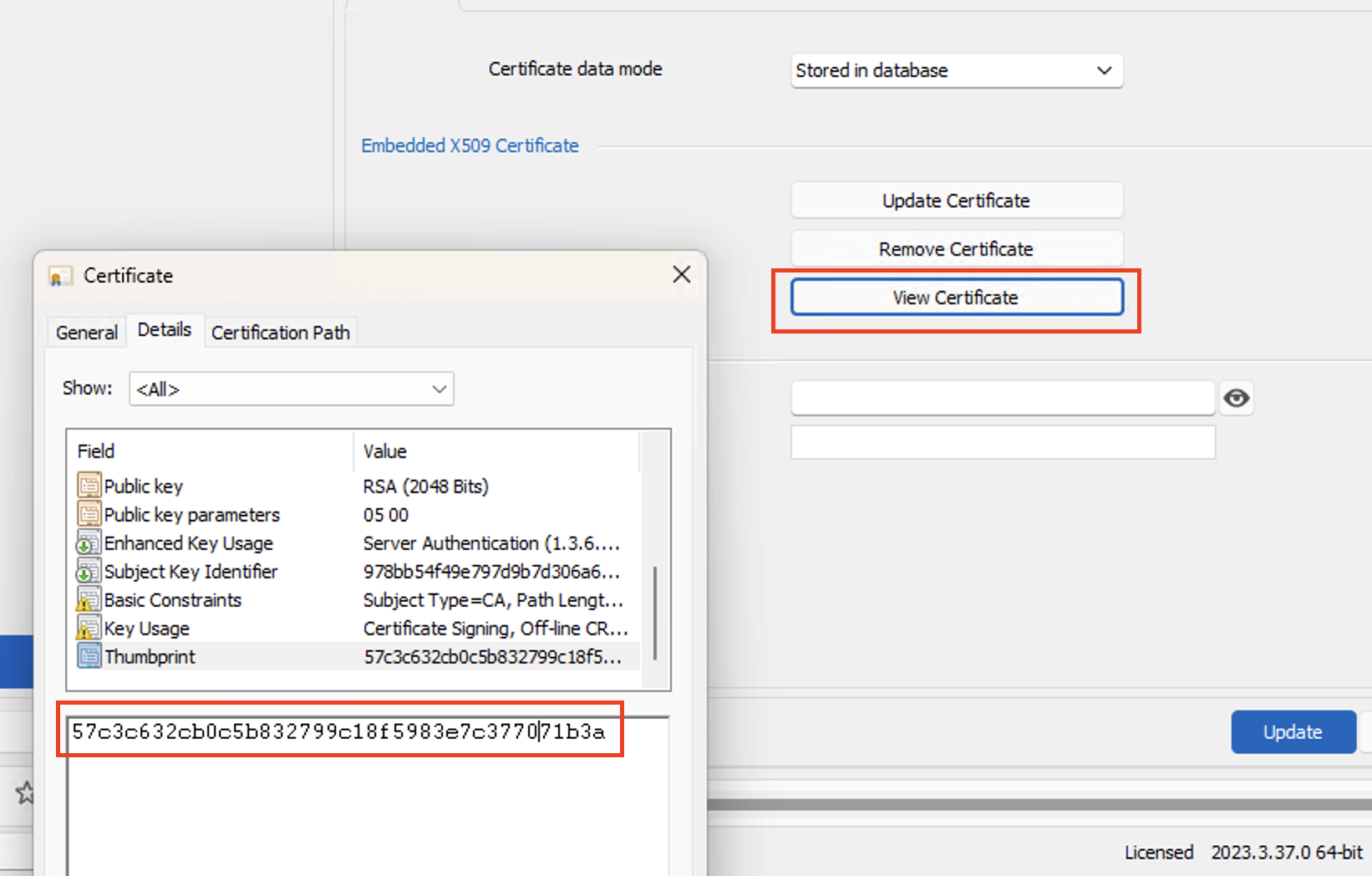
Please, let me know if you have any questions or something isn't clear
Kind regards,
Richard Markievicz
Screenshot 2024-02-08 at 20.33.14.png
Yes. I just checked again to be sure. The thumbprint entry is different on each certificate.
Hello again
I made a quick test on my side and saw the proper thumbprint getting passed to the RDP component. But I won't rule out a bug on that side, so the data source type might be relevant. You can go to "Help" > "Diagnostics" and choose the "Data Source" tab; it will tell you the data source you are using (e.g. "Data Source Type: SQLite").
It sounds like the wrong certificate is being pulled from the smartcard.
You earlier wrote "if I store my PIN in the credential in the .509 entry...". Does this mean, if you omit the PIN from the X.509 entry (and of course, have to enter it manually) that things work properly, or am I misinterpreting?
Please, let me know if you have any questions or something isn't clear
Kind regards,
Richard Markievicz
Oh I understand now. We are using the Devolution Server for the datasource.
And yes, if I remove the PIN and manually enter the PIN, it works with no issues. Each login is the account it’s supposed to be.
Hello again
Ok, thank you for confirmation.
From a quick look, there is some extra processing that happens when the PIN is set that causes RDM to write an entry to the Windows CredMan. I suspect this is related but I don't understand exactly how it can cause this issue. I'm going to have to discuss this with a colleague, and I appreciate your patience.
Thanks and kind regards,
Richard Markievicz
Hello again
One more question - are your RDP entries configured to open embedded or externally (i.e. using mstsc as an external application)?
Thanks and kind regards,
Richard Markievicz
It opens within the RDM application. So embedded I would assume?
Hello again
Yes - if the RDP session is opening inside RDM, that's embedded.
Overall I'm quite confused by this issue. How it works internally is this: we pass the thumbprint of the certificate up to Windows, which returns us a string representation of the certificate credential that can be used as the username (for applications and APIs that only accept strings for usernames and passwords). For embedded RDP applications, we pass the resulting string directly to the MS RDP ActiveX control as the username and it handles the "magic" (with the proviso that the certificate has to exist in the Windows certificate store).
In this situation, it's optional for us to also pass the smart card PIN as the "Password" data.
In this case, it's somewhat clear that the proper thumbprint is being passed into the system because it works if you don't specify the PIN. However, if you do specify the PIN, it doesn't work right - and that's confusing, because we don't do anything special for that (it's just an extra piece of data that's tagged along with the thumbprint, and in the embedded RDP case we literally do nothing else than pass it up to RDP as the password).
Despite that, I don't rule out a bug in RDM - I'm just not seeing how that can happen right now.
Can you check the Credential Manager control panel on your machine and see if you have any saved credential entries (either generic or certificate entries) that correspond to the remote host(s) you're experiencing issues with? It's possible that a saved credential in CredMan is interfering here. You can also get this information from the command prompt (`cmdkey /list`).
Please, let me know if something isn't clear or you have further questions
Kind regards
Richard Markievicz
Hello again
I wanted to share some information that we're making some changes here: it was brought to my attention that the X.509 credentials were not being applied properly in the case they were inherited from a parent entry (rather than explicitly linked) so I've refactored the feature accordingly. I doubt that it changes something in this case, and I don't think we'll backport that change to the 2023.3 release; but if you get chance to try again once 2024.1 is released (in the coming weeks) it might change something.
I'll still wait for your feedback on my earlier point
Can you check the Credential Manager control panel on your machine and see if you have any saved credential entries (either generic or certificate entries) that correspond to the remote host(s) you're experiencing issues with? It's possible that a saved credential in CredMan is interfering here. You can also get this information from the command prompt (`cmdkey /list`).
Finally, I do wonder if we're hitting some kind of bug in the Microsoft APIs involved (maybe on specific Windows versions). As I wrote above, all we're doing is asking Windows to give us a "magic" string representing the certificate credential that can be passed to APIs that don't traditionally accept a certificate (for example, RDP). Setting or not setting the PIN is as simple as setting or not setting the password when configuring the credentials for the connection.
On my side, while working on this, I've noticed some buggy behaviour: first, occasionally RDP will tell me that it can't find a corresponding certificate on the smart card. It's an intermittent problem that resolves itself after trying a couple of times. More concerning, I've occasionally hit an access violation (hard crash) in embedded RDP when not providing the PIN up-front and instead typing it when prompted. In those cases, the _only_ code on the stack (the crashing code) is Microsoft's implementation (WinSCard). This might be related to my setup (I'm developing on a Mac, and forwarding my local Yubikey to my remote (Windows) development workstation). All that to say, I am aware of buggy behaviour here and your issue might be similarly related.
Please, let me know if something isn't clear or you have further questions
Kind regards,
Richard Markievicz
When I try to add a new Credential Management record, I don't see an option for an x. 509 Certificate.
Hello
Here's how it looks on my RDM 2025.1: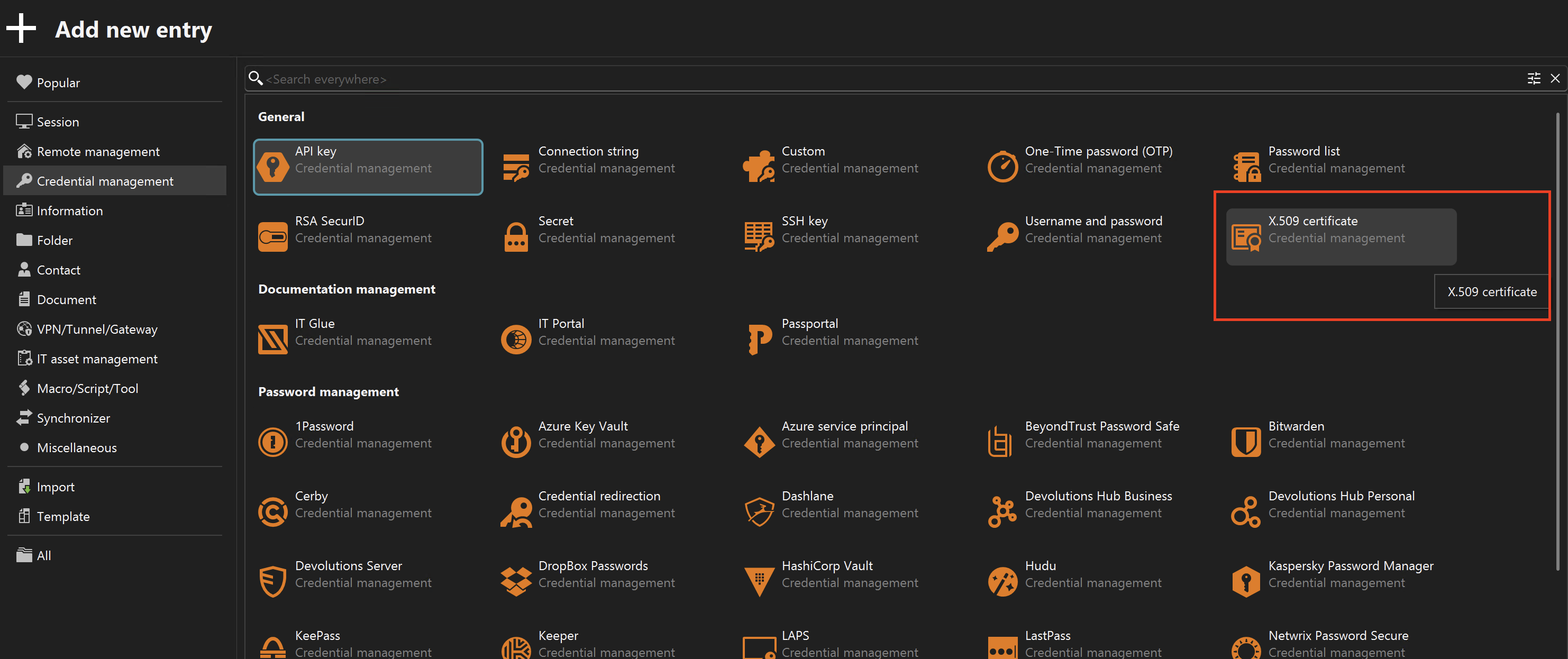
Do you not have have that? Note you can use the search box at the top to filter the entry types.
If it's not showing up, what kind of data source do you use?
Thanks and kind regards,
Richard Markievicz
Screenshot 2025-03-17 at 21.44.40.png