The Internet disappears when you connect remotely to a local server
The Internet disappears when you connect remotely to a local server

I have a laptop Aspire A315-59, Windows 11 pro.
Network Card Model: Mediatek MTK7663.
The essence of the problem:
I have local servers at work that I am trying to connect to. My computer and the server computer are on the same local network. I want to connect to it remotely.For example, using Explorer. I do it this way:
\\192.***.**.***\\c$
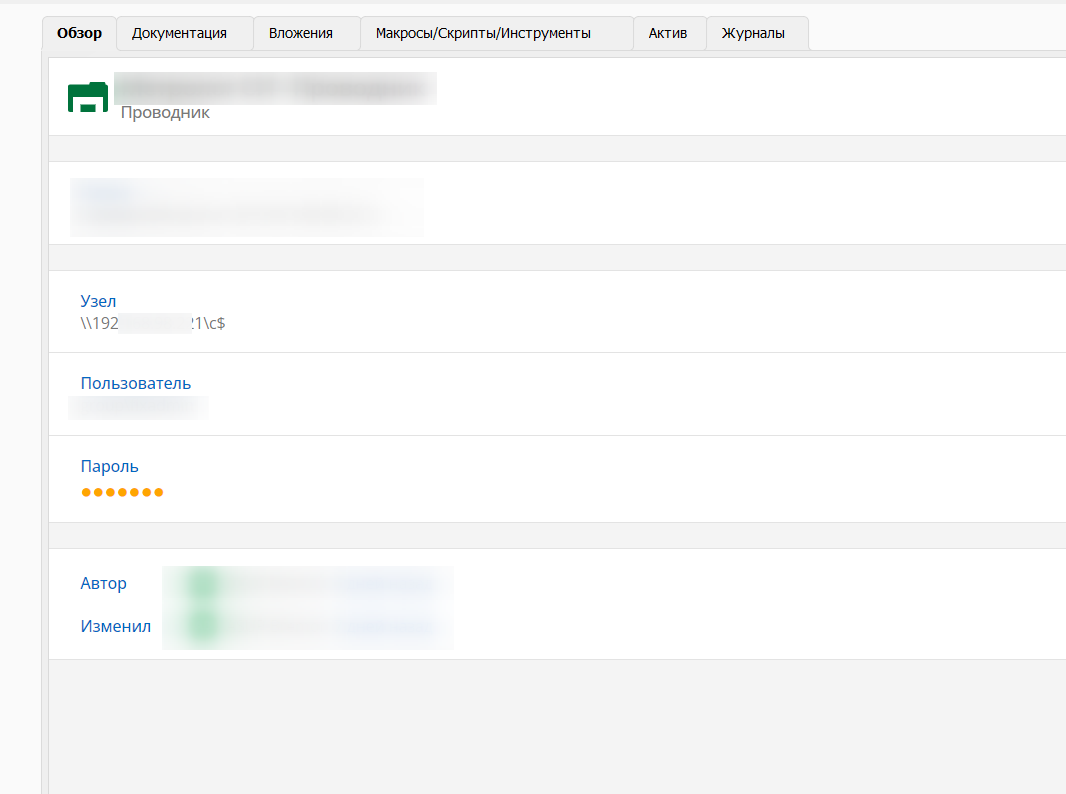
The server explorer opens and everything works, access to the local network remains and I see the server. But Internet access is lost on my PC.
I opened cmd and tried to track the moment when the Internet goes missing. It disappears exactly at the moment of connecting to the server.
When I DISCONNECT from the server, I still don't have internet access. The only thing that helps me is a complete reboot of the laptop. I do not know what it is.
There are no problems with the servers. I think the problem may be in the laptop's network card?
I have updated the drivers several times. Nothing helps. I have been trying to solve this problem for several months.

img-2024-01-04-16-07-17.png
All Comments (7)
Hello,
Thank you for contacting us on that matter!
Would it be possible for you to provide us with your version of RDM and the type of data source that you are currently using?
Instead of setting the path to the folder in the Host property, is it working with the following configuration? Please set the Folder property to c$ and the Host property to the server IP address.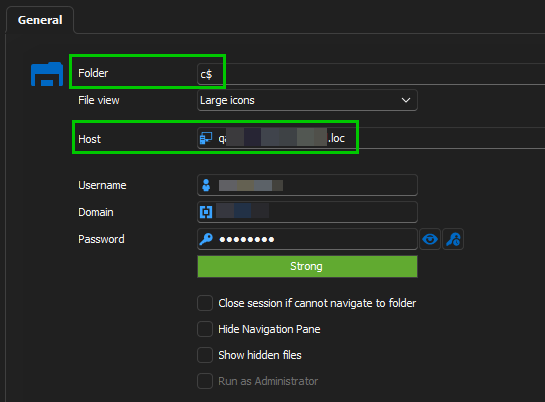
Best regards,
Érica Poirier
4ea2955e-195b-48f6-b852-829338493c1b.png
Hello,
Thank you for contacting us on that matter!
Would it be possible for you to provide us with your version of RDM and the type of data source that you are currently using?
Instead of setting the path to the folder in the Host property, is it working with the following configuration? Please set the Folder property to c$ and the Host property to the server IP address.
Best regards,
Good afternoon. The problem seems to have disappeared. I checked through the RDM program as you suggested and there is no problem anymore.
But still, the problem is relevant when I connect in the same way through the built-in explorer or Total Commander. Maybe you can also tell me how to be in these programs? The problem is still relevant there. Thank you very much, have a nice day.
For example, using Windows Explorer or Total Commander. I do it this way:
cd \\192.***.**.***\c$
The server explorer opens and everything works, access to the local network remains and I see the server. But Internet access is lost on my PC.

Hello,
Could you please confirm if the issue you're experiencing occurs within RDM? If it recurs in a different application, I regret to inform you that there may be little I can do to assist.
Best regards,
Carl Marien
Hello,
Could you please confirm if the issue you're experiencing occurs within RDM? If it recurs in a different application, I regret to inform you that there may be little I can do to assist.
Best regards,
At the moment, there is no problem with explorer and using the transition to the c$ folder in RDM. But this problem is relevant in the Windows system explorer and total commander
Hello,
If the issue does not occur within RDM, unfortunately, there is noting we can do to assist.
Best regards,
Carl Marien
Hello,
If the issue does not occur within RDM, unfortunately, there is noting we can do to assist.
Best regards,
Thanks, Erica has already solved it.
Hello
Thank you for your feedback. I will now close this forum
Best regards,
Carl Marien