SCP Session not working on MacOS (but on Windows)

Hi,
since some days the SCP Sessions in RDM on my Mac do not work anymore. When I click such a session, simply nothing happens and the Dashboard of the session is being displayed. MacBook Pro M2 Max with Sonoma 14.2.1. RDM is 2023.3.10.2 here.
I have a Setup of RDM in a Windows 11 Machine with Parallels on this Mac (when I sometimes need a second Window of RDM), there the SCP Sessions work like expected and open immediately when double-clicked. RDM is 2023.3.35.0 here.
I have a Setup of RDM on my Backup Mac (MacBook Pro M1 Max with Ventura 13.6.2), there the SCP Sessions also do not work. RDM is 2023.3.10.2 here.
The Data Vault is a MS SQL Instance in AWS RDS. The Private Key is stored in RDM and set to "Linked (Vault)".
I tried to enable Logging (in "Advanced" of the SCP Session, but no Logfile is written.
How can I produce a log that tells me what happens (or does not happen) when I Double Click the SCP Sessions in Mac RDM?
Afaik, all SCP Sessions are affected.
Best Regards
Christian
Kind Regards
Christian
All Comments (22)
Hello Christian,
Thank you for contacting us on that matter!
Could you please follow these instructions and send us the logs to service@devolutions.net?
https://docs.devolutions.net/kb/remote-desktop-manager-macos/how-to-articles/rdm-mac-enable-send-rdp-logs/
Best regards,
Érica Poirier
Hi Érica,
thank you for the instructions. I enabled logging, tested the entry - nothing. No session opens, no error message, not even a log entry.
I've sent a Screenshot of this and an .rdm Export of the Entry to the mentioned address, maybe you see what could be wrong in it.
Meanwhile i open the Session on RDM for Windows which works fine.
Regards
Christian
Kind Regards
Christian
Hello Christian Pohle,
Thank you for this feedback.
We will continue to investigate this issue by email.
I will post here when a solution \ Workaround \ fixed version will be available.
Best regards,
Patrick Ouimet
Hello Christian Pohle,
Thank you for conducting this test.
As a temporary solution, we suggest using version 2022.3.19. Please be assured that our development team is actively working on resolving this issue.
We will keep you posted on any updates or when a fixed version becomes available.
Best regards,
Patrick Ouimet
Hi Patrick,
thank you for the reply. For me it is more practical to use RDM for Windows (which I have running within Parallels) for the SCP Sessions, If I can test anything, just let me know.
Kind Regards
Christian
Hello Christian,
The development team was able to reproduce the issue and has opened a ticket for the case. I will follow up with you as soon as we have a fixed version.
Best regards,
Patrick Ouimet
Hi Patrick,
thank you for the status. So I'll wait and hope to see "my" issue in one of the next Release Notes.
Kind Regards
Christian
Hello Christian,
Can you update your RDM to version 2023.3.12 and check if the issue is resolved?
Best regards,
Patrick Ouimet
Hi Patrick,
just tested with RDM 2023.3.12.3 for Mac. Unfortunately the SCP Sessions do not open. I cross checked, the same sessions open on a Windows RDM.
Kind Regards
Christian
Hello Christian,
Sorry to hear it didn't solve your issue.
We probably going to need your logs to go any further.
if you could enable them by going into the Advanced panel of your SCP connection like this:
and send us what you get, it would greatly help us.
Best regards,
Michel Lambert
Screenshot 2024-02-05 at 2.11.09 PM.png
Hi Michel,
did enter the Log Level as you showed, then double clicked the entry - nothing happens, even no log will be produced.
Then I changed another SCP Entry to Log Verbose 2 and a File Path. Also nothing happens.
I have Performance Profiling / Debug Only switche to on with debug Level 120703 - also nothing in the window.
Then I tested these 2 Entries on my Backup Mac with RDM 2022.3.19.0 (see above why I installed this Version) and both work and also create Logs.
Which Data could help you to analyze the problem?
Kind Regards
Christian
Hi Christian,
Could you reproduce the issue and provide your Application Logs? They can be accessed from the Help -> Application Logs -> Open button.
We're a bit dumbfounded by this issue since, even with an incorrectly configured SCP session, the entry still opens, and simply fails to connect (i.e. an error is shown, and the right pane does not load). For instance, I've attached an entry for which I've set only a name and an invalid host (see SCP.rdm), and even this entry at least opens. Does even a simple entry like that fails to open on your side?
Best regards,
Xavier Fortin
SCP.rdm
Hi Xavier,
the Application log tells me:
[08.02.2024 07:20:15 - 2023.3.12.3 64-bit]ERROR Devolutions Telemetry - Batch ingestion failed with status code 200.
0 documents ingested.
[08.02.2024 07:20:21 - 2023.3.12.3 64-bit]ERROR Devolutions Telemetry - Batch ingestion failed with status code 200.
0 documents ingested.
Kind Regards
Christian
Hi,
Those are unrelated. And for the rest I've asked? Does the issue occurs even with a nearly empty SCP configuration?
Best regards,
Xavier Fortin
Hi Xavier,
I just had time for some tests: It seems to be the Private Key of the SCP Connection. As soon as I set it to "no private Key", the Session opens (and can't connect because of the missing private key). When I set the Private key to "Linked", "file" or even "Data (and import it)" the Session does not open.
Kind Regards
Christian
Could you tell me exactly how the following view is configured in your SCP entry? Of course, you can hide any sensitive information.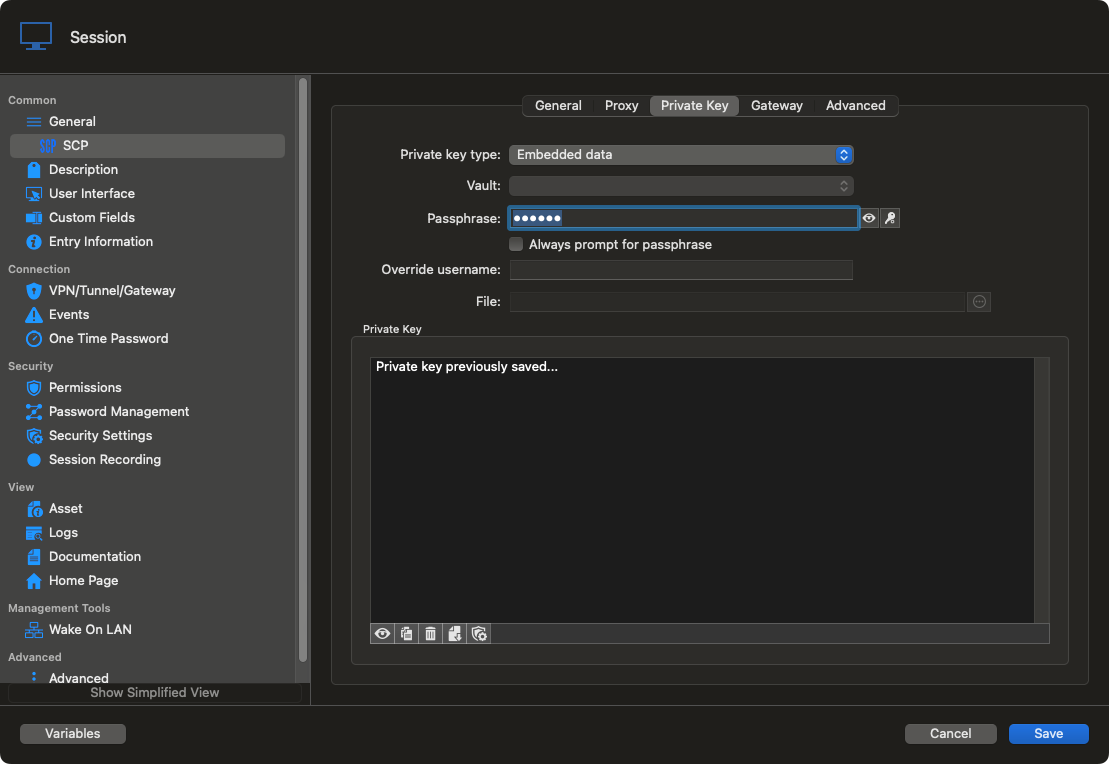
Best regards,
Xavier Fortin
PrivateKey.png
Sure,
this setting with absolutely no private key 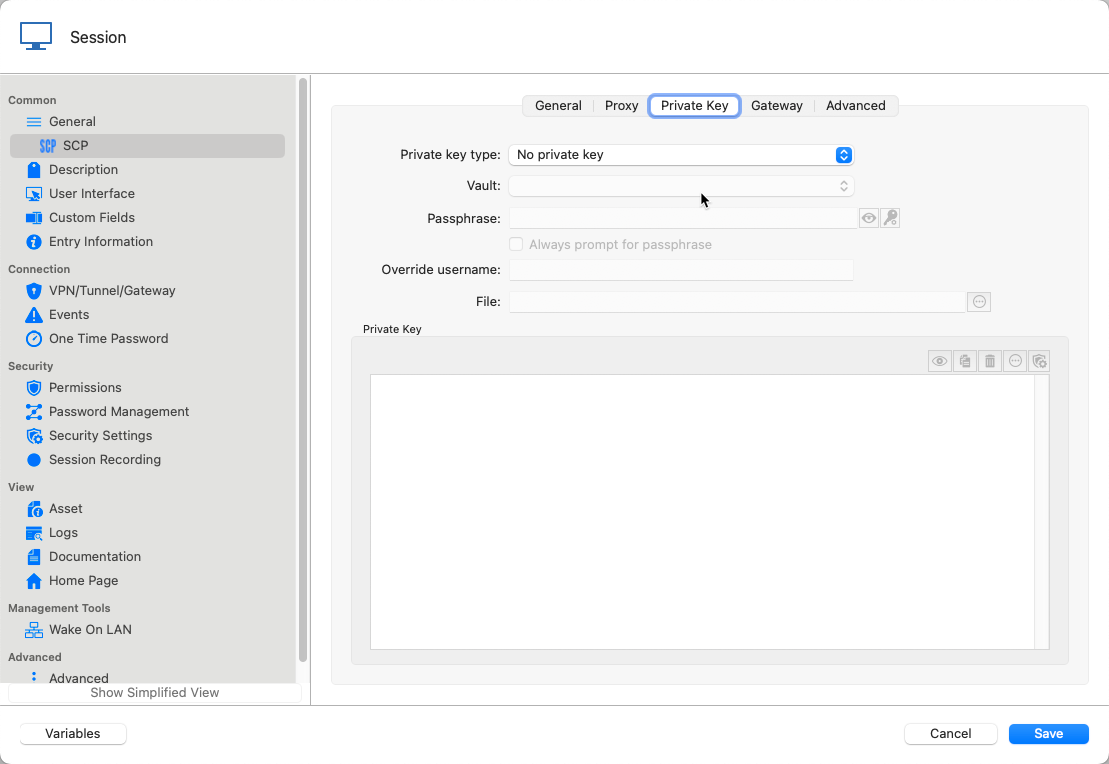
leads to the Session starting (but not working)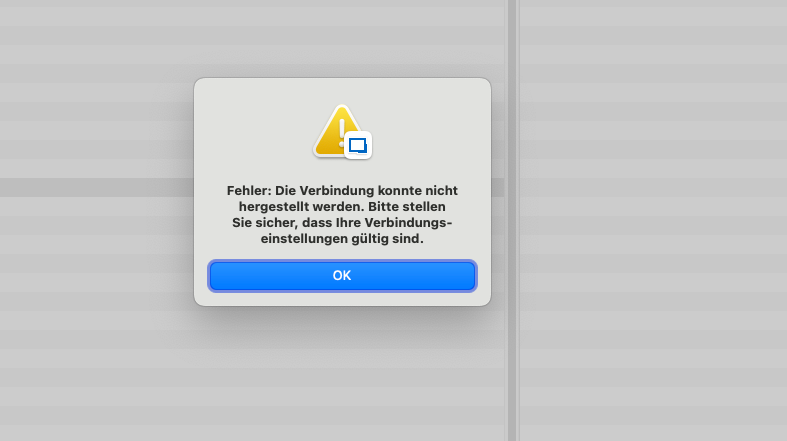
My "Normal" Setting is "Linked" to have the Key only stored once in the vault.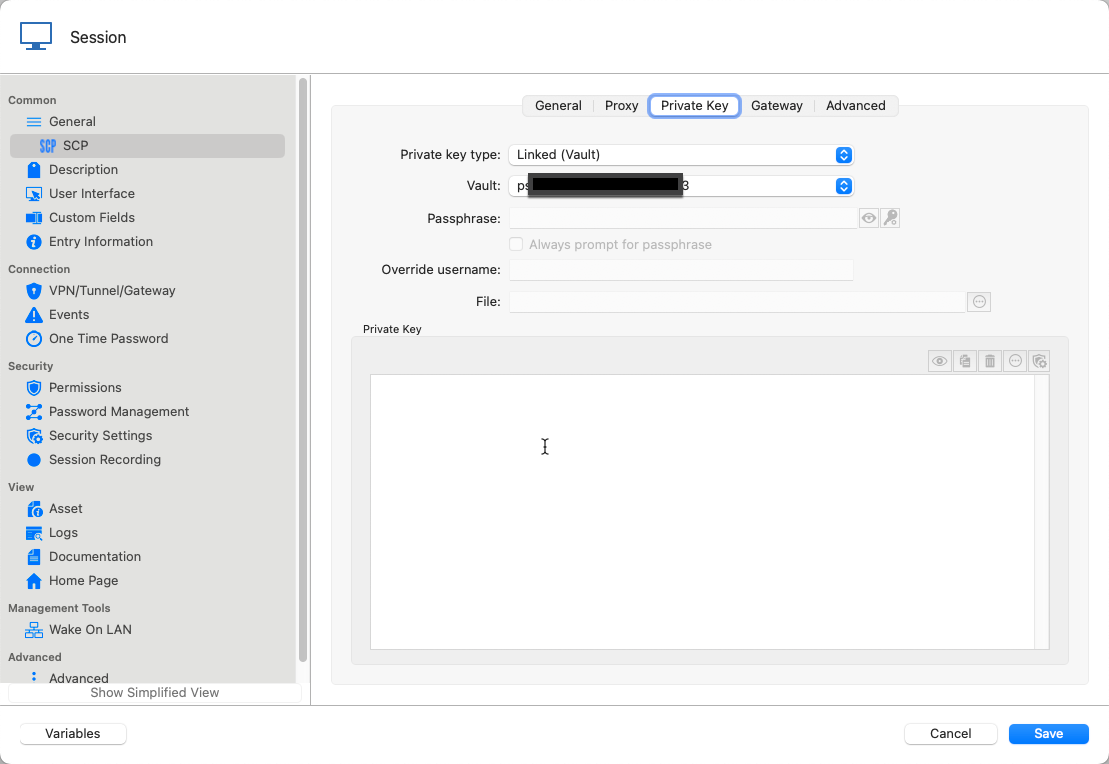
This does not start as do all the following.
I also tried to link to the file on Disk (which breaks the compatibility with my Windows RDMs) and would be therefore impractical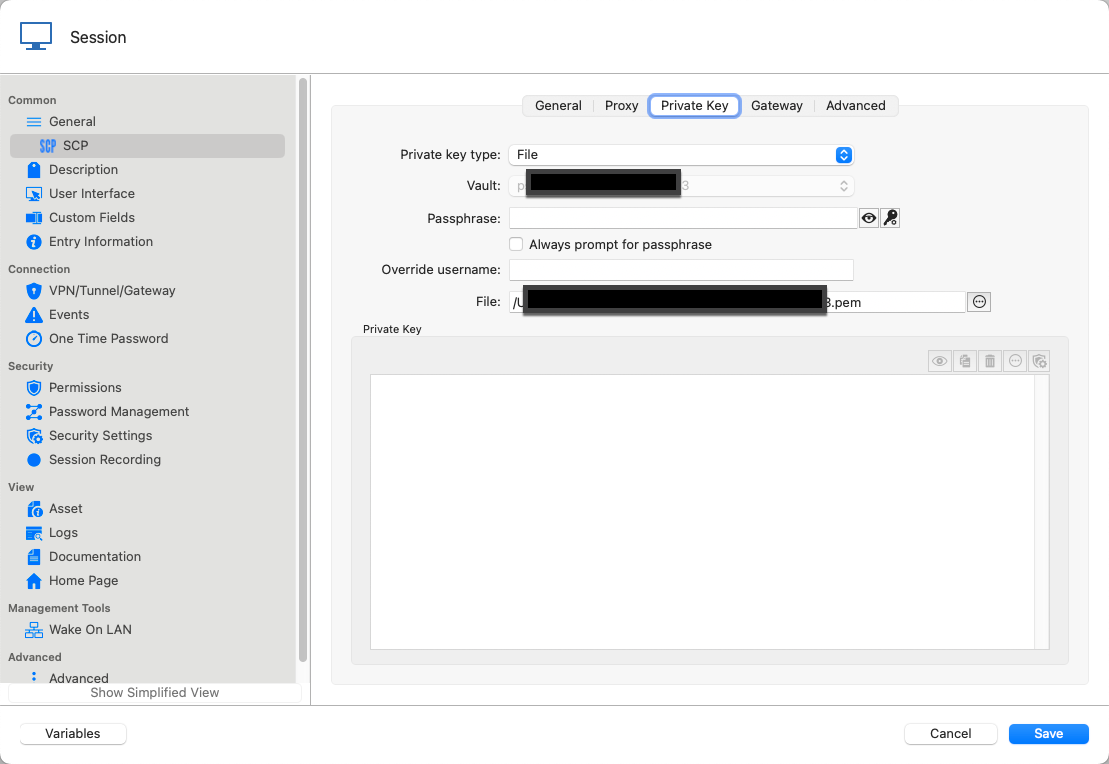
I also tried to Import the Key to the Vault which is also impractical as we have a number of servers. but it does not work either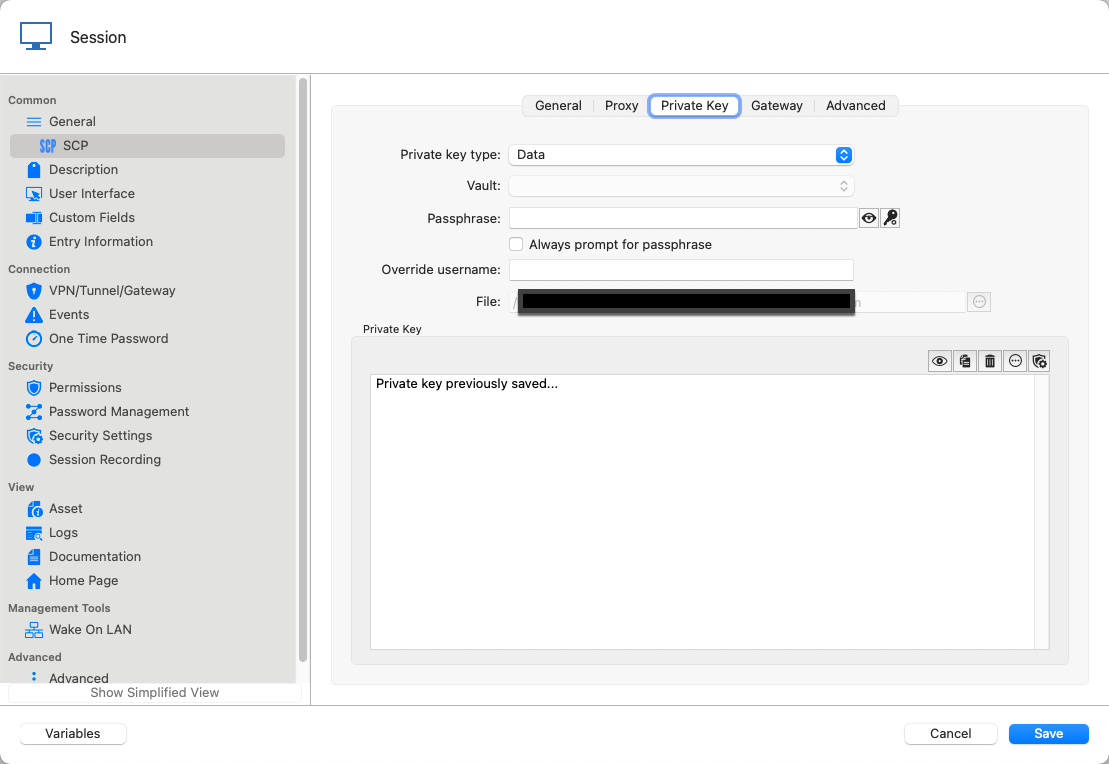
My Normal Setting "Linked" works fine on my RDMs on Windows and on my Backup Mac where I have the old Version 2022.3.19.0 installed.
Kind Regards
Christian
Import Data.png
Link to File on Disk.png
Normal Setting Linked.png
Starts but does not work.png
No private Key.png
Hi Christian,
Good news! I believe I have found the issue. Just to confirm though, is it possible that your private key is configured to require no password? This seems to have been the case that was mishandled.
Best regards,
Xavier Fortin
Hi Xavier,
I can confirm : my private Keys for SSH/SCP do not have a Password.
Would be great If that ist the cause.
Kind Regards
Christian
Hi Christian,
You can expect a version with the fix next week. We'll post back when the version is available.
Best regards,
Xavier Fortin
Hi,
The latest version of RDM Mac (2023.3.13.4) has been release and should have the fix
for the SCP problem with private keys.
Don't hesitate to communicate if there's anything.
Best regards,
Michel Lambert
YEAH!
The SCP Sessions work again!
Merci Michel!
Kind Regards
Christian