Update buttons in Help menu, missing

Hi all... Im not sure if I am being a bit daft, but I am sure that there is an update button in the help menu, however on my system, it is missing. I assumed it was to do with some of my option settings, but in the update options, my app is set to display update messages, and to check for updates on startup, so its not this.
Is there some other setting that I am not actually seeing?
Recommended Answer
There are two cases where the button is not displayed
- If you have the "No Internet Connection" option enabled
- If you have a policy (GPO) that disables it.
Is it possible you have the "No Internet connection" option enabled? Its found under Options, Advanced.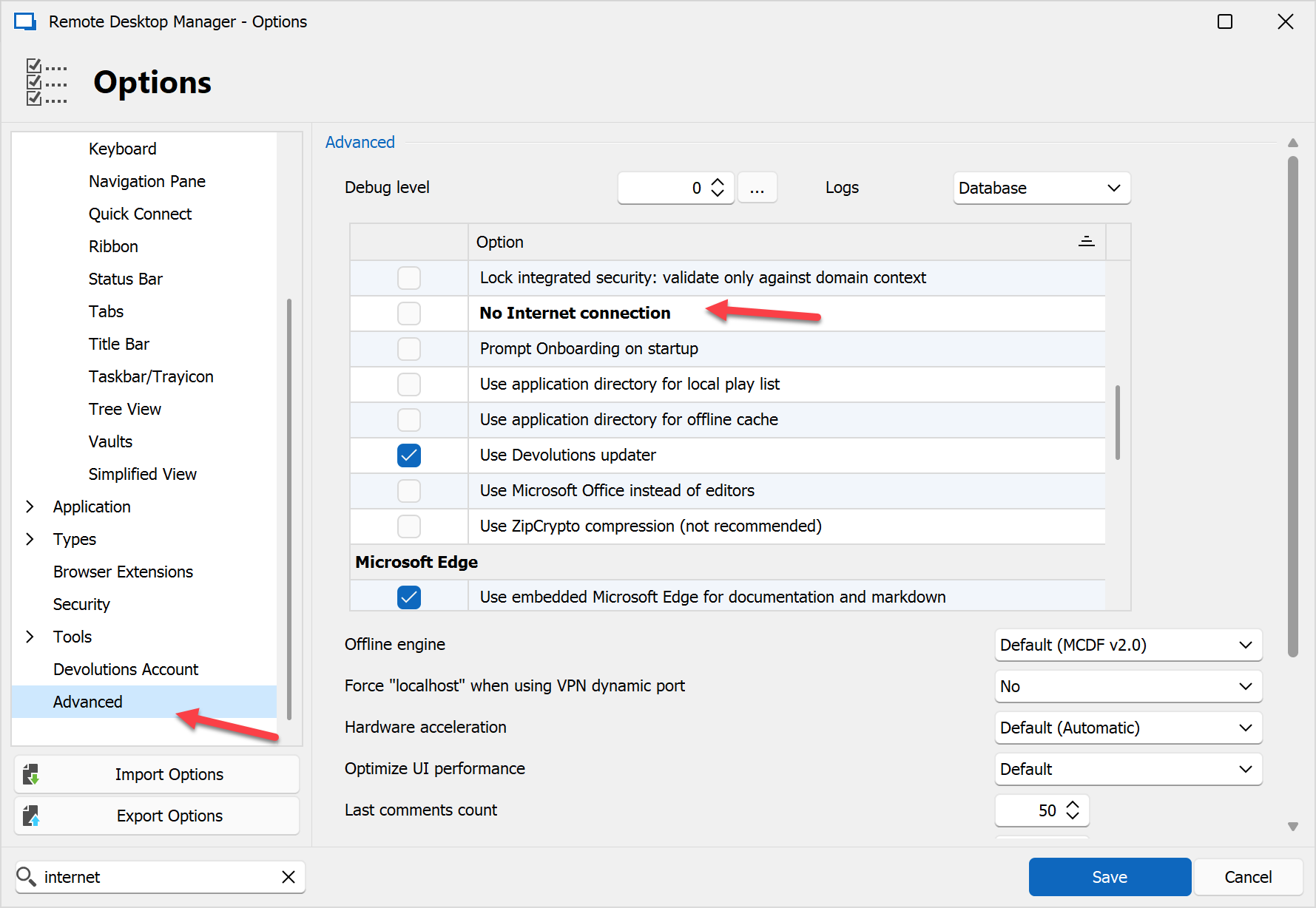
Sébastien Duquette
e25f8bdd-9f27-4f16-a3d1-69709475a696.png
All Comments (4)
Hello,
Could you please download the latest version of RDM and check if the issue persists? You can download it using this link:
https://devolutions.net/remote-desktop-manager/home/thankyou/rdmsetup/
Best regards,
Carl Marien
There are two cases where the button is not displayed
- If you have the "No Internet Connection" option enabled
- If you have a policy (GPO) that disables it.
Is it possible you have the "No Internet connection" option enabled? Its found under Options, Advanced.
Sébastien Duquette
e25f8bdd-9f27-4f16-a3d1-69709475a696.png
There are two cases where the button is not displayed
- If you have the "No Internet Connection" option enabled
That was the badger! Unchecked, and now all sorted. No idea why it was checked though.
@Sebastien Duquette many thanks. I looked everywhere and did not find anything that fixed the issue of the menu missing. It was that!