V2023.3.33.0 - External RDP Session cannot be opened if Username contains an umlaut
V2023.3.33.0 - External RDP Session cannot be opened if Username contains an umlaut

This issue just arrised with the new version.
It is a german system, the german translation is active.
If there is an umlaut in the profile folder name, the rdp session file unter %localappdata%\temp\RDP could not be found
Working configuration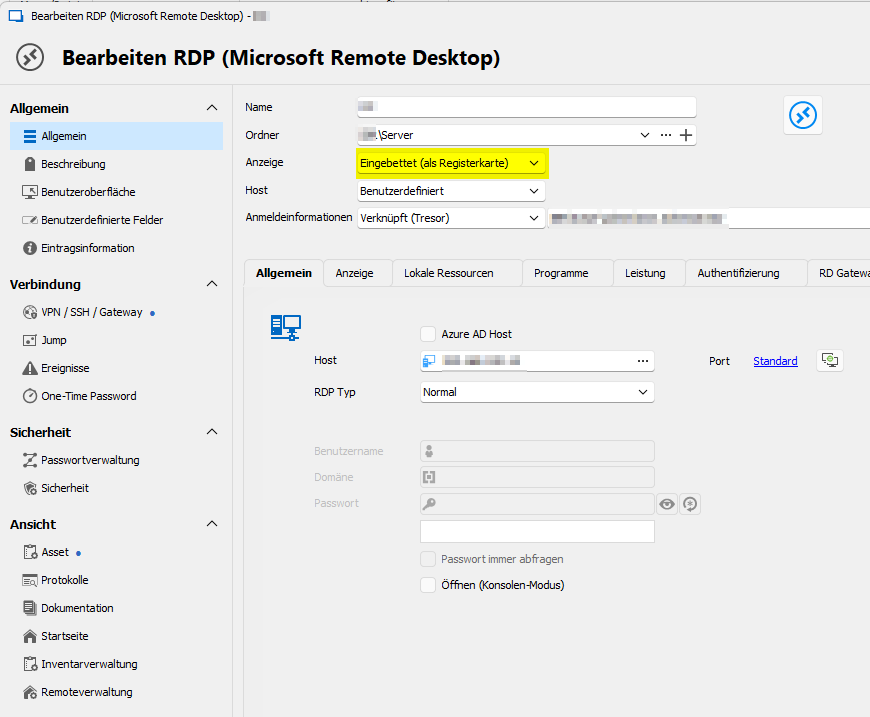
not working configuration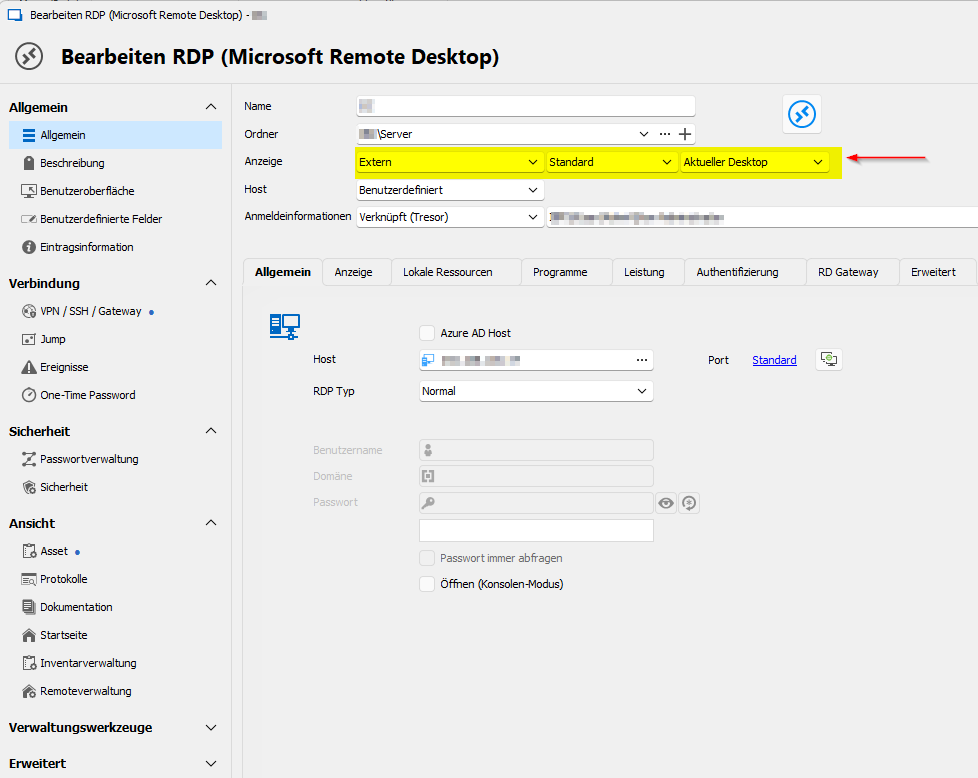
Error Message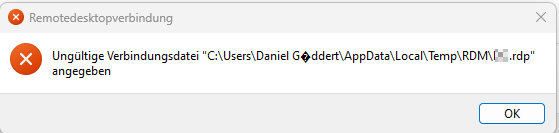
The '?' sign should resolve to 'ö'
working.png
not working.png
error message.png
All Comments (7)
Hello,
you mentioned this started after the update to 2023.3.33.0 - do you know which version you used before where this was working?
Regards,
Min
Hi Min,
i updated from 2023.3.31.0 to 2023.3.33.0 and skipped 2023.3.32.0.
I reverted back to 2023.3.31.0 as se setup was on my filesystem.
The error vanished as soon as the old version was installed.
Hello,
Thank you for the information, I was able to reproduce the issue and opened a ticket for this issue.
Regards,
Min
According to the release notes, this issue should have been fixed
2023.3.35.0
- Fixed issue when handling Unicode .RDP file paths in external mode
Unfortunately the issue still persists.
Hello,
Just to confirm, as a workaround, does disabling API Hooking under File > Options > Types > Sessions > Remote Desktop resolve the issue ?
Our developers are still looking into a permanent fix.
Best regards,
Hi Zachary,
yes just like you stated.
Disabling the API Hooking option sets the external RDP Session in working condition.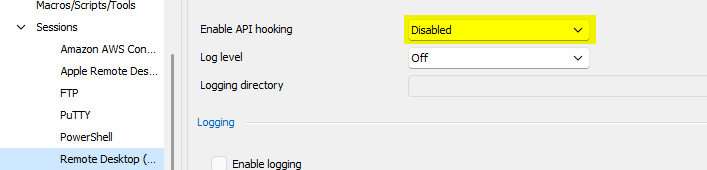
Are there any downsites, enabling this option?
Thanks,
Daniel.
grafik.png
Hello Daniel,
It will not have any ill-effect to have it disabled; it simply adds more features to RDP sessions. More information is available here on its uses: https://blog.devolutions.net/2022/08/extending-the-microsoft-rdp-client-with-api-hooking/
Best regards,
Richard Boisvert