Synchronizer problem syncing to a different domain.

HI,
I have some synchronizers setup and they work great for the domain I am logged into. However, we also have some other domains that we have access to. I tried to setup a synchronizer for one of those domains, but am having trouble getting it to work. I don't know if this is possible or not but here's what I did.
Set the mode to Custom and entered the fqdn of one of the domain controllers into the General tab. I verified I can ping the server just fine.
I went to the Login tab and entered my credentials for that domain. (Note: It'd be nice if I could link this to a credential in my vault so I don't have to come change it every time I change my password)
When i try to do a sync, or click the Test Connection button, I get an error that says Connection failed. The server is not operational.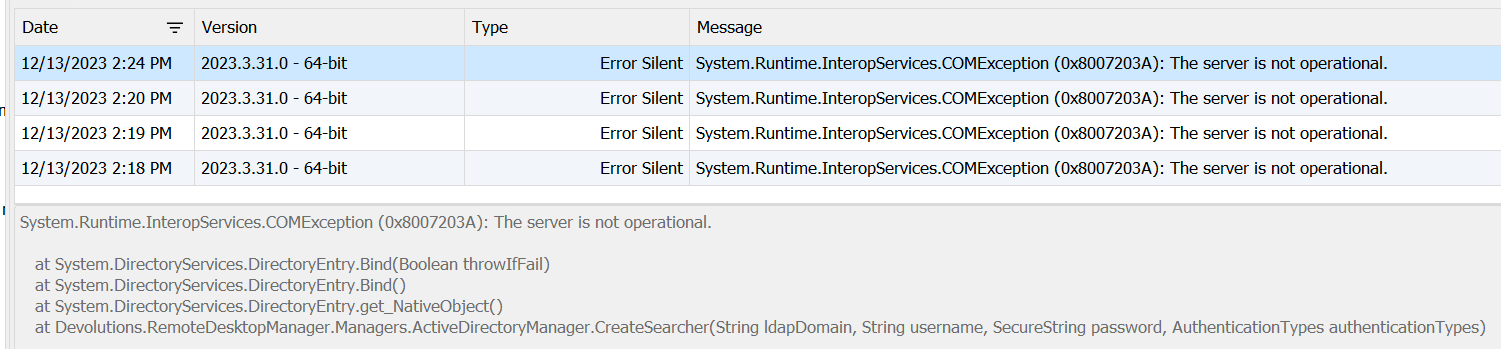
Any idea what this means and if there's some way to set this up and get it working?
Thanks.
64135326-3a8a-4330-a4a5-5ad6cad03af6.png
All Comments (7)
Hello,
Thank you for reaching out to us regarding this,
To clarify, I'm wondering if this was working for you previously or if this is a new configuration?
Perhaps you could provide us with a screenshot of your configuration? Please remove any sensitive information.
Let me know,
Best regards,
Samuel Dery
Hi.
I never tried this before since it was for a secondary domain. I figured since I can ping the domain and RDP to the machines via fqdn, that RDM should be able to sync to it. I just couldn't get it to work.
When I fill in a computer Name, after choosing Custom for the Mode, and click Test Connection, the test fails even though I can ping and remote into the machine without any issues.
Thanks.
Hello,
We are also having this issue and it has been reported in Support Ticket : 00047950 for tracking. We get "bad username or password" when trying to AD sync from another domain. We have tested with support and LDAP communication is open and functioning to the secondary domain.
Thanks!
I tried change the credentials on the Login tab to something wrong and I still just get the same error that says the server is not operational.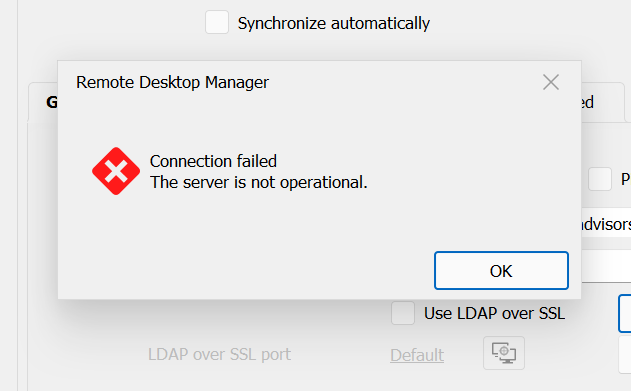
eb23d00e-019b-4157-ada4-92225b689a20.png
I tried change the credentials on the Login tab to something wrong and I still just get the same error that says the server is not operational.
Kelemvor,
They had me install RSAT AD/DS tools on the DVLS server and then run ldp.exe to connect to the secondary domain to prove that LDAP is working. May want to give that a go on your end as well. Once RSAT AD/DS is installed just search for ldp.exe and run it as admin.
I'm running this with a local SQLite database. I did just check and it appears port 389 is not open between my current domain and the secondary domain I wanted to sync with. Is that a requirement?
Hello,
Port 389 is required since LDAP is used to communicate to the other domain. If you use LDAPS, it would be port 636 (by default).
Best regards,
Richard Boisvert