"Invalid certificate" error when updating RDM

Starting in January, our software installers and updates on Windows will be signed with a new extended validation certificate issued by GlobalSign. For a smooth update experience past this date, we advise our users to update to Remote Desktop Manager 2023.2.34 or more recent.
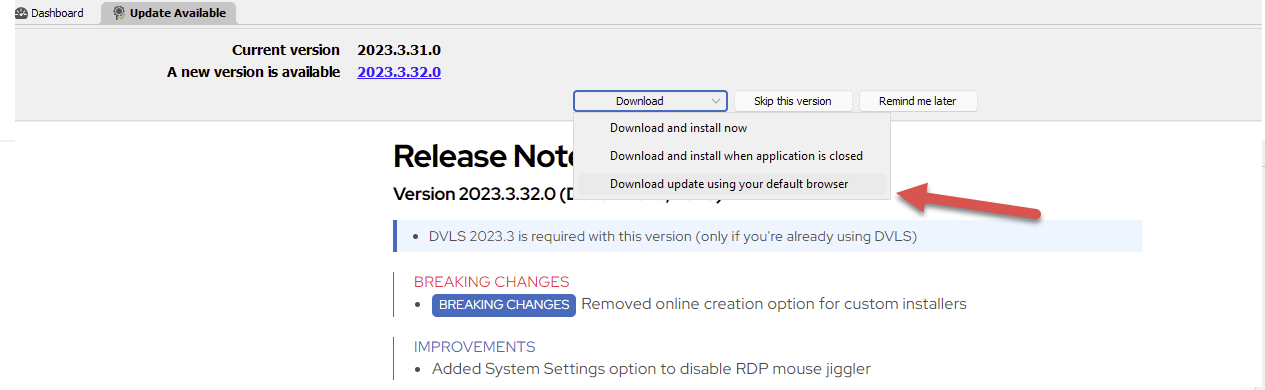
Should RDM display an “invalid certificate” message when attempting to install an update, select the option “Download update using your default browser”. The packages are safe to install. As a security precaution, RDM includes a list of accepted certificates to ensure the updates are distributed by Devolutions (a method named certificate pinning).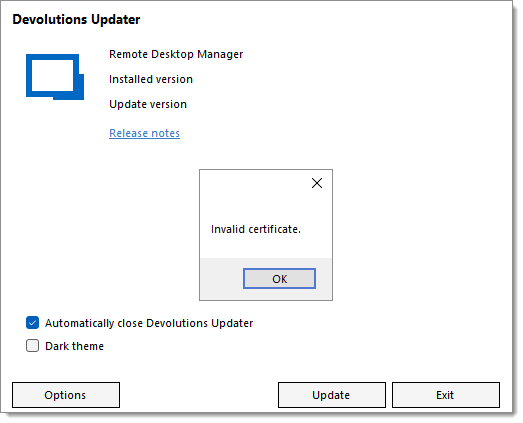
https://docs.devolutions.net/kb/remote-desktop-manager/troubleshooting-articles/invalid-certificate-error-updating-remote-desktop-manager/
Sébastien Duquette
KB2340.png
update.png
All Comments (3)
Just to inform you. I also get this error with versions after 2023.2.34. I still have 2023.3.37 and receive the error.
Hi Tom,
Sorry for the inconvenience. I would like to verify some details with you to help us pinpoint the source.
- Did the error start with 2023.2.34 or happened with prior releases?
- Do you get "Invalid certificate" or a different error message?
- Do you have something in your network (firewall, TLS inspection gateway, antivirus software etc.) that requires you to allow downloads and/or IPs and that could interfere with the download request?
Sébastien Duquette
FYI - Once I got up tot 2023.2.39 using the "download with default browser", update went smoothly.