Can't Access Shared Templates

Hi There,
Just wondering if anyone knows why i can't edit shared templates but I can use them. If i show templates i see only a single local one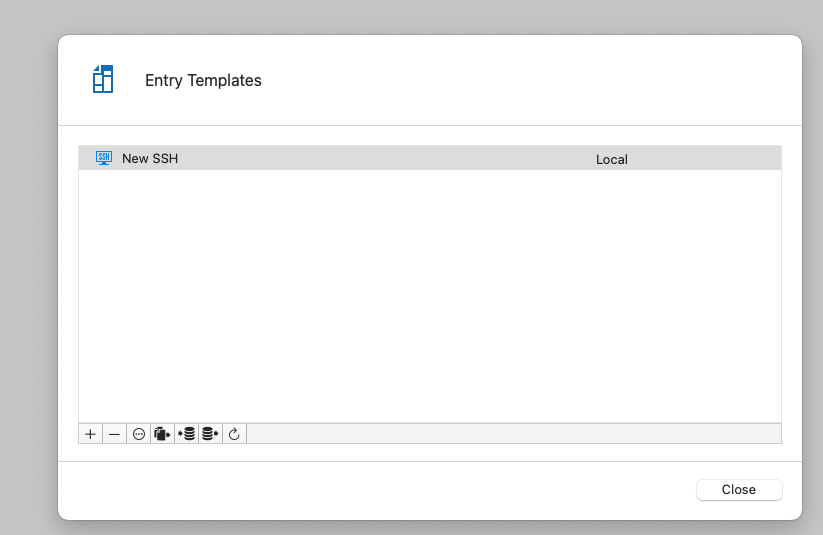
but if i right click and choose "open Session" i get the shared ones only?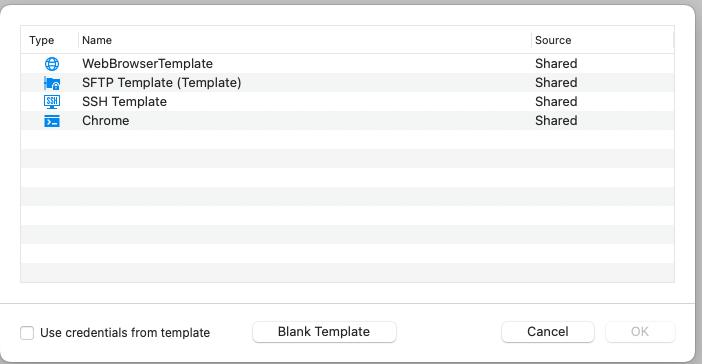
but right click "open with parameters" -> "open with a template" i see the "new SSH"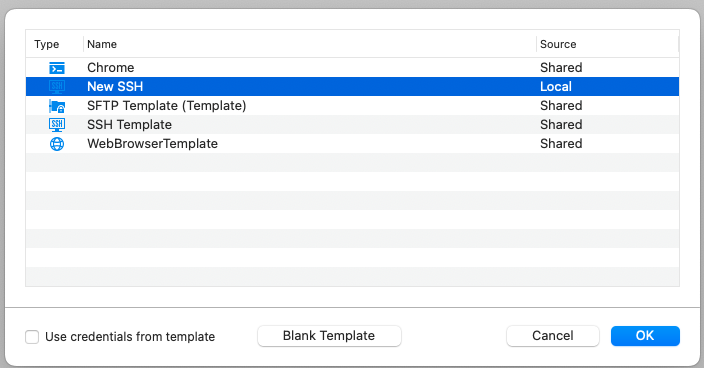
I have 2 questions:
How do i make the "Open Session" window show all the templates?
How do i edit my shared templates?
I'm using MacOS RDM 2020.3.9.3 completely stand alone on my mac
fa7d96f0-e844-4853-8b39-b0bf75a2c23e.png
16911f84-b97d-4a8f-9e91-f3bd5dede0b4.png
32ab6a46-db57-4759-b6fd-02aab72fd6b3.png
All Comments (4)
Hi,
The shared template should appear on the entry templates page (First picture) And it's also where you can edit them.
I will need this information to help you :
- What Data sources are you using ?
Best regards,
Gabriel Dufresne
Hi There,
Thanks for the response, I'm using an SQLite File only
f07bd51d-0339-4cbd-a61d-36836688e15d.png
Is there a way i can access the shared ones in the back end? I see the local ones are stored in the RemoteDesktopManager.cfg for my user. Where do the Shared ones end up?
Hi,
The shared template for the SQLite are stored in the database files (Connections.db)
A ticket has been open to investigate the cause of the probleme related to the shared template.
Best Regards,
Gabriel Dufresne