connection icon continues to show as disconnected after reconnection
connection icon continues to show as disconnected after reconnection

I recently updated to version 2023.3.31. Now it seems that there is a cosmetic problem:
the situation: I am connected to a remote RDP session. The network gets disconnected. I have this app set to retain the tab; so, the tab remains and the icon changes to the disconnected icon.
the problem: even after I reconnect the session, the icon next to the server name continues to be the disconnected icon instead of changing to the round thing with the arrows.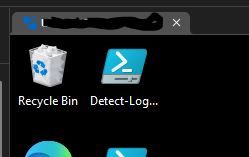
connected,but shows disconnected.JPG
All Comments (8)
Hello,
Thank you for reaching out to us regarding this,
Would it be possible for you to create a portable installation of the latest version of RDM and see if this issue still occurs? To do so, you will need to do the following:
1- Download the .zip file below:
https://remotedesktopmanager.com/home/thankyou/rdmbin
2- Create a new folder on your Desktop
3- Extract the content of the .zip file into the folder created at #2
4- Go to this folder once the .zip file has been extracted and run remotedesktopmanager.exe
5- Connect to your data source
Let me know,
Best regards,
Samuel Dery
I can't remember where the option is to make the tab stay after disconnect. I've spent about a half hour searching. I'll have to come back to this.
Hello,
Thank you for your reply,
You can find this option in your entry "Properties" under "User Interface" -> "Keep Tab Page open on disconnect.".
If you had this set Globally, you can find it under "File" -> "Options" -> "Types".
Let me know the results of this test,
Best regards,
Samuel Dery
I found that setting. So, then in order to avoid having to figure out how to setup a data source or connect to the existing one without trashing it, I tried to use "quick connect". I tried with four machines and they all do the same thing. I connect to the machine. I disconnect the VPN. The tab goes into the disconnected state. I see that you now have options about how to display that. So, it shows the RDP icon with the word "- disconnected" on the end. 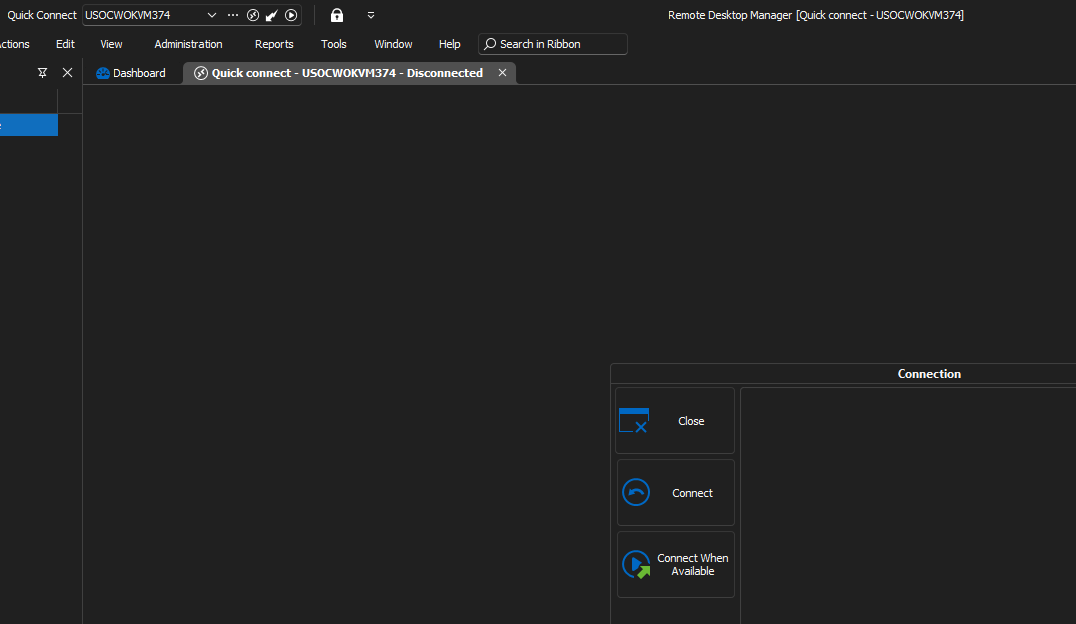
I reconnect to the VPN. I click Connect. Every time, I get a popup that says "An unexpected error has occurred. Please check the application logs for more information." and the tab goes away. So, I can't even test what happens because I can't ever reconnect. I really appreciate having this application available to me, but I am really concerned about this app. You guys seem to be adding more and more options and the application is crumbling under the weight--more and more flaky stuff happening with each update. I don't know whose fault it is, but it is happening.
a56da8f6-5aee-4d3f-b22b-c40b4ed39453.png
Hello,
Thank you for your reply,
I see, I will need to perform some tests on my end to see If I'm able to reproduce the issue, I will keep you updated with any news I have,
To clarify, you encounter the same issue when not using the Quick Connect option and simply using an RDP entry is that correct?
Let me know,
Best regards,
Samuel Dery
Hi
I think I raised same problem here:
https://forum.devolutions.net/topics/40723/display-icon-not-change-after-reconnect-to-a-session#184909
Hello,
Thank you for your reply,
I appreciate your feedback, you are correct – it seems this is the same issue that was initially reported here. I've linked the internal case related to this issue to this thread and will keep you updated with any news I receive,
Best regards,
Samuel Dery
This should now be fixed in RDM 2023.3.37 and up.
Sébastien Duquette