Devolutions Gateway not working for websites

hi!
we have set a folder to use the devolutions gateway (if unable to ping) and have websites in that folder which inherit this setting.
If we now try to open any of the websites using the RDM on Windows it is working as expected.
For our colleague using a Mac however it does not load that page but shows the "loading"-animation in the tab forever.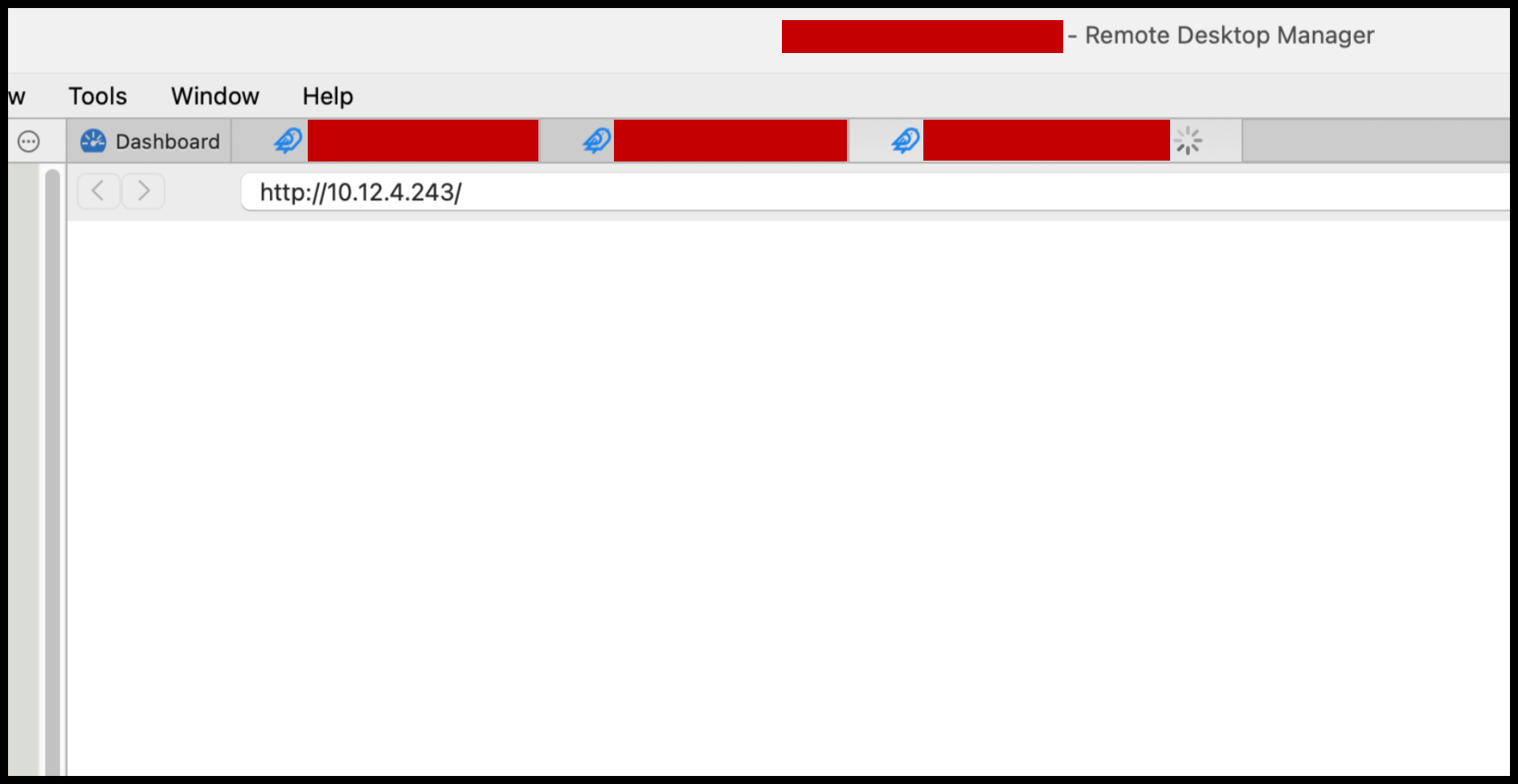
PS: we have also tried setting the web session to always use the Devolutions GW with no change.
KR
G.
a01b557e-4584-41cc-95d5-532f740aa7e8.png
All Comments (13)
Hello
I'm sorry to hear about the issue.
First - you said you have a folder of websites traversing the Gateway - are all websites affected or only one/some? Presumably the affected websites open ok on the Mac if they are directly accessible using Safari? This is key - I spent some time in the past troubleshooting a similar issue (I believe with a firewall management interface) that transpired to not work well even with standalone Safari accessed directly.
To load websites over the Gateway requires us to silently configure a proxy for the website inside RDM. This is tricky, because macOS does not offer an API that allows making such a configuration; so the code that is supposed to make this work is quite complicated. To make this work at all, we also have to use an older version of the embedded WebView provided by the macOS developer tools.
Are you at all comfortable with using browser developer tools? I'd ask you to follow the steps in this KB article that should allow you to attach the developer tools to the embedded webview. Once the developer tools are open, the first step would be to check the "Console" tab and we can try to see if there are any obvious errors occurring that explain the problem.
Please, do let me know if you have further questions or something isn't clear.
Thanks and kind regards,
Richard Markievicz
hi Richard,
we did some more testing and every website (no matter if HTTP, HTTPS with self-signed certificate, HTTPS with valid certificate) does open fine in Safari (the self-signed one after a click on "OK"/"continue") but does not work when trying to use Devolutions Gateway.
Devolutions Gateway configuration however works fine with RDP-connections.
We followed the steps in the KB article and noticed no title showing up in the list for RDM: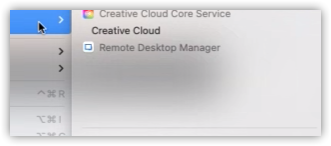
The page results in only opening "about:blank":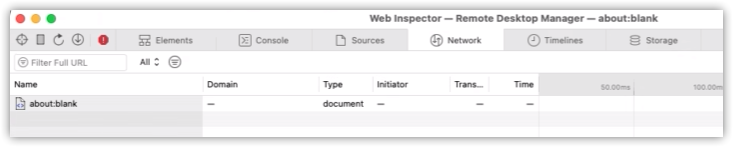
with nothing in the console but an error message:
Where you able to open any website using Devolutions Gateway on macOS?
KR
G.
1e6c81f6-ae49-45c8-bae7-96a8956d1d66.png
031a84ab-a061-4ee5-88d3-29a6825cb7e2.png
41602026-61f1-4d42-a8ad-53d71134db12.png
Hello
Thanks for the information. I do confirm that there appears to be a regression here, but I'm looking into it.
I would really appreciate if you're able to provide some extra information:
- What macOS version are you running locally? The macOS Sonoma (14) update caused a bunch of breaking changes on our side and I wonder if this is related.
- On the machine where you experience the problem, can you check the directory "~/Library/Application Support/jetsocat". You should have some log files there and I'd like if you can zip them up and send them to me. You can send via a PM or to support@devolutions.net (mentioning this forum thread so they are routed properly). If you have trouble sending a zip file (it may be blocked by some security software), let me know and I'll give an alternative way to send that in.
- I'd also be interested in the application logs from RDM. To get the best picture, please do the following:
1 Close Remote Desktop Manager (Remote Desktop Manager > Quit)
2 Open Terminal.app and enter the followingexport RDM_WEBVIEW_PROXY_DEBUG="1"(and press return)'/Applications/Remote Desktop Manager.app/Contents/MacOS/RemoteDesktopManager' (and press return)
3 RDM should launch. Reproduce the issue.
4 View the application logs in Help > Applications Logs
5 You should be able to press "Open" to find the log file on disk, and send to me the same as above
I apologize for the inconvenience. Please let me know if something isn't clear or you have further questions.
Kind regards,
Richard Markievicz
Hello again
I may have spoken too soon in my last post; the issue on my side appears to be a misconfiguration of the Gateway certificate.
I'm hoping it's the same thing on your side, because that should be an easy fix.
The information I asked in my last post is still relevant, but we could also get a jump start on this if you can send me the output of this command:openssl s_client -showcerts -connect {gatewayaddress}:{httplistenerport} </dev/null
For exampleopenssl s_client -showcerts -connect my.gateway.com:7171 </dev/null
Again, please let me know if something isn't clear or you have any questions.
Thanks and kind regards,
Richard Markievicz
hi Richard,
we tried the openssl command and got an error which might be due to our wildcard-certificate we use with Devolutions Gateway which was issued by Go Daddy Secure Certificate Authority - G2 (at least that's what I found).
What needs to be done to fix the Gateway certificate misconfiguration?
KR
G.
openssl s_client -showcerts -connect xxx.gpunktschmitz.com:7171
CONNECTED(00000006)
depth=0 CN = *.gpunktschmitz.com
verify error:num=20:unable to get local issuer certificate
verify return:1
depth=0 CN = *.gpunktschmitz.com
verify error:num=21:unable to verify the first certificate
verify return:1
write W BLOCK
---
Certificate chain
0 s:/CN=*.gpunktschmitz.com
   i:/C=US/ST=Arizona/L=Scottsdale/O=GoDaddy.com, Inc./OU=http://certs.godaddy.com/repository//CN=Go Daddy Secure Certificate Authority - G2
Hello
It seems that the server doesn't have the full certificate chain and only contains the leaf certificate. The server needs to be configured with leaf and issuer certificate in the proper order for a complete chain (excluding the root certificate authority).
Currently the client doesn't know what the issuing CA is; it only has the root CA preinstalled for trust and the leaf certificate. It's not obvious because browsers have their own ways of fixing incomplete server certificate chains, but most desktop applications (like ours) don't have that capability. On Windows, it might be that a browser or different application resolved the full chain and cached it in a way that made it available using the certificate APIs that we call..png)
In IIS, here is where you can ensure it gets added to the chain:.png)
Please do let me know if something isn't clear or you have further questions. I'm not an expert on infrastructure issues but if it's not clear how to fix your configuration, let me know and I can try to gather some more information internally or ask a colleague to step in on this thread.
Thanks and kind regards,
Richard Markievicz
image (9).png
image (10).png
hi Richard,
we added the intermediate certificate as described - restarted the Gateway service with no change at all. We even tried rebooting the server - no change.
Is there anything else to configure/set? Do we have to re-import the wildcard certificate afterwards again? Or disable/remove the root CA certificate (as some sites suggested)?
Looking into C:\ProgramData\Devolutions\Gateway we opened server.crt (by double-clicking) and it resolved the certification path "just fine" - even on our second Gateway Server without the intermediate certificate installed we can click the button "view certificate" for any certificate shown.
KR
Guenther
Hello again
It sounds like the certificate is configured directly in Devolutions Gateway since you reference the server.crt file. Just to confirm: the crt file should contain _both_ the leaf and intermediate certificates, in the proper order (the file must start with the leaf and the intermediate should come afterwards). So, if your .crt file only contains the leaf, paste the intermediate certificate afterwards (I do believe this is the intermediate certificate in this case).
The root certificate should not be present in the .crt; the client(s) should have that locally as part of their trust store.
Please can you check the above and try again, letting me know if something isn't clear. If it's still not working after confirming the above let me know.
even on our second Gateway Server without the intermediate certificate installed we can click the button "view certificate" for any certificate shown
It's somewhat likely that the Windows certificate viewer is able to resolve the intermediate certificate using the AIA information present in the leaf certificate.
For your information, we've been discussing this matter internally as it's a somewhat common misconfiguration issue. Unfortunately GoDaddy and other popular CAs do not bundle the intermediate certificate with the leaf, and admins are supposed to handle that themselves which is a cause of confusion. We're working on adding a KB article about this exact problem. Finally, we're investigating ways in which our client software could automatically resolve the intermediate certificate using the AIA information in the leaf, but I don't yet know if this is feasible (AIA is something of an anti-feature in general).
Please, let me know if something isn't clear or you have further questions
Thanks and kind regards,
Richard Markievicz
hi Richard,
combining the certificates seems to have fixed the issue!
Loading pages for the first time seem to struggle somewhat - but after some retries / reloads it seems to work.
I will ask more colleagues to test and will come back to you if we experience any issues.
Thanks alot for your help! Your clear instructions and good guidance made it very easy for us to resolve the issue.
KR
G.
Hello again
Thank you for the positive feedback! And I'm glad that the issue is unblocked for you. As I wrote before, we are working in improving our documentation around this.
I'm sorry that it doesn't seem super reliable for you. If the issue persists, the best thing you could do is follow the steps in my earlier post (I'll quote it below for reference) and send the relevant information to me either by PM or to support@devolutions.net (mentioning this forum post).
I'd also like to know if it's a specific "variety" of website that your having problems with (an example would be, a configuration site for a firewall application or similar, internally hosted web application, etc, etc).
What macOS version are you running locally? The macOS Sonoma (14) update caused a bunch of breaking changes on our side and I wonder if this is related.
On the machine where you experience the problem, can you check the directory "~/Library/Application Support/jetsocat". You should have some log files there and I'd like if you can zip them up and send them to me. You can send via a PM or to support@devolutions.net (mentioning this forum thread so they are routed properly). If you have trouble sending a zip file (it may be blocked by some security software), let me know and I'll give an alternative way to send that in.
I'd also be interested in the application logs from RDM. To get the best picture, please do the following:
1 Close Remote Desktop Manager (Remote Desktop Manager > Quit)
2 Open Terminal.app and enter the following
export RDM_WEBVIEW_PROXY_DEBUG="1" (and press return)
'/Applications/Remote Desktop Manager.app/Contents/MacOS/RemoteDesktopManager' (and press return)
3 RDM should launch. Reproduce the issue.
4 View the application logs in Help > Applications Logs
5 You should be able to press "Open" to find the log file on disk, and send to me the same as above
We may be able to determine the issue with that information.
Unfortunately, Apple does not (and will not) provide an API that allows configuring a proxy server for an individual web view component. The only option they provide is configuring a system-wide proxy, which obviously doesn't fit the needs of our application. We use a workaround to provide this functionality on top of an older version of the Apple WebView however there might be some optimization possible generally or for specific websites.
In the future, we're waiting for Microsoft to release their WebView2 component (which is what we use on Windows) for macOS, which should allow true parity between the platforms.
Please, let me know if something isn't clear or you have further questions
Kind regards,
Richard Markievicz
hi Richard,
I've got feedback that it is now working indeed - but only the initial site is working.
Opening a new tab (either by the site itself or by rightclicking a link and selecting "open in new tab") will result in a white page.
KR
G.
Hello
Thank you for the feedback. First, I'm glad that the connections are working now in the general case.
In terms of opening a new tab (either manually or by the website itself) currently that would be expected. When opening a new tab, the proxy is not configured on that tab so the website fails to load.
I've asked the RDM Mac team about this: it might be a technical limitation currently. In order to set a "per WebView proxy", we are forced to use Apple's legacy WebView component (their latests APIs do not - and stubbornly will not - support this capability. Apple insists that the only mechanism for this is a system wide proxy configuration). It may be possible to correct this - the RDM Mac team has opened a ticket to investigate that. Otherwise we might have more options in the future if and when Microsoft release their WebView2 component for macOS (it's been in the pipeline for several years already).
An alternative if that's not possible, might be to somehow prevent the embedded browser from spawning new tabs. The RDM Mac team will investigate this as well.
I'm sorry I don't have a better answer for this right now, but I hope that this can be fixed. We'll post back here with news.
Please let me know if something isn't clear or you have further questions
Kind regards
Richard Markievicz
Hello
We just released our new version of RDM Mac (2024.1.5.1)
and your proxy settings should carry over when you use "open in a new tab".
If there's anything, don't hesitate to communicate with us.
Best regards,
Michel Lambert