SFTP on SSH and Terminal (MobaXTerm) - MacOS

I am migrating from Windows to MacOS and have always used MobaXTerm. I found RDM as a very similar alternative and liked it a lot. I saw in another topic that for Windows, it is possible to enable the SFTP via SSH option, but I cannot find this option in the MacOS application. I am missing the ease of navigating between folders and having the console side by side.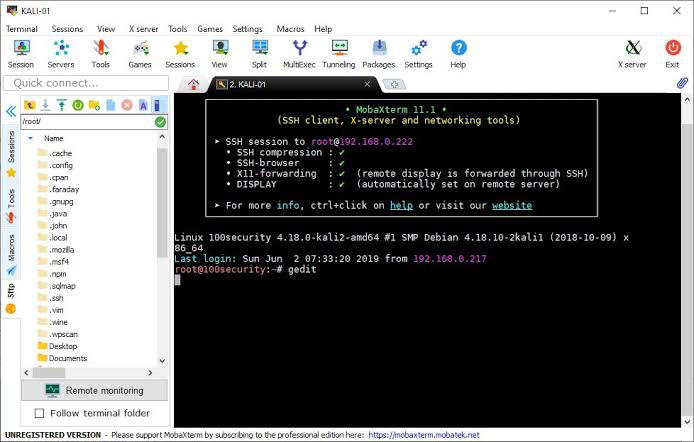
IMG_2648.png
All Comments (15)
Hi,
Just to be sure what option we are talking about in RDM Windows, is this the option?
Best regards,
Jesse Galarneau
Screenshot 2023-12-04 at 7.44.52 AM.png
In MobaXterm, I use the SSH Shell connection, I imagine it would be the same in RDM, right?
I didn’t find the option to enable SFTP directly like in the MobaXTerm image.
Print: RDM for MacOS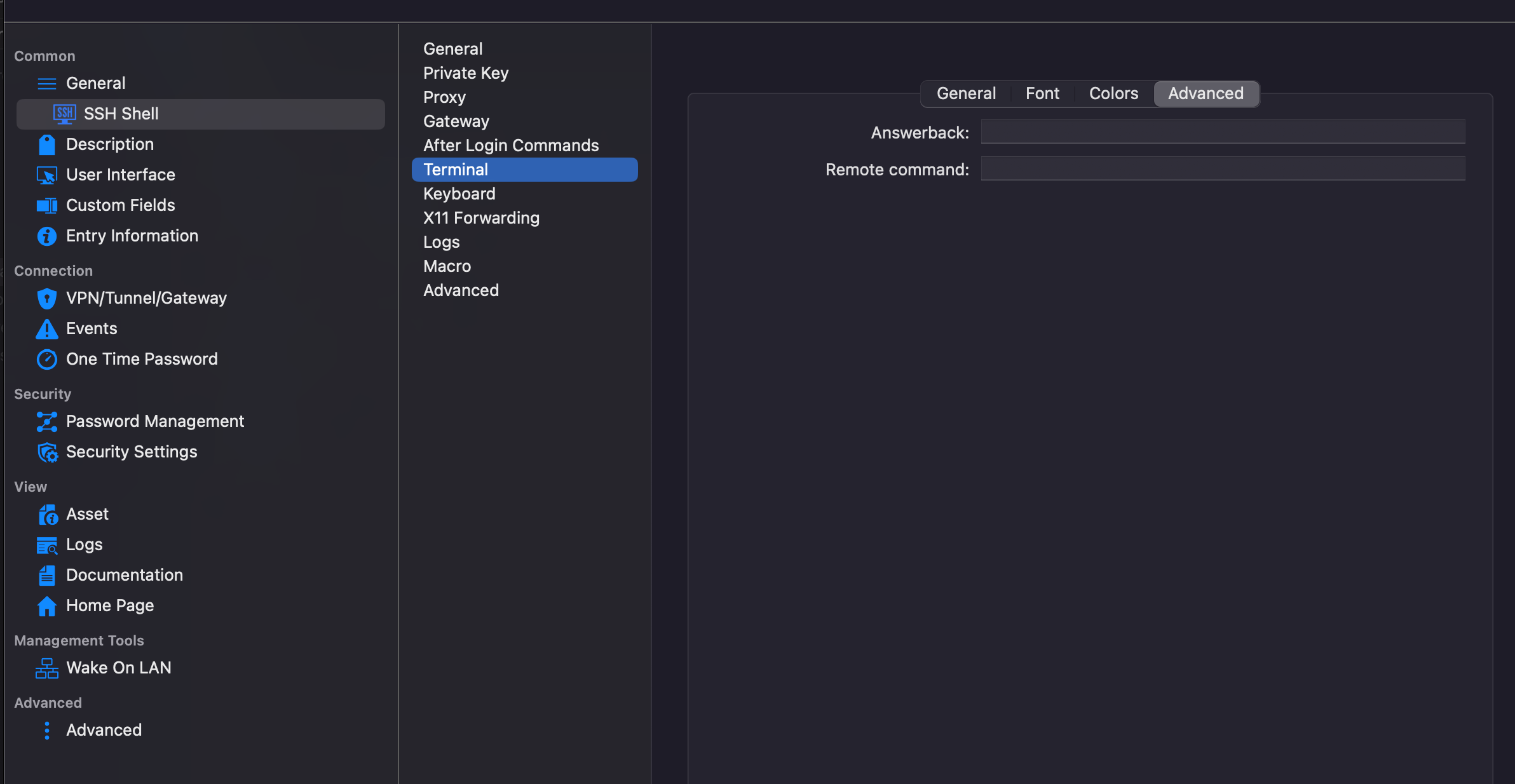
5169c062-7cd8-4659-a5f3-9d8233dbe38a.png
Hi,
We currently don't support this feature but the closest implementation that we have is right click the entry → “Open with Parameters” → “Open Embedded SFTP Connection”.
Would this solve the issue?
Best regards,
Jesse Galarneau
No ;(
My private key no have password.
Hi,
We have a ticket open for this feature, we will get back to you as soon as it is ready to be deployed to RDM Mac.
Best regards,
Jesse Galarneau
Thank you, it will be of great help
I ran in to this exact edge case today I believe.
I have a private key with no password that works fine in:
FileZilla - MacOS
MobaXTerm - Windows
RDM - Windows
But when I try to connect on Mac using my non-password protected private key I get:the following error stream in the log:
Status: Devolutions Protocols version: 2023.11.1.1 macOS
Status: Starting SFTP, verbose level: 4
Status: Setting up connection
Status: Using tcp connection
Status: SSH banner: SSH-2.0-OpenSSH_8.9p1 Ubuntu-3ubuntu0.5
Status: Sending kex init
Status: Received kex init
Status: Selected algorithms: curve25519-sha256, ssh-ed25519, chacha20-poly1305@openssh.com, chacha20-poly1305@openssh.com, implicit by cipher, implicit by cipher, none, none
Status: Sending Ed25519 kex init
Status: Received Ed25519 kex reply
Status: Successfully authentified server
Status: Sending new keys message
Status: Received new keys message
Status: Sending userauth service request
Status: Received extension info message
Status: Server accepts public key types: ssh-ed25519,sk-ssh-ed25519@openssh.com,ssh-rsa,rsa-sha2-256,rsa-sha2-512,ssh-dss,ecdsa-sha2-nistp256,ecdsa-sha2-nistp384,ecdsa-sha2-nistp521,sk-ecdsa-sha2-nistp256@openssh.com,webauthn-sk-ecdsa-sha2-nistp256@openssh.com
Status: Received service accepted message
Status: Sending userauth init request
Status: Received userauth failure: publickey
Status: No authentication method available
Status: The server does not accept interactive authentication
Status: The server does not accept password authentication
Status: Closing SFTP
Disconnected with code: -3 (FAIL_PERMISSION_DENIED)
This seems to be a minor deficiency in the Mac version of RDM, but does prevent me from using RDM for everything I want.
I also tried the options suggested by Jesse above as well.
Hi,
I opened a ticket for the private key issue. I will get back to you when we fix the authentication problem with private keys that don't have a password.
Best regards,
Jesse Galarneau
Could you provide an estimate for delivery of this feature?
Hi,
Are you referring to the "SFTP via SSH option"? If so, this is not planned at the moment for RDM Mac.
So we have no delivery date to provide unfortunately.
Best regards,
Xavier Fortin
Hello,
A new version of RDM Mac (2024.1.8.6)
has been released and should solve the issue about the private key not working properly.
Don't hesitate to communicate with us if there's anything.
Best regards.
Michel Lambert
Unfortunately I still get the same error on my Mac.
Works fine with Filezilla.
Hello,
we are going to reopen the ticket.
Now just to be sure if it is the same problem or something else. Do you know if the password have any Non-Ascii character in it?
Best regards,
Michel Lambert
In my case I am using a private key that is NOT password protected and not entering a password either since I'm using the key file.
It works fine with plain old SSH. It's just SFTP that causes the issue I noted above which seems to be the same.