How to synchronize with Lansweeper

Hi
In the changelog for version 2023.3.24.0 you wrote that RDM offers synchronization, import as well as web integration in the "IT Asset Management" tab. I have no idea how to configure RDM to communicate with Lansweeper. I haven't found any instructions on this subject either.
I found an option to add a new entry: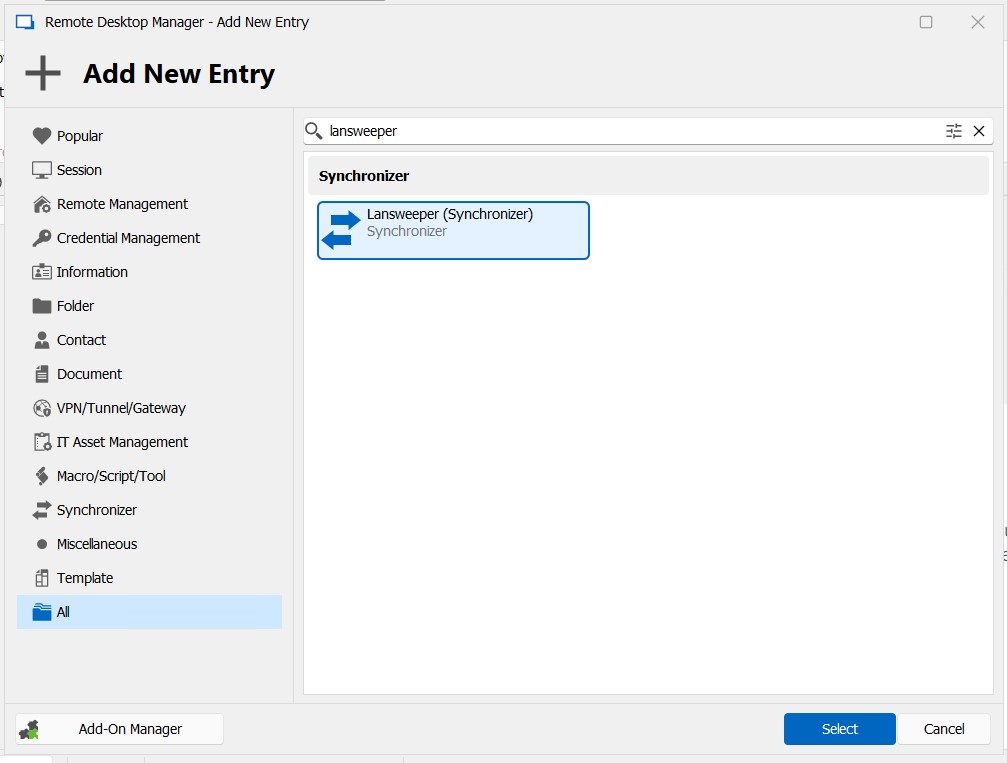
where the edit window looks like this: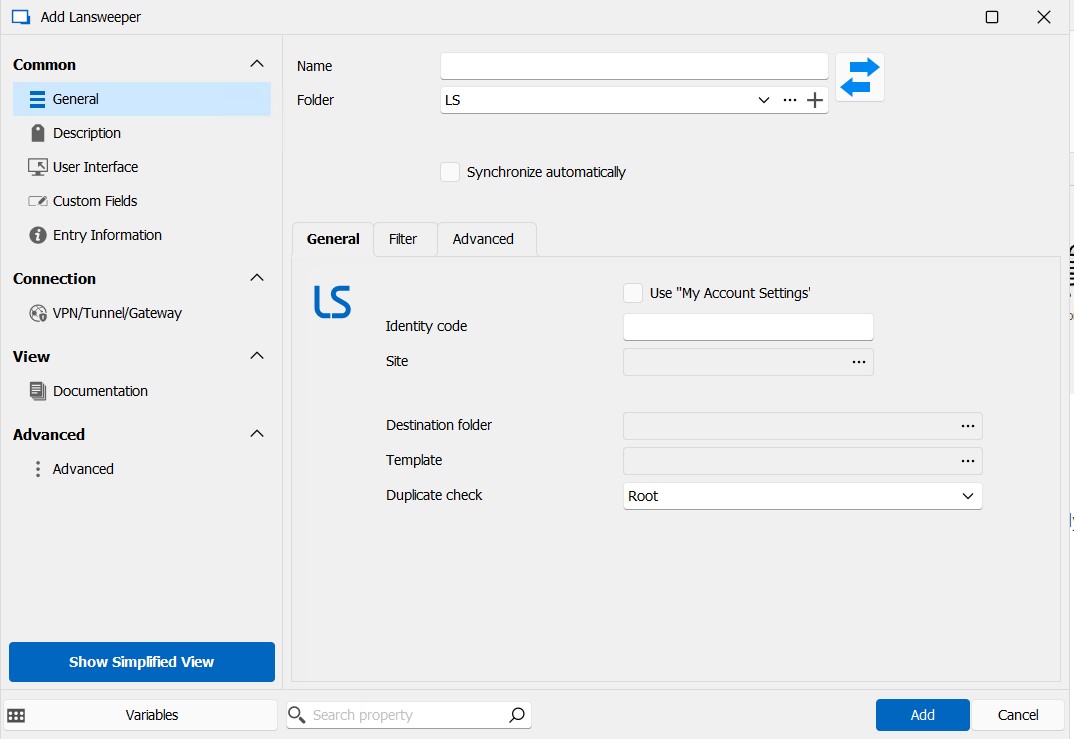
Where can I find the "Identity code"?
When I click on "Use My Account Settings", the "Identity code" field is blocked - where should I enter the "My Account Settings" data?
2.jpg
1.jpg
All Comments (3)
Hello,
We are currently working on a documentation page for this integration, but here is some info to get you started :
- The identity code comes from authorizing a personal application on your Lansweeper site. Here's a link to their documentation on how to achieve that: https://docs.lansweeper.com/DOCS/API/AUTHENTICATE#personal-application
- With that, you should be able to select your Site in RDM and launch the synchronizer. Once assets are imported, a Lansweeper section should appear in your dashboard. This will give you a direct link to the asset's page.
- Both the Identity code and your direct credentials to Lansweeper can be saved in the "My Account Settings". These can be found in File - My Account Settings - Lansweeper.
Please let me know if you need any more help.
Regards
Jonathan Del Signore
Ok. It works... but...
- In "My Account Settings" i don't see Lansweeper
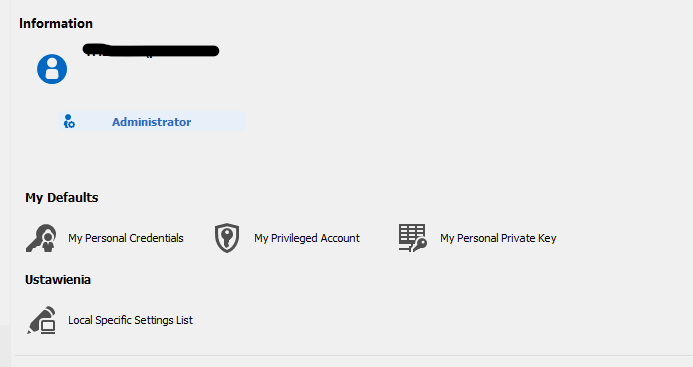
- On the tab "Filter" it should be more conditions to choose for ex. system version, group (in Lansweeper) or
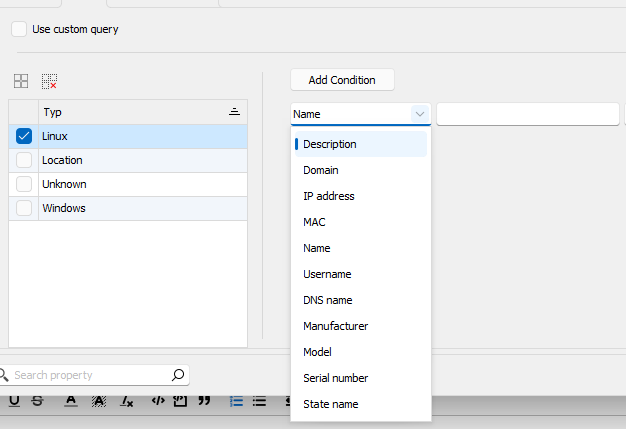
- how to construct custom query?
im looking forward for more instructions
bbe4fa45-357b-43c8-b60d-88a8c2f0e9e2.png
a26ccb54-e57b-4066-8ed4-7353d7164a33.png
Hello,
- The My Account Settings section is indeed unavailable in the free version of RDM, so that must be why you're not seeing anything. We'll make an exception for Lansweeper since synchronizers are now available on RDM free. This will be available in version 2023.3.33.0.
- System version and group filters aren't in the list we currently support because they're not inherently supported by the Lansweeper API. For more information, you can see the full list they support here : https://docs.lansweeper.com/docs/api/getting-data#setting-up-the-filter. We'll open a ticket to add more filters manually, so if you want more than the two you mentioned, don't hesitate to let us know.
- In the same documentation section as #2, you can see the syntax required to make a custom filter. What you'd need to enter in RDM in everything inside the "filters:" brackets. To give you an example, here is a filter that returns Alarm Systems and Android devices, with their name containing the value "asset" :
conjunction: AND,
groups:
[
	{
		conjunction: OR, conditions:
		[
			{operator: EQUAL path: "assetBasicInfo.type" value: "Alarm system"},
			{operator: EQUAL path: "assetBasicInfo.type" value: "Android"}
		]
	},
	{
		conjunction: OR, conditions:
		[
			{operator: LIKE path: "assetBasicInfo.name" value: "asset"}
		]
	}
]
Simply note that there is currently a formatting issue that breaks the API when using a custom filter, which will be fixed in version 2023.3.33.0.
Please let us know if we can help any further.
Regards
Jonathan Del Signore