SSH Key Agent missing from the menu

SSH Key Agent missing from the menu
I see it in version 2023.2.33.0 but in version 2023.3.28.0 it it missing
from the menu.
Can stil set it to Start agent on application start as a workaround.
All Comments (6)
Hello acetico,
Thank you for contacting us on that matter.
Could you tell me if the SSH Key Agent is available by the Search in Ribbon?
Could you try a reset layout and see if it returned to your tool tab?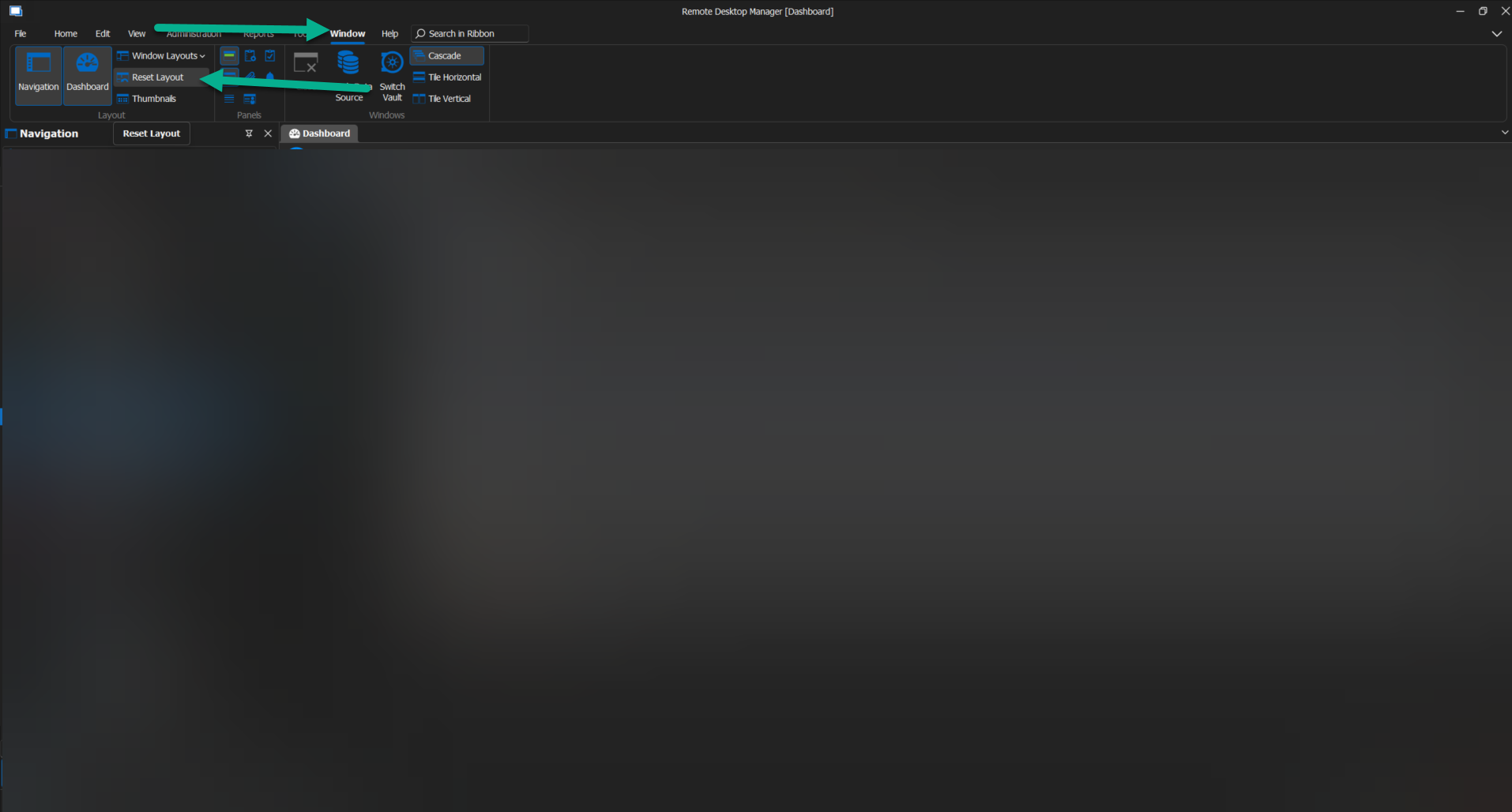
Best regards,
Patrick Ouimet
layout.png
Hello,
Patrick I think the user is using the menu mode and not the ribbon. You can now pinned which Tools you want in More Tools: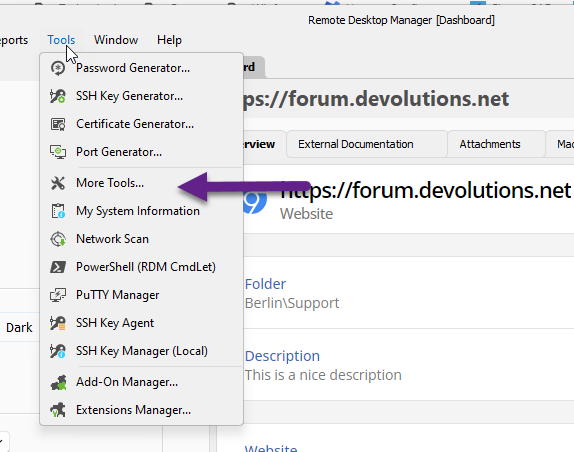
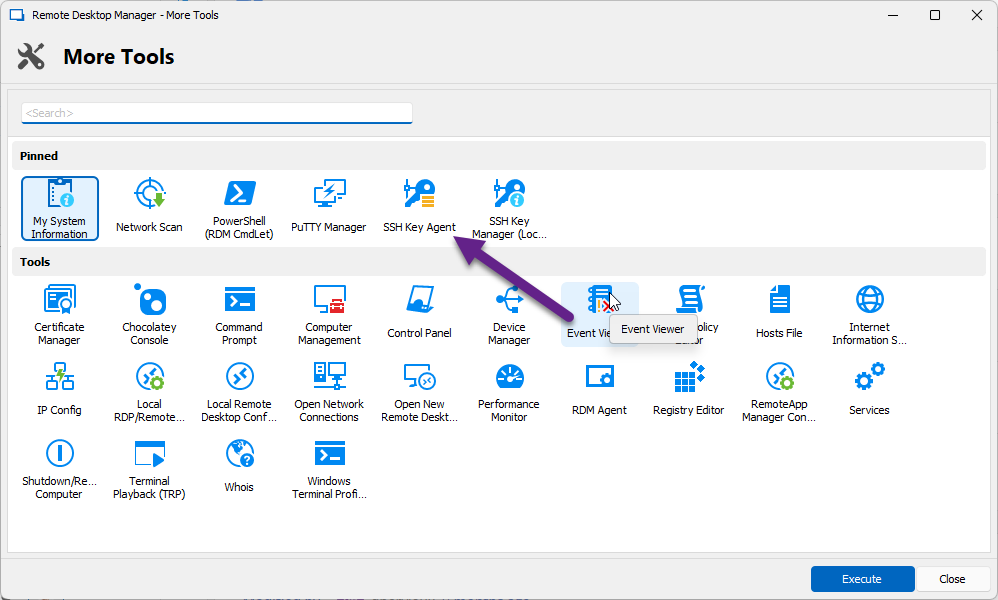
Regards
David Hervieux
356fbd24-344c-4fb4-a5e5-42685924c8f3.png
521aadd1-e215-4b78-914f-b04edb4cb171.png
Hi
In the Ribbon Search I do not find it before or after the reset layout.
The more Tools is empty, this is because those are removed in the system config, can’t see the SSH Key Agent there.
I have not change any off the system settings only upgraded a copy of the database and upgraded one client.
When I log inn to production with 2023.2.33.0 with the same user, I see the SSH Key Agent in the menu. 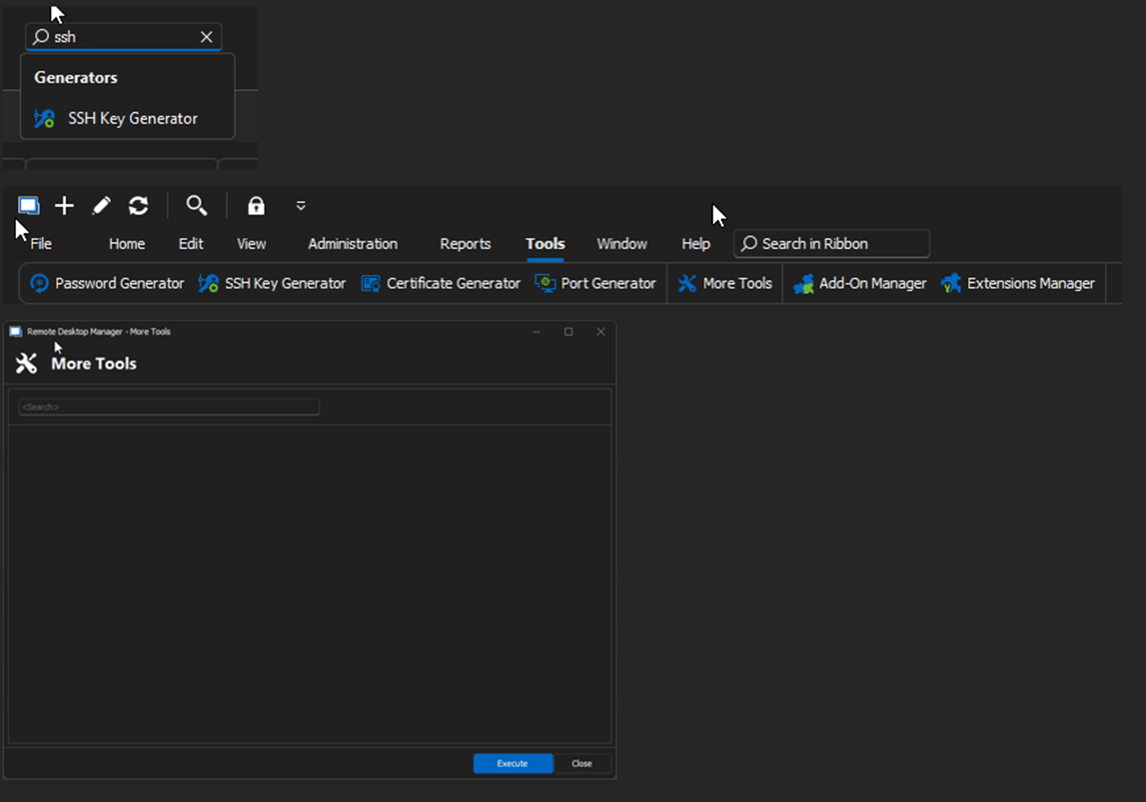
52d5e747-aa5c-45e5-aba9-e1623071e12c.png
Hello acetico,
I sent you an email to schedule a session and have a look at this issue.
Best regards,
Patrick Ouimet
It was as you said.
When I change the Registry setting to 0 on %Root%\SOFTWARE\Policies\Devolutions\RemoteDesktopManager\DisableApplicationTools the SSH Key Agent was back in my menu.
Thank you.
Hello acetico,
Thank you for this feedback.
I'm glad to hear that this issue is now resolved.
Best regards,
Patrick Ouimet