OTP issue with VPN Session
Hi,
I have VPN entry (CISCO Any Connect).
It works fine with username and password. It fires up and populates the user and password. I am prompted for OTP and I paste in from Authy, job done and I am online.
Decided to add a OTP session to my vault. Got the key and it loaded. Check the 6 digits matchs Authy and all good.
Edited the VPN session and selected the follwoing for the OTP: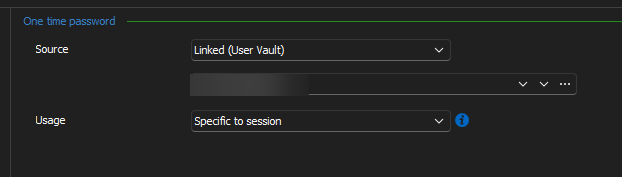
Saved session and launch the VPN session. Username and password populate and then the OTP prompt appears and I get the following error: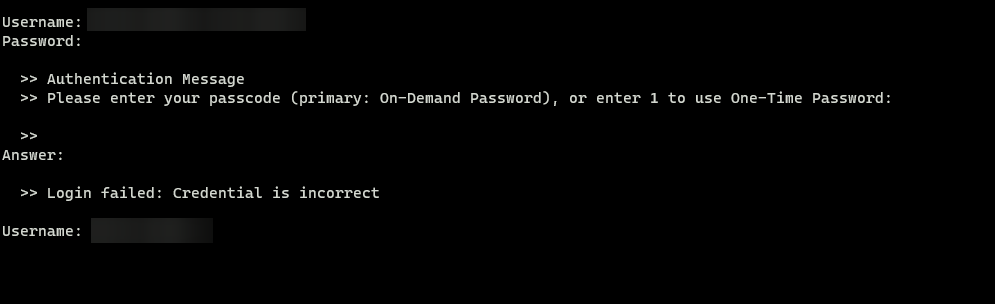
I am struggling to work out what the issue is?
RDM 2023.3.28.0 64 Bit
Thanks
Iain
Version 2026.2.13.0 64-bit
Data Source SQL
b72cf513-edd7-48c1-b336-f3775c525257.png
4cbceb9d-3641-40a5-9384-7462541da96a.png
All Comments (23)
Wondering if my issues is realted to this bug report?
Thanks
Iain
Version 2026.2.13.0 64-bit
Data Source SQL
Looking at this further, I am wondering if there are any settings I am missing from my OTP setup ...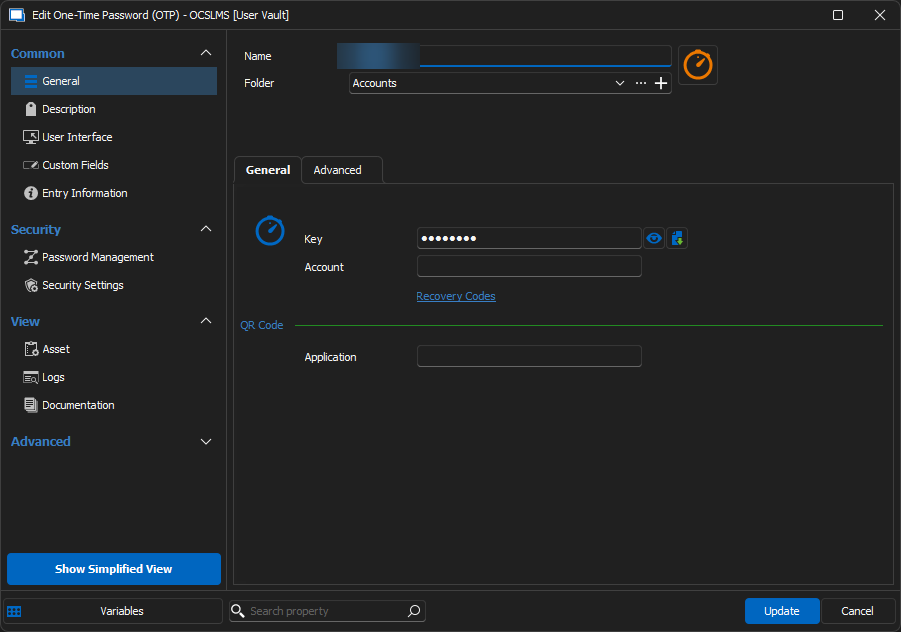
Thanks
Iain
Version 2026.2.13.0 64-bit
Data Source SQL
2334c285-f245-4dc4-8d28-a436523c8ecc.png
Hello,
Thank you for reporting this to us,
Our developers mentioned that the "Specific to session" mode for the Usage option is currently unsupported by the Cisco AnyConnect VPN entry. This is why the OTP isn't being sent automatically.
They'd like you to confirm if when the "Second Password Mode" setting is set to "User Input" or "Prompt" that it displays correctly. 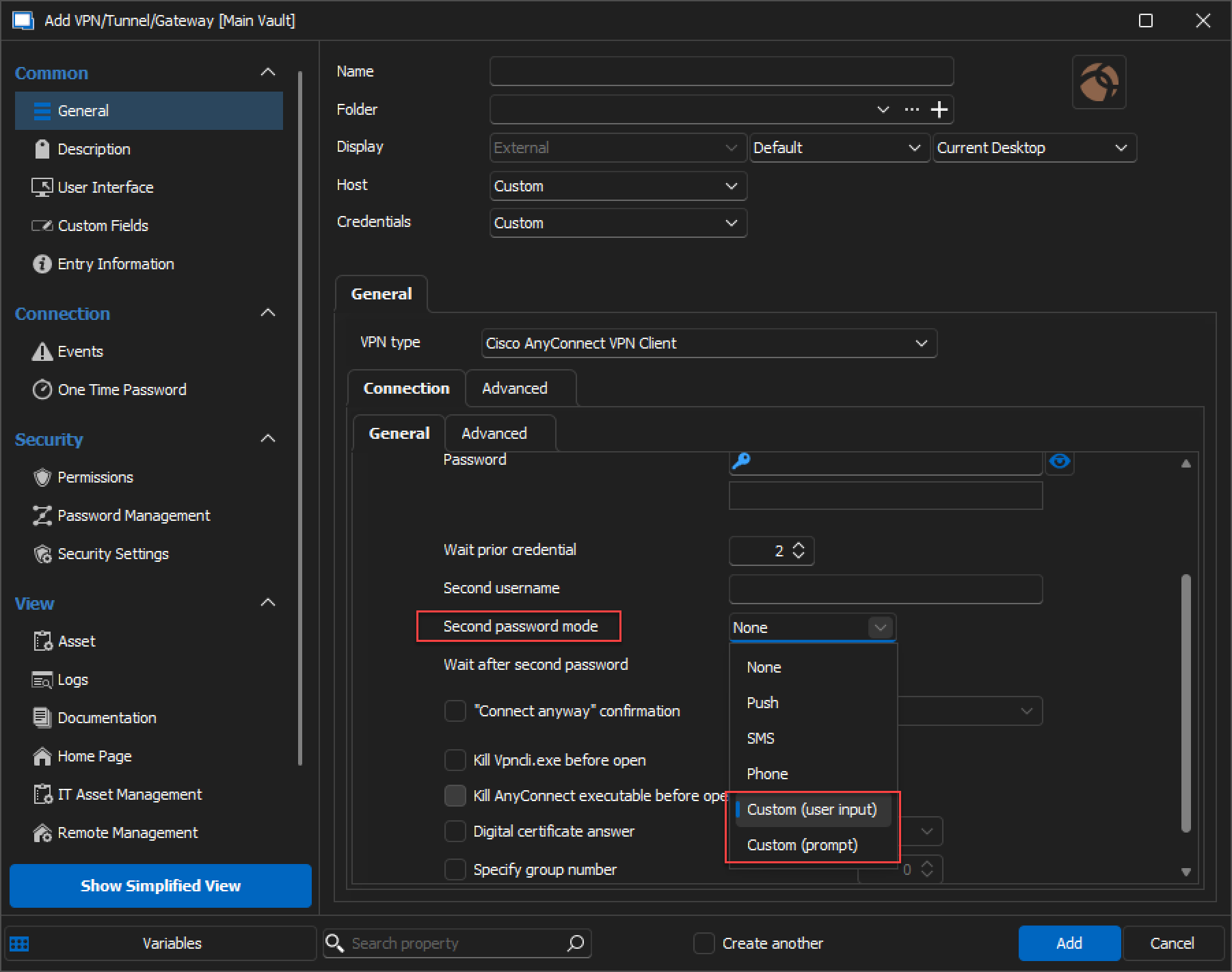
If it does, does the OTP work correctly, if you add it ?
Best regards,
image_2023-11-24_091431094.png
Hi,
Having issue changing the option to User "input" or "prompt". Once I edit the session and save, I go back into the session and it shows "push" again!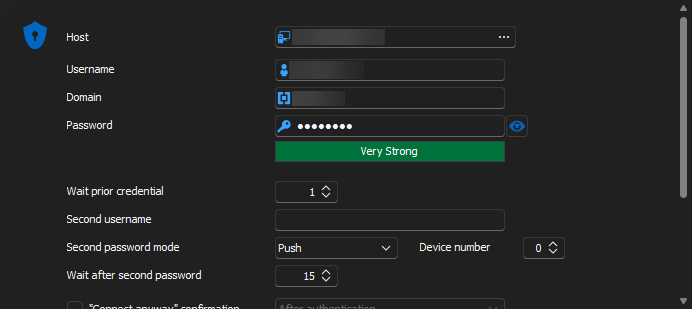
Regards
Thanks
Iain
Version 2026.2.13.0 64-bit
Data Source SQL
bef6826d-65cf-439d-935e-65615ff9c61d.png
Hello,
Just to be sure, have you made sure to close the VPN entry before editing it ?
Best regards,
CRTL+F5 resolved the issue!
Tried both and unfortuanlty neither passed the OTP code through.
Prompt
Username and Password came up fine. Then the Second password box comes up.
OTP did not autofill. Entering in the OTP and pressing enter opened a second terminal session and did not pass the OTP correctly (didn't get a chance to grab a screen shot).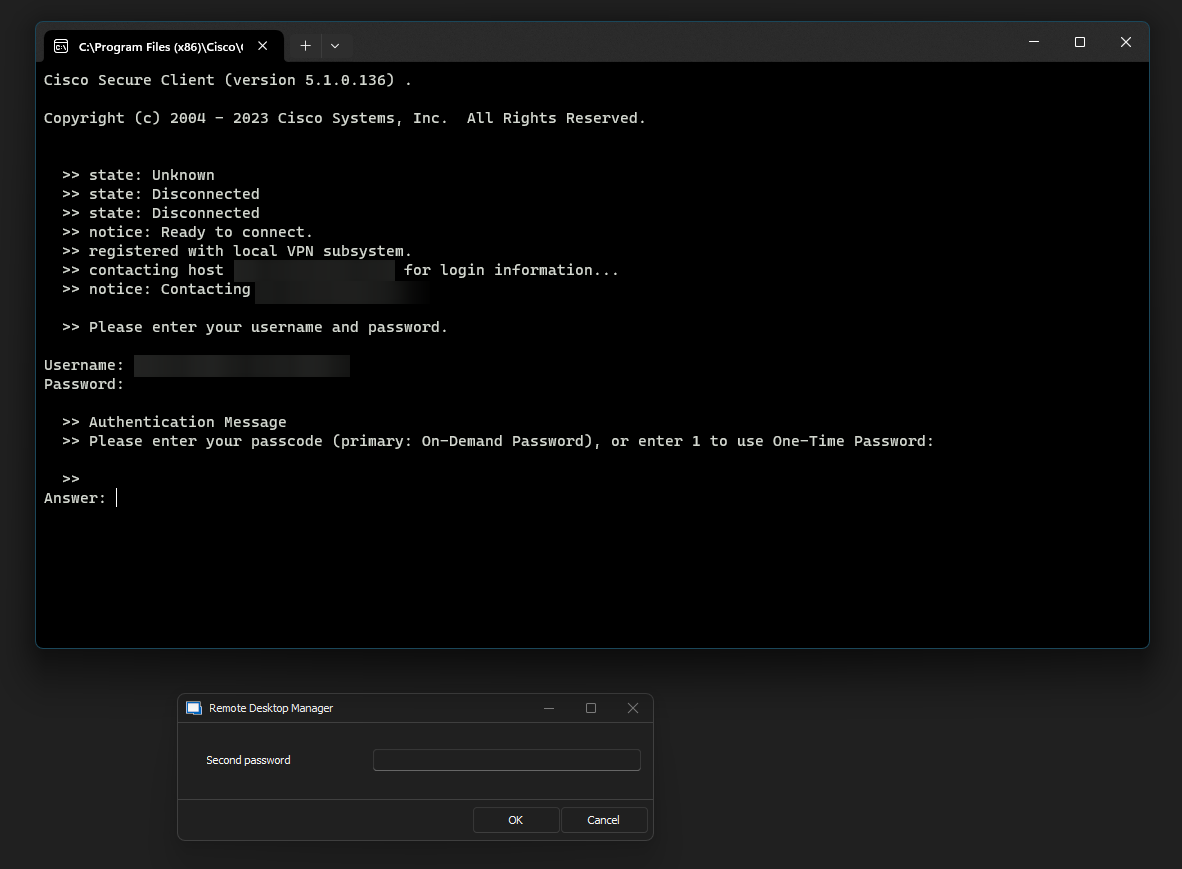
User Input
Username and Password passed through and then nothing happend for OTP.
Regards
Thanks
Iain
Version 2026.2.13.0 64-bit
Data Source SQL
38542776-c8a1-4202-b60a-29c3ccbe6d2d.png
743d0096-5831-48ce-8b15-539fb43b3e53.png
Hi,
Is this just something RDM is unable to wrk with?
Thanks
Iain
Version 2026.2.13.0 64-bit
Data Source SQL
Hello,
I've asked our developers whether this is possible and let them know about your results with the test they suggested.
I'll update you once I have news from them.
Best regards,
perfect thanks!
Thanks
Iain
Version 2026.2.13.0 64-bit
Data Source SQL
Hello,
Would you be open to me opening a case so that I may send you a link to schedule a remote session ?
Best regards,
Hi Zachary
Yes please, please use my work email for contact
Many thanks
Iain
Thanks
Iain
Version 2026.2.13.0 64-bit
Data Source SQL
Hello Iain,
Thank you for confirming this, I took the liberty of removing the email address from your previous comment due to privacy reasons.
I will open a case and contact you by email shortly with a link.
Best regards,
My case got closed a while back while as I understand it was in development. I was wondering if it would be possible to get an up date on this request?
Thanks
Iain
Version 2026.2.13.0 64-bit
Data Source SQL
Hello,
As I can see, the ticket opened to the development team is still opened.
I asked an update, so when they will came back to me, I will then came back to you.
Thank you for your patience.
Best regards,
Jeff Dagenais
Hello,
I had a chat with our development team and it's indeed still in our backlog.
It's not easy to implement and we are waiting for other customers to demonstrate their interest for this improvement.
Best regards,
Jeff Dagenais
Understood, thanks for the update.
Thanks
Iain
Version 2026.2.13.0 64-bit
Data Source SQL

Is this option for Second Password not available in the Mac version as I can't see it anywhere?
@samuelbarr,
The ticket for RDM Windows opened at our engineering department is still opened. This means that we need to implement the solution in RDM Windows first and then, in RDM Mac.
I will add a note into the ticket to make sure that RDM Mac development team is also aware of the ticket.
Best regards,
Jeff Dagenais
Sorry just to be clear since I did hijack this thread, I am referring to just having the option for the secondary password, it already exists in the Windows RDM. That doesn't exist on the MAC version.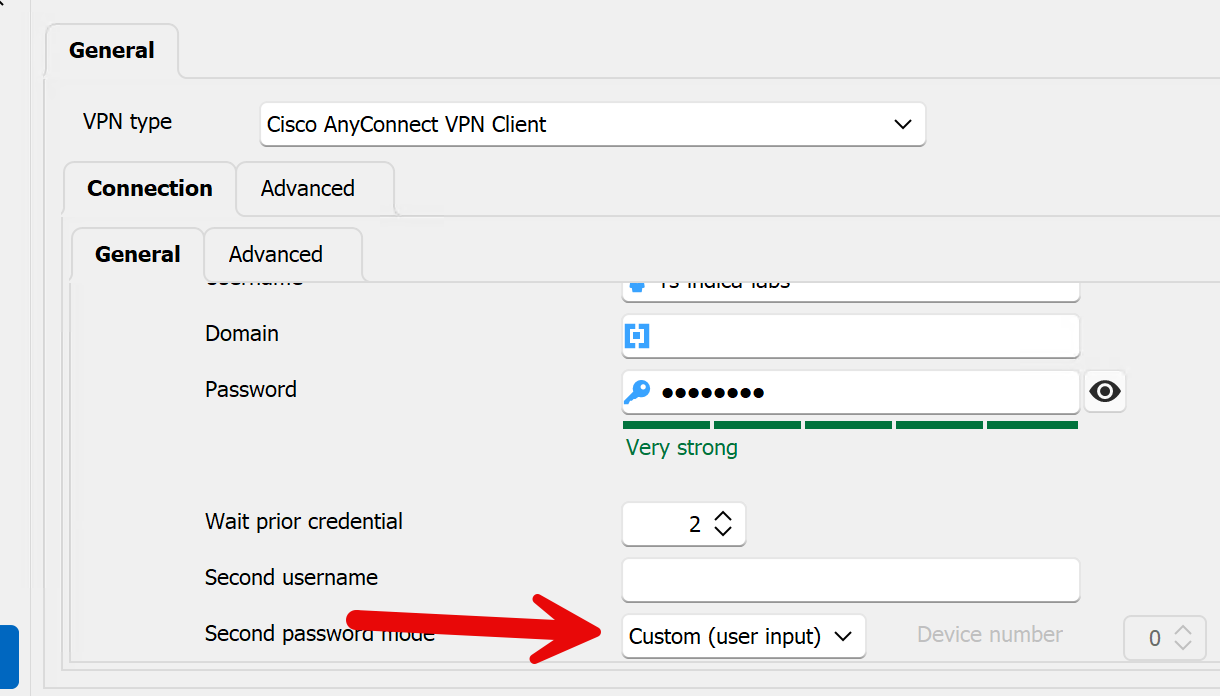
Options for MAC are WAY slimmed down.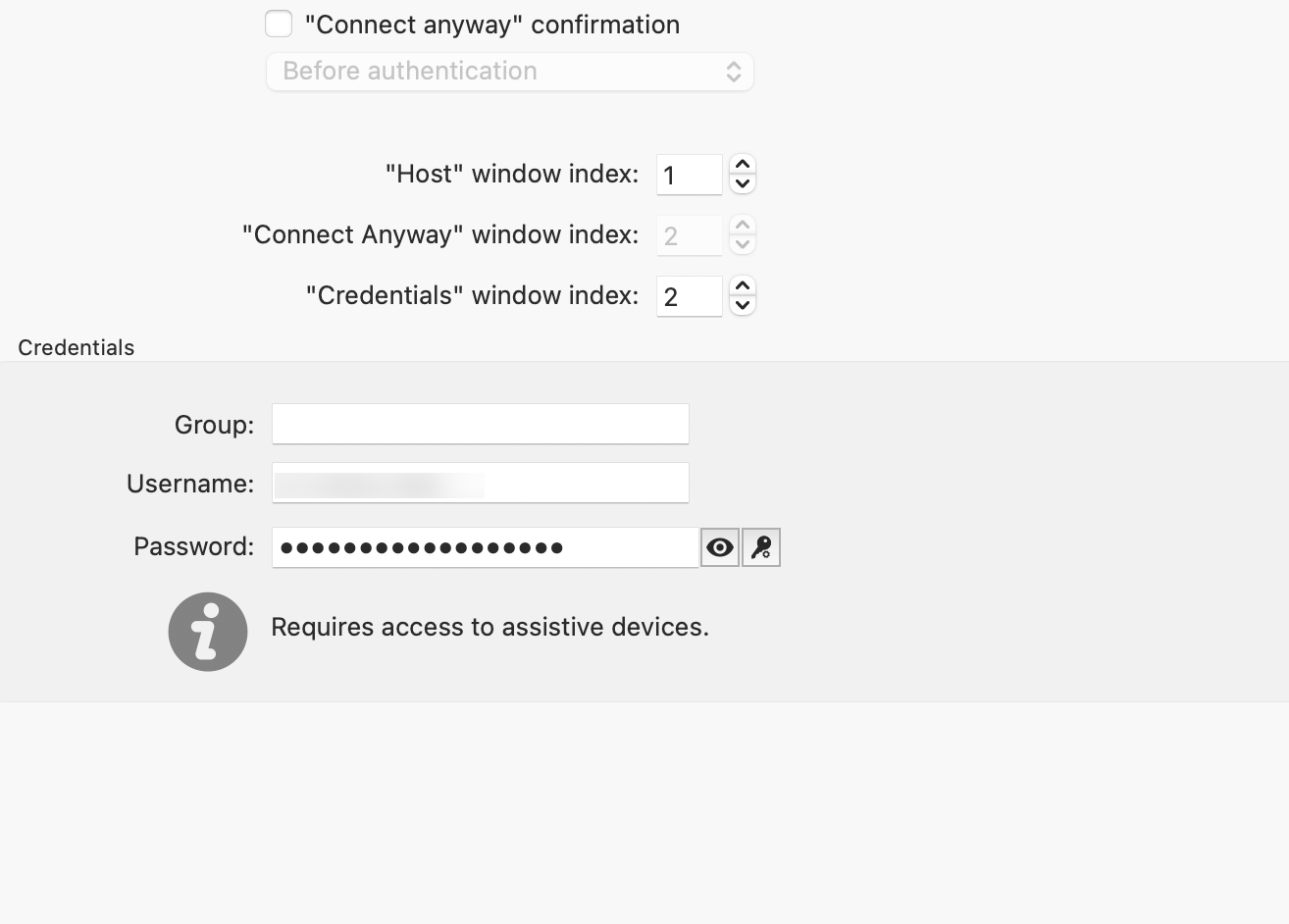
2024-07-26_14-53-12.png
2024-07-26_14-51-48.png
@samuelbarr,
Thank you for the screenshot.
A ticket has been opened to our development team regarding your request.
Best regards,
Jeff Dagenais
@samuelbarr,
Thank you for the screenshot.
A ticket has been opened to our development team regarding your request.
Best regards,
Just wondering if there are any updates or moment on this. It makes it impossible to use Cisco Anywhere with MacOS if it expects a second password.
Hello,
Thank you for getting back to us. I have requested an update from our developer and will keep you informed as soon as I receive any updates.
Best regards,
Carl Marien
Hello,
The new version of RDM Mac is available (2024.3.8.4) and we have added the VPN secondary password.
If there's anything, don't hesitate to communicate with us.
Best regards,
Michel Lambert