Centralize Terminal Syntax Highlight settings
0 vote
Hi,
I have the problem that I would like to share or define the settings that I use for the Terminal Syntax Highlight with others in my team. Constantly exporting and importing the settings is annoying and also means that not everyone has the same settings.
An import of the XML in the system settings or the configuration via GPO and a shared path would be possible solutions
All Comments (7)
Hello Conneckter,
Thank you for contacting us regarding this matter.
To change the syntax directly on the entry, please go to the entry properties and select General > Terminal > Display. By changing this configuration, all users will be able to see the same syntax that you have chosen. You can also perform this change through a batch edit.
Please let us know if you have any further questions.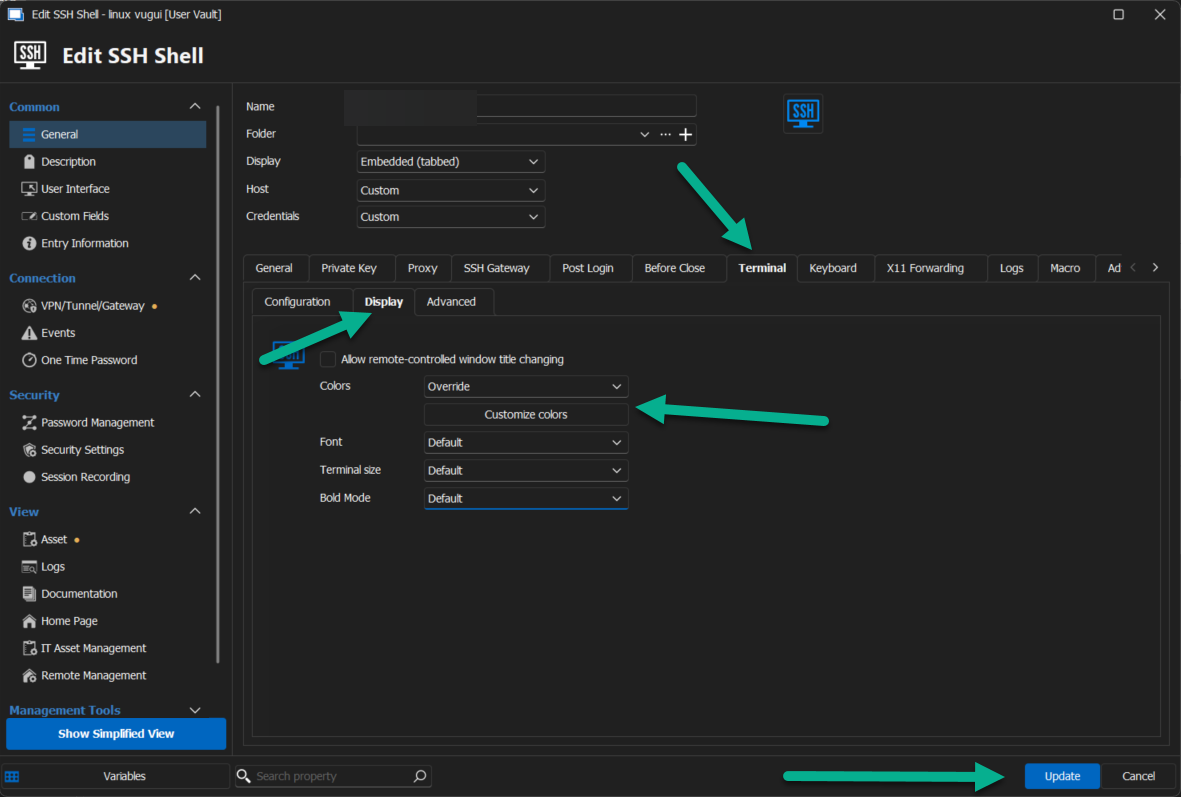
Best regards,
Patrick Ouimet
color.png
Hi Patrick,
this option only lets me customize the colors of the terminal, but does not make a syntax highlight.
We use regex checks to do color coding.
I would like to set these options globally identical to the settings under "Settings->Types->Terminal->Syntax Highlight".
Greetings
Benjamin
Hello Conneckter,
Thank you for this feedback.
The other option available is to export/import your configuration by File -> Options -> Type -> Sessions -> Terminal -> Syntax Highlight -> Export/Import.
Best regards,
Patrick Ouimet
syntax.png
Hi Patrick,
I am aware that there is an import and export.
I have already mentioned this in my opening.
As this is a feature request, there is currently no solution to my problem.
So I would like to ask for an implementation.
I have also noticed that the syntax is of course subject to an order with regard to priority.
Unfortunately, I can only move the syntax up or down by 1 in the dialog for creating the syntax.
Options like top or bottom creation would be good or dublicate above or under.
Greetings Benjamin
Hello Benjamin,
Thank you for your feedback.
I have opened a case with the development department regarding your suggestion.
They will evaluate whether this feature would be a valuable improvement for our application.
I will provide an update as soon as I receive more information.
Best regards,
Patrick Ouimet
Hello,
Good news, we will have syntax highlighting profiles available starting with RDM 2024.2, coming in late June. You will be able to configure syntax highlighting profiles in the System Settings, and configure usage for them in your SSH Shell entry, either by linking directly to one, or by using the default profile configured there. Let us know if there's anything missing from the feature once you're able to try it out.
Regards,
Hubert Mireault

Hello Benjamin,
It is now possible to move the syntax highlighting items to the top or to the bottom of the grid view. It will be available in the next major release (2024.3.0.0).
Thank you for your feedbacks.
Best regards,
Nathan Beauregard