2023.2.33.0 - RDM assigned licenses lost

Hi Devolutions,
We have had 2 instances of our assigned licenses disappearing, once earlier this month, and once earlier today.
For the instance this morning, when I checked in License Managment, it had removed all but 23, and I had to go in and assign them all again.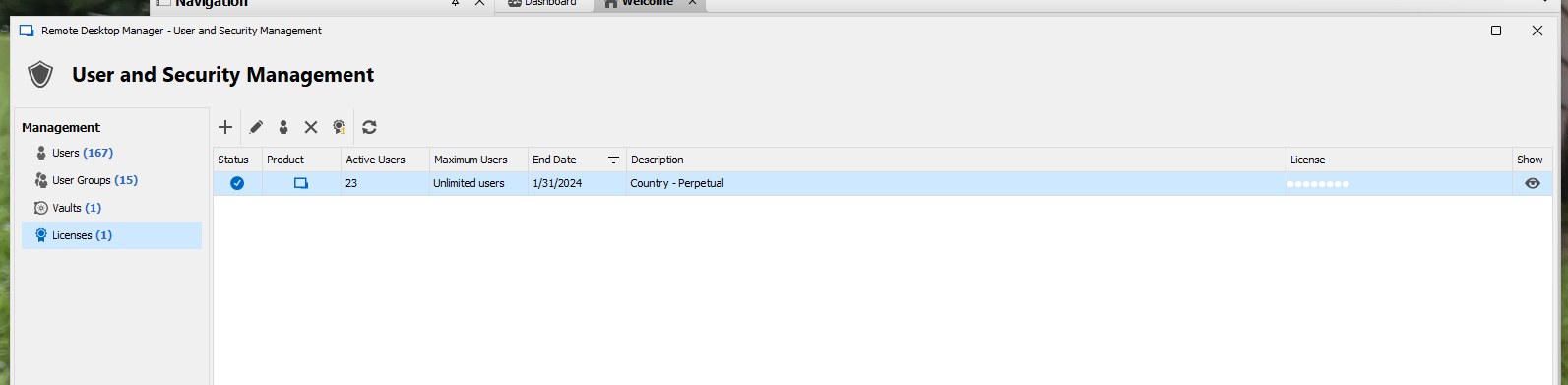
Normally we have 167 active users.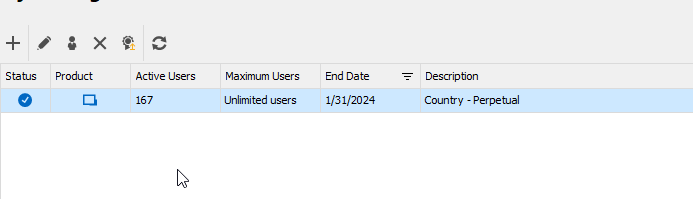
When I looked in Administration Logs I can see that another user's name (a user who only has User privs, not Admin privs) as having edited all the users in our license list. The user is unaware of having done anything to trigger this, and the Activity Log doesn't show them doing anything else at the same time. I also can't work out how the system would have let them do this since they aren't an Admin.
For the time it happened earlier this month, the Admin logs shows the same thing, but for a different user.
Any thoughts on what the cause could be or if there is a checkbox option that I need to enable to stop non-admins having this access?
Cheers,
Kirsty
lost licenses.png
All licenses assigned.png
All Comments (7)
Hello Kirsty,
Thank you for reaching out to us regarding this,
- Could you please specify the version of RDM you are currently using?
- What type of data source are you using?
That being said, you could confirm that the permissions under "Administration" -> "System Permissions" -> "Management" -> "Licenses" are set to "Disallowed" or if it is currently set to "Custom" make sure the user granted this permission are the ones you wish.
Let me know
Best regards,
Samuel Dery
Hi Samuel,
We're running version 2023.2.33.0 and our data source is Microsoft SQL Server. We haven't updated to the latest yet as that requires a database schema update, and there looks to be quite a few changes in the latest major release that we need to read through first. Our access is also controlled by AD groups, of which the user doesn't appear to be in an admin group either.
The Licenses are all set to Default (Disallowed) in System Permissions.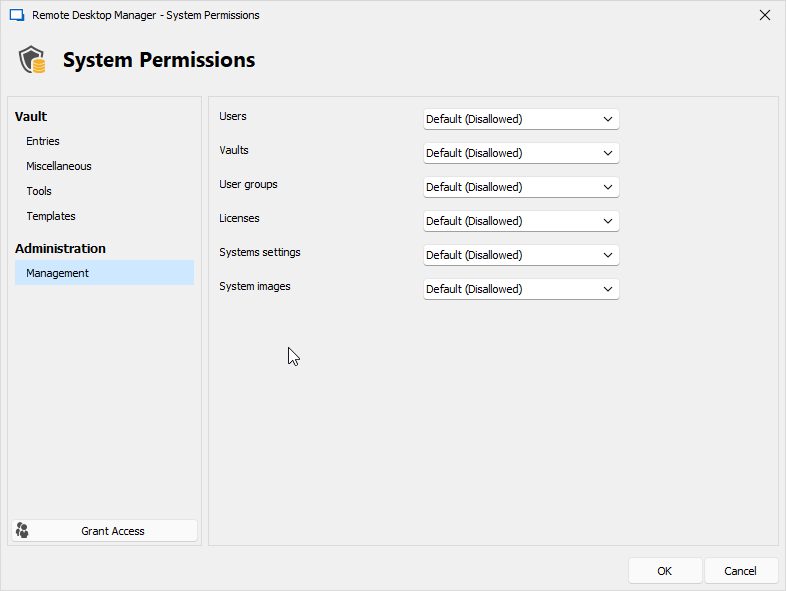
Blurring to hide usernames, The top ones ending in 0z is me restoring the licenses. The ones ending with 8c appear to be the user removing them somehow. Not sure if it is odd that the machine user has the name, but the user file is blank for 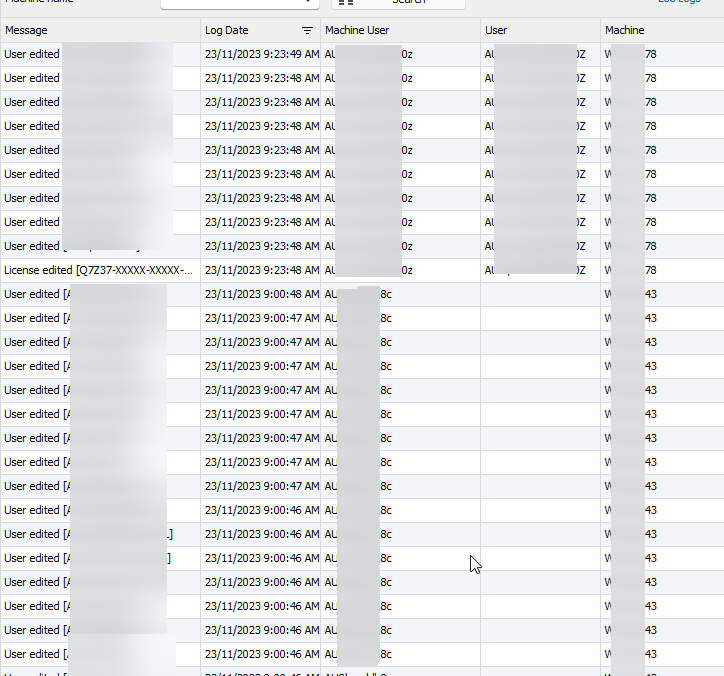
As seen below, this user is just of type User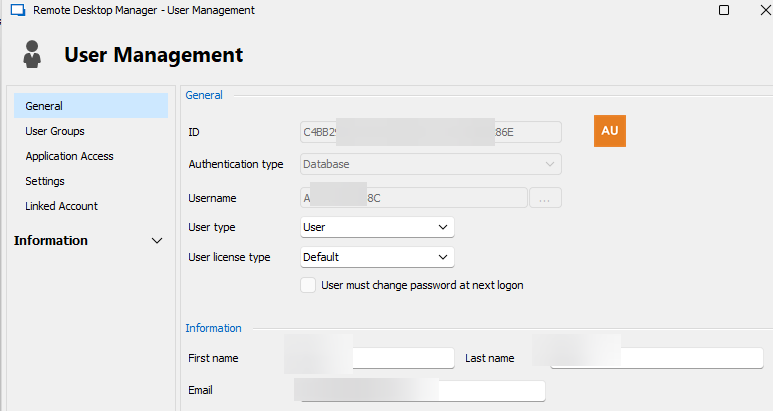
And does not have database user management allowed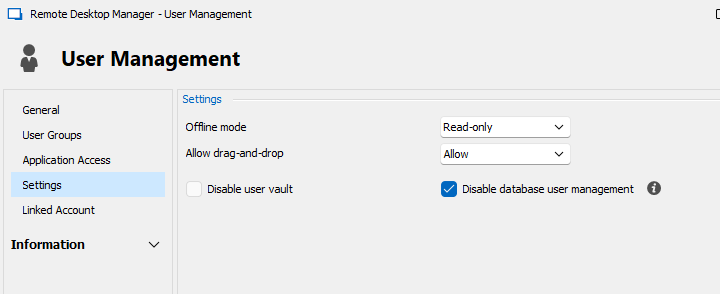
Cheers,
Kirsty
9392fde2-0e8a-4878-9a38-59edf1f08750.png
6f131b72-a6b9-4f61-b657-21a5ebb2cb72.png
78e47ea2-0bb4-4a68-b10f-47565d6085c0.png
6ae9f1ea-ffe4-4b06-89e9-d07bcb4346f0.png
Hello Kirsty,
Thank you for your reply,
I see, that is indeed odd, while connected as this user can you go under "File" -> "My data source information" and provide me a screenshot of this window?
Let me know,
Best regards,
Samuel Dery
Hi Samuel,
Apologies - I thought I'd already posted a reply here, but realised I hadn't.
This is what the user sees under their data source information.
Cheers,
Kirsty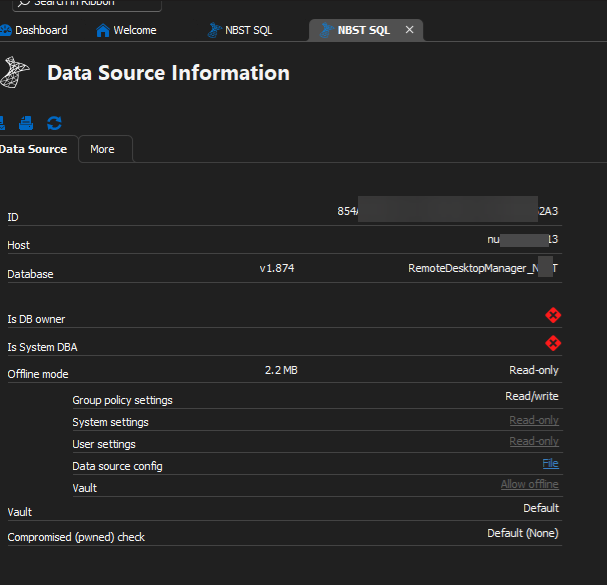
4d4ff474-ca7f-405b-ad3f-cf9ab118dd1d.png
Hello,
Thank you for your reply,
I see, that is indeed odd, has this behavior reoccurred since your last message?
Let me know,
Best regards,
Samuel Dery
It hasn't happened again since my last message. But I have had it happen twice with the audit showing different users as the source of the change.
Hello,
Thank you for your reply,
I've reached out to our development team to see if they have an idea of what might have caused this behavior,
I will keep you updated with any news I receive,
Best regards,
Samuel Dery