CISCO VPN updated..

CISCO have updated the AnyConnect client and the installation path now no longer appears to be valid..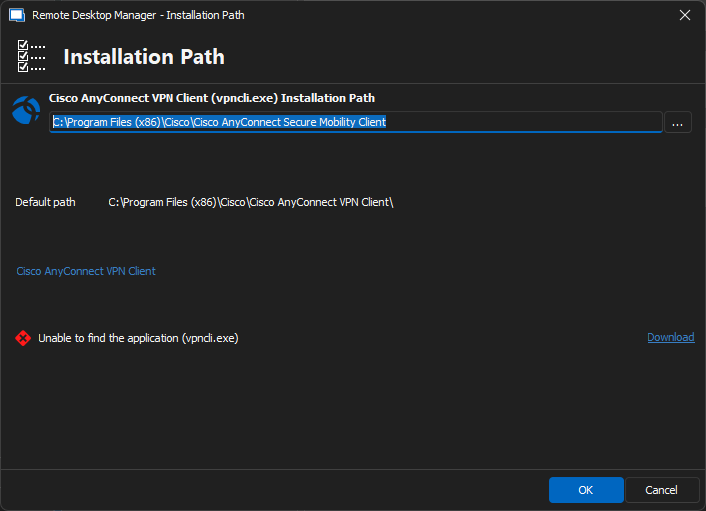
Any connect version is now 5.1.0.136 and we no longer appeat to have vpncli.exe, instead it shows csc_ui.exe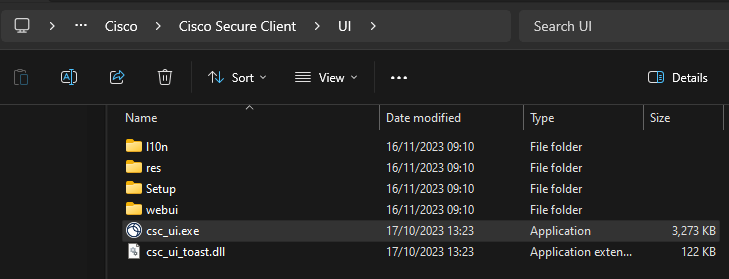
However, i can't select that as an option.
Thanks
Iain
Version 2026.2.13.0 64-bit
Data Source SQL
90e6abad-2222-427a-a44c-02e36ea426af.png
1d438a39-bc14-41ec-ba29-40015df2d3fe.png
All Comments (10)
Hello,
Thank you for reporting this,
I will open and internal ticket to see if our developers can look into this further.
Best regards,
Hi,
Is there any update on this please?
Thanks
Iain
Thanks
Iain
Version 2026.2.13.0 64-bit
Data Source SQL
Fixed the issue the .exe is now located in: C:\Program Files (x86)\Cisco\Cisco Secure Client
Thanks
Iain
Version 2026.2.13.0 64-bit
Data Source SQL
Hello,
While I don't have an update at this time, I am happy to read that the issue has been resolved.
Just to clarify, did you only change the location of the executable, or did you change the name as well ?
Best regards,
Appears they just moved the file to another location.
Thanks
Iain
Version 2026.2.13.0 64-bit
Data Source SQL
Hello,
Understood, thanks for confirming this !
Best regards,
Hello,
We have added the new location to our default paths. The change should be available when version 2014.1.10.0 releases.
Should you encounter any issues following this update, please do not hesitate to reach out for assistance.
Regards,
David Godin
Awesome thanks
Thanks
Iain
Version 2026.2.13.0 64-bit
Data Source SQL
I think the problem still exists. The binary required by RDM is vpnclient.exe, but I can't seem to find that on my system.
C:\Program Files (x86)\Cisco\Cisco Secure Client\vpncli.exe does exist but it isn't being seen by DRM.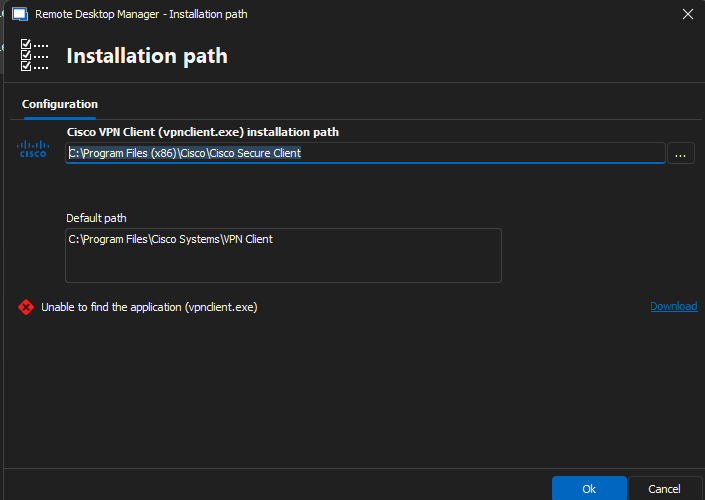
Screenshot 2024-10-07 125106.png
Hi lpowellus,
If you use vpncli.exe for Cisco VPN, you'll need to use Cisco AnyConnect as the entry in RDM. This entry is compatible with vpncli.exe and should resolve the issue you're experiencing with Cisco Secure Client. Since the entry isn’t enabled by default, I’ve included an image to help you locate it. Let me know if you have any other questions!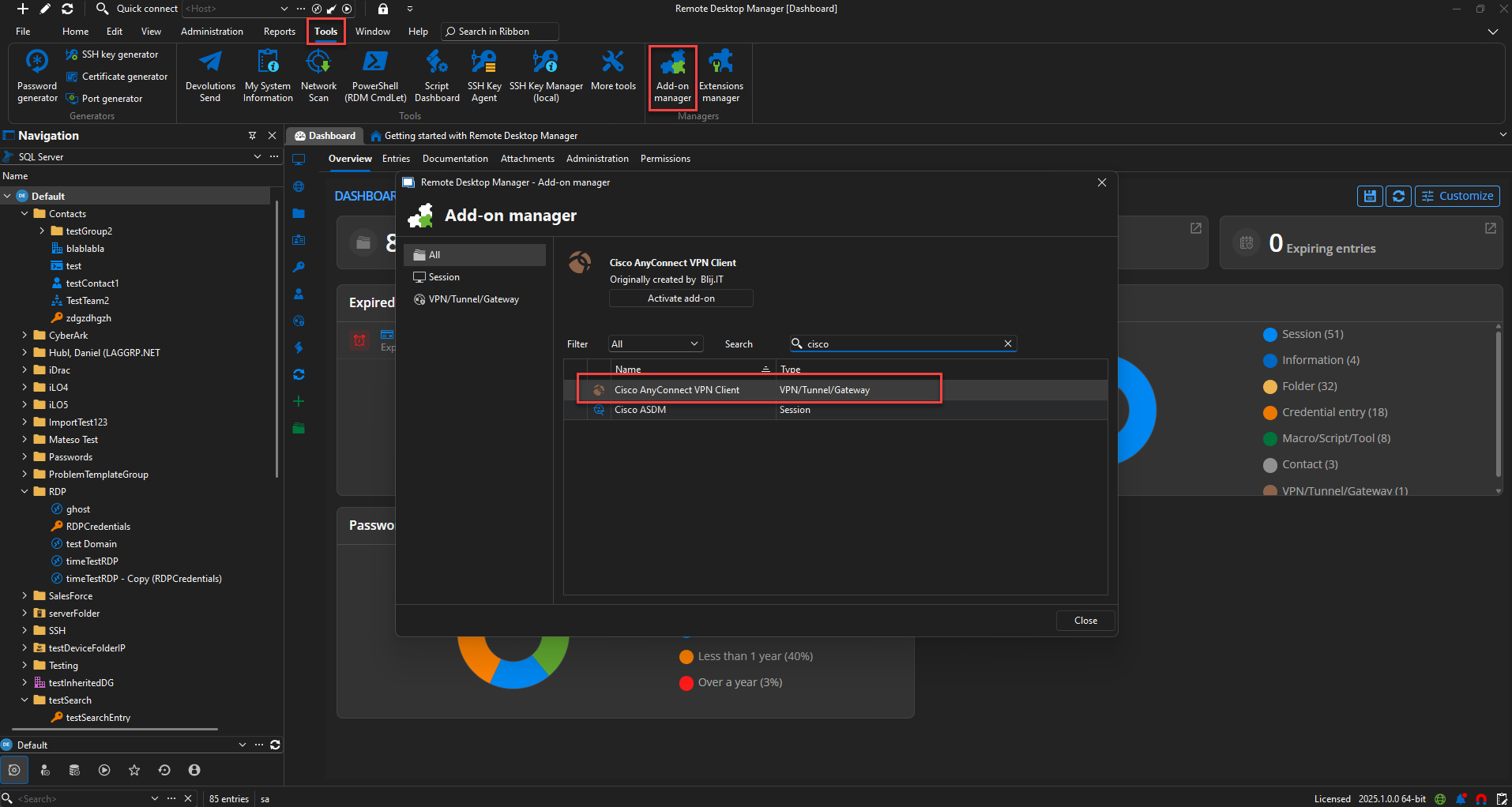
Regards,
David Godin
ae85b170-6411-486a-890f-169b501b88f1.png