Synchronizer help in unlicensed version - fields are grayed out
Synchronizer help in unlicensed version - fields are grayed out

Hi,
I saw some release notes that the Synchronizers were added to the Unlicensed versions of RDM and I got really excited. I'm trying to set one up but am seeing some boxes grayed out. Not sure if I'm doing something wrong but I can't choose the Destination Folder or the Template.
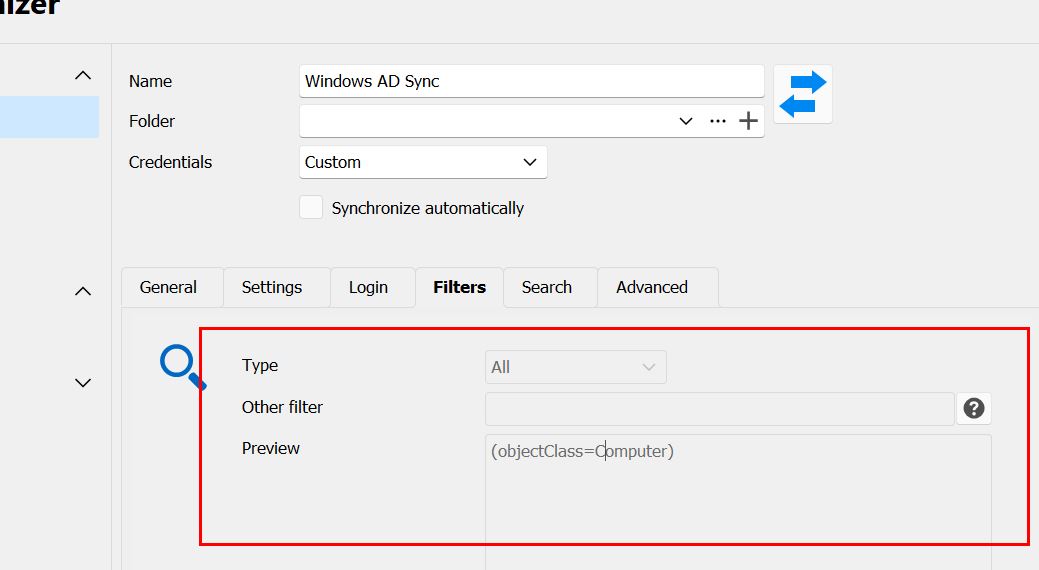
On the Filters tab, everything is also grayed out.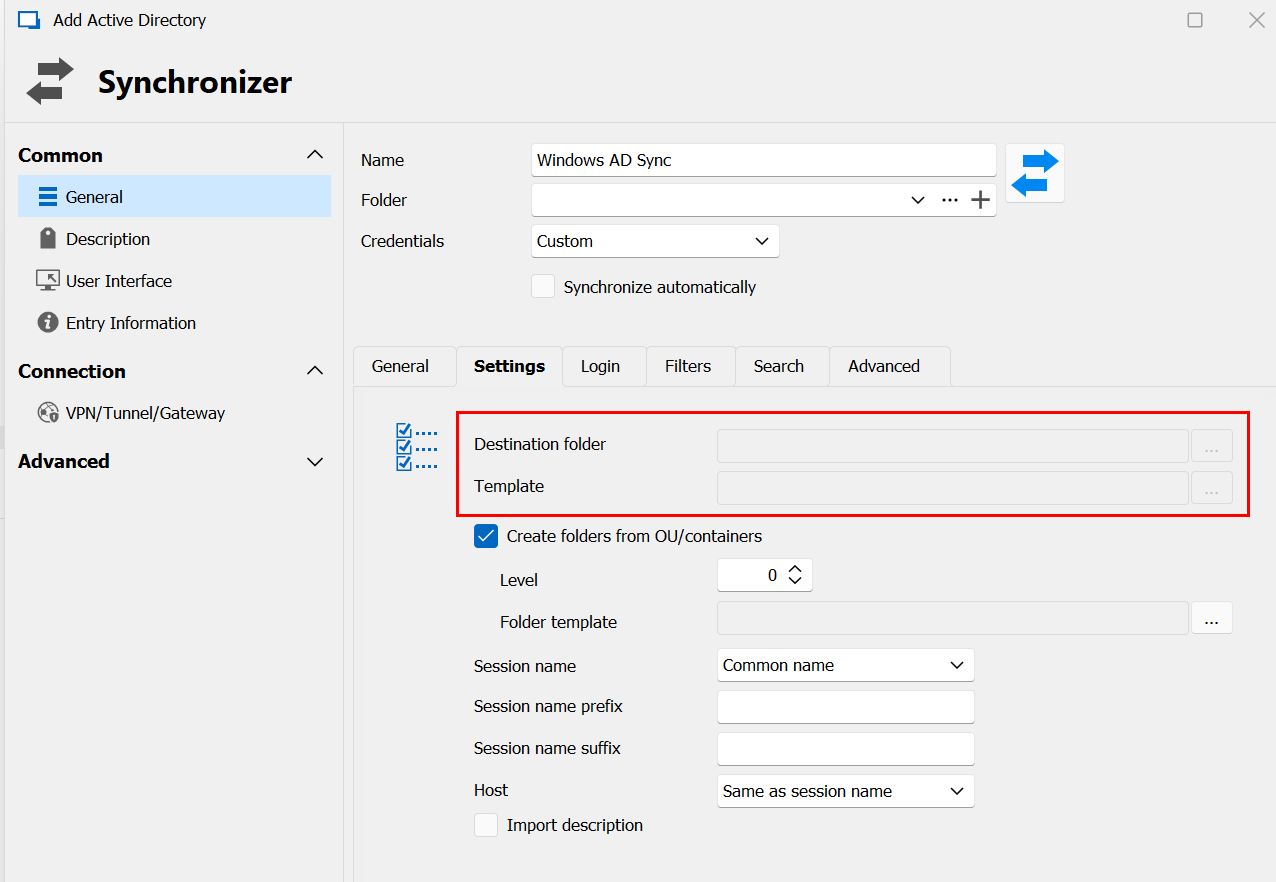
Thanks.
RDM Synchronizer grayed out 2.jpg
RDM Synchronizer grayed out.jpg
All Comments (19)
Hello,
I just tried it on my end with the 2023.3.25 version of RDM and I am able to replicate your issue. I will open an internal ticket so the developers can fix this issue.
Best regards,
Richard Boisvert
I'm on 2023.3.24 if that matters.
Hello,
It is the same issue with the older version.
I will let you know once I have more information from the developers.
Best regards,
Richard Boisvert
Since I can't try out the Synchronizer yet, can you tell me if there's a big difference between using the Synchronizer vs use the Import from AD option in the Computer Wizard? Is it just that I don't have to manually set all the options each time or is there different functionality between the two?
When I want to update my list of servers today, I go to Import from Computer Wizard, fill out the various information, and then do an import. Will the synchronizer work differently or mainly that it's just a simple double-click to launch it each time?
Thanks.
Hello,
The process is quite similar between the Computer Wizard and the AD Synchronizer but with improved ease of use for subsequent usage. Additionally, you can configure the sync to run automatically on your device.
Another feature worth mentioning is the "Action on entry mismatch" option. This enables the synchronizer to delete machines that have been removed from your AD, streamlining the management of your entries in RDM.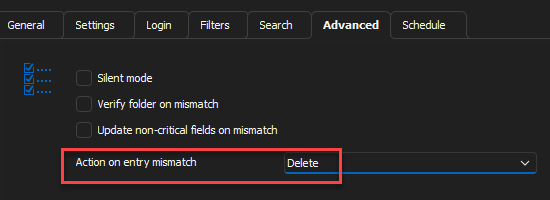
Best regards,
Richard Boisvert
ce038a92-67ca-40e8-b491-93b9c2d1f64e.png
Hello,
We've fixed the issues where certain fields in Synchronizers were disabled in the Free version. This should be available for next version.
Regards,
Jafran Majeau
Thanks for the update.
Will that be version .26? Do you know if there's an eta on when it will be released by chance?
Hello,
If everything goes well, this should be sometime next week.
Regards,
Jafran Majeau
Any chance the new version will come out today? I'm off the rest of the week. ;)
Otherwise I'll look for it next week.
Thanks.
Hello,
QA is currently testing the new version, it should come out by the end of the week.
Best regards,
Richard Boisvert
I'm trying the Synchronizer again and ran into two problems.
1) When I go under File | Templates | Entry Templates, I now see a Shared and a Local tab. I don't know if those have always been there but I never noticed them before if they were. Thee Free version of RDM is stand-alone so I'm not really sure what a Shared template would do.
Anyway, I have an RDP template and an SSH template, and they are both under Local. When I set up the Synchronizer, the Templates field is only looking in the Shared Templates so mine don't show up. I was able to right-click mine and do a Copy To Shared, but I'm just wondering what the difference is between a Shared and Local template.
2) When I ran the sync, it finished, but the results window isn't on the screen. It seems to be either off the screen, or stuck behind the main RDM window or something. I can't select it and I can't click anywhere in the main window without it dinging because it wants me to click the other window. I can see it when I hover over the RDM button on my taskbar, but clicking the Results window doesn't bring it up.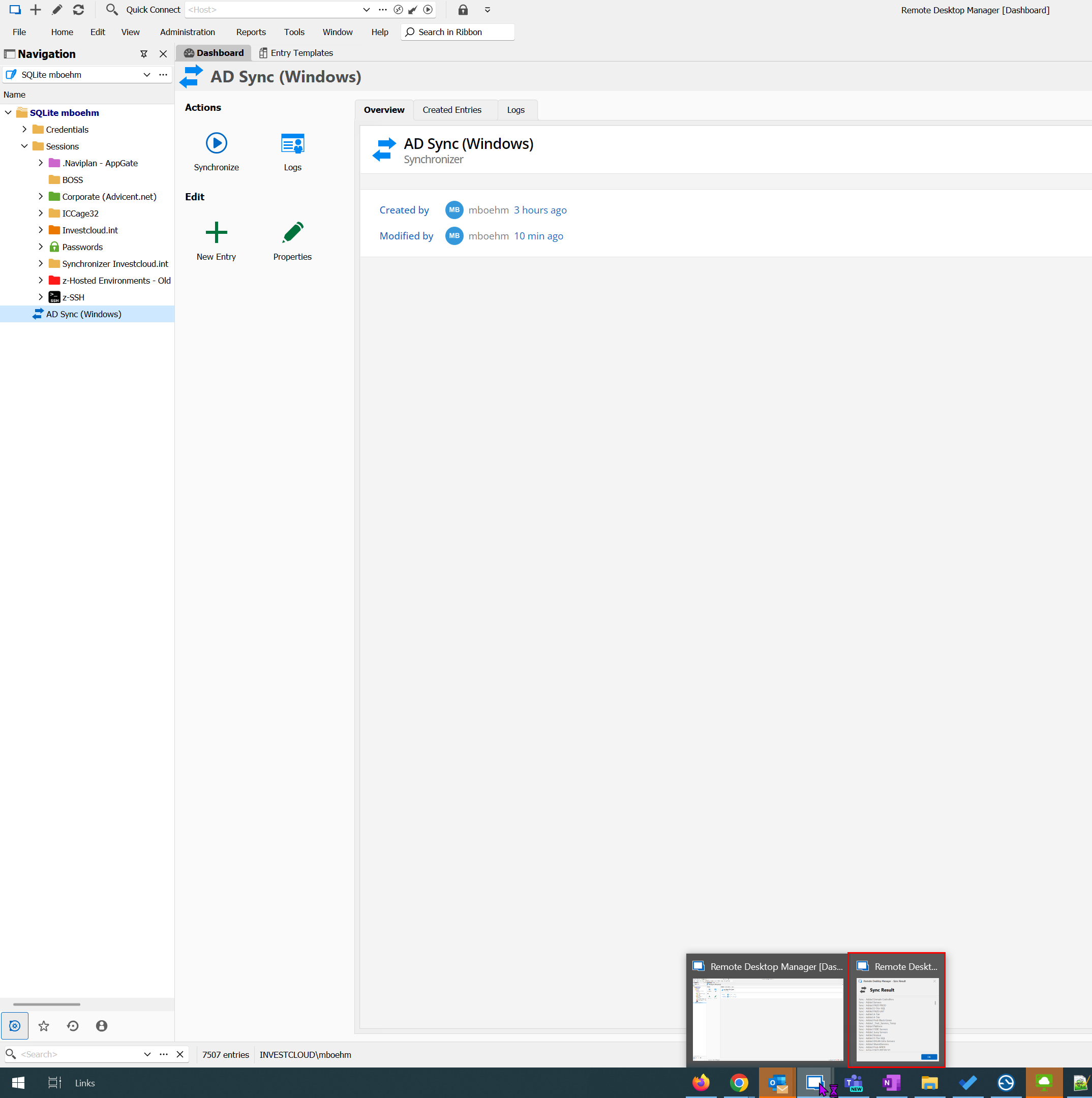
I finally got it to work by selecting the Results window and then using Windows + Arrows to force it to show up. I don't know where it was hiding but I'll see if it does that the next time I run it.
3) I checked the box to Scheduled Automatically, but what does that do? I wasn't prompted to pick a day/time/frequency so I'm a bit lost as to what the box does or where I control when I want a sync to run.
Thanks!
30ec41bc-47af-4c54-a57a-e33affa209ee.png
Hello,
The shared and local templates are the same in a local data source, but the Synchronizer will only see the shared ones. You can safely transfer them there.
For the Sync results, I ran it on a 3-monitor setup, and the result was on the same window as RDM (not the primary display). Could you confirm you are on 2023.3.28?
By default, the synchronizer will run every 10 minutes. A synchronizers tab should be under File > Background Servies, but it is missing on the free version. I will make an internal ticket with the developers so it can be added: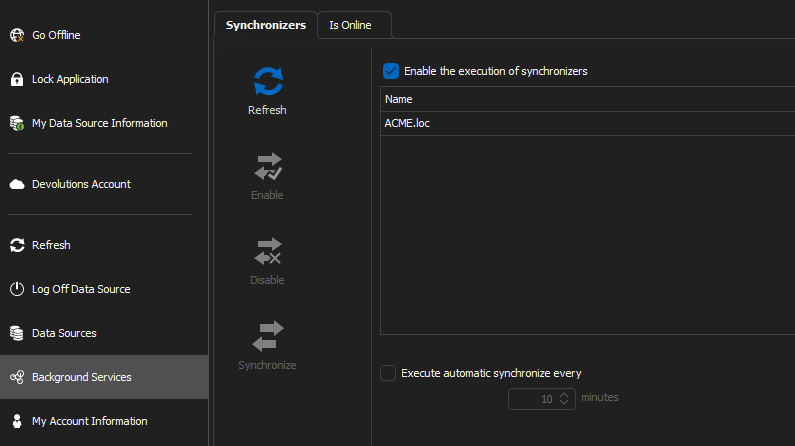
In the meantime, you can add the following line in your RemoteDesktopManager.cfg (in %localappdata%\Devolutions\RemoteDesktopManager) with the minutes of your choice, for example 60:
<SynchronizerAutomaticRefreshTimer>60</SynchronizerAutomaticRefreshTimer>
Best regards,
Richard Boisvert
3fc81588-edec-447d-98dc-107ec13acc0d.png
Hi,
I took a look in the CFG file but didn't see anything about the synchronization timer. I did see something in a KB article about the scheduling only working with certain DataSource type? I'm using SQLite if that matters. Is there a command line command I can run to kick off my synchronizers that I can schedule via Task Scheduler? I'd only want it to sync once per day, or even once per week.
Also, only my original sync had the results show up off the screen. All the others I've done have worked just fine.
Hello,
The line will only be added in the RDM.cfg when it is modified, the default value is not displayed. The scheduled tab is only available for a Devolutions Server data source.
You can run the entry in a scheduled task:
Open-RDMSyncSession -ID "ID of the entry"
For more information on our Devolutions.PowerShell - https://docs.devolutions.net/kb/devolutions-powershell/remote-desktop-manager/rdm-powershell-core-module/
We also have a new AD Synchronizer KB available, for your awareness - https://docs.devolutions.net/kb/remote-desktop-manager/how-to-articles/configure-active-directory-synchronizer/
Best regards,
Richard Boisvert
Just tried to use the powershell command, but it says syncing is only for licensed users.
ba8da2ab-e73f-4cb3-9602-34e0ee966bad.png
Hello,
The check should be removed for the PowerShell module; I will open an internal ticket.
Best regards,
Richard Boisvert
Hello,
In the version 2023.3.3 of the Devolutions.PowerShell module, it is now possible to execute Open-RDMSyncSession without a license.
If you have any questions or need more infomration, please do not hesitate to reach out.
Best regards,
Maxime
Hi,
I see a note under 2023.3.33 that says:
- Fixed background services' synchronization tab not showing up on unlicensed environments
Would that allow me to setup my AD Synchronizer to sync automatically every evening or something like that? Can you let me know how that should work? Do I just check the Auto Sync box in the Synchronizer and then adjust something on that background services section?
My Sync usually take 15-20 minuets to run so I only want them to run daily. It's not like we're creating VMs on an hourly basis or anything like that.
Thanks
Hello,
That is correct. You can use the Auto Sync box, and in the Background Services > Synchronizers, you can set it to run every x minutes. Please note that RDM must be running and connected to the data source for the synchronizer to run.
Best regards,
Richard Boisvert