ARD full screen please and separate app
0 vote

I would like full screen option.
When using Apple session, connected from Windows PC to MacOS I see MacOS screen within RDM window, ie. MacOS screen is surrounded by RDM window title bar, menu bar and Windows task bar.
I would like same behaviour as full screen option in VmWare or RDP.
Only MacOS screen please.
Especially usefull if you use secondary monitor.
Better yet if you could release separate app for ARD sessions, without all bells and whistles of RDM which offer impresive functionality but I am sure used very little by many.
All Comments (4)
Hello
Assuming you have a recent version of RDM (2023.3.x), full screen mode should already be supported for Apple Remote Desktop sessions.
I've realized after adding the feature that it's currently not possible to _launch_ a session on full screen; but once you have a session open you can choose "Full Screen" in the "Actions" tab of the ribbon; or in the right-click context menu of the undocked tab. Please see my screenshot below: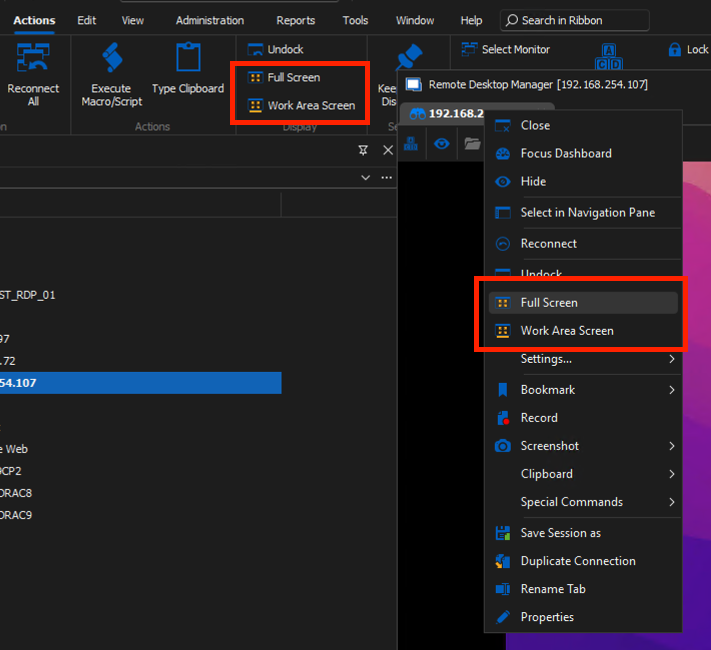
Please don't hesitate to post back with further questions or comments
Kind regards
Richard Markievicz
Screenshot 2023-11-13 at 14.06.58.png
Hello,
We don't plan to release a version with only ARD but perhaps we could add some simple customization to hide all the unrelated stuff in a quick way. What data source type would you like to use?
Regards
David Hervieux
Thank you, I managed locate full screen option.
When in full screen mode, is there a way to rid off tiny overlay window with session name?
It does not hide up as in Vmware or RDP.
I was thinking ARD only as separate app, that is aside from RDM.
Right now I use free RDM version so must be local data source I guess.
And I use RDM only because it does ARD so well and is probably only ARD implemtation for Windows.
Frankly rich RDM functionality, amount of various options makes tool very complex for me.
When in full screen mode, is there a way to rid off tiny overlay window with session name?
It does not hide up as in Vmware or RDP.
Hello
You need to "unpin" the toolbar by clicking the icon all the way on the right. See my screenshot: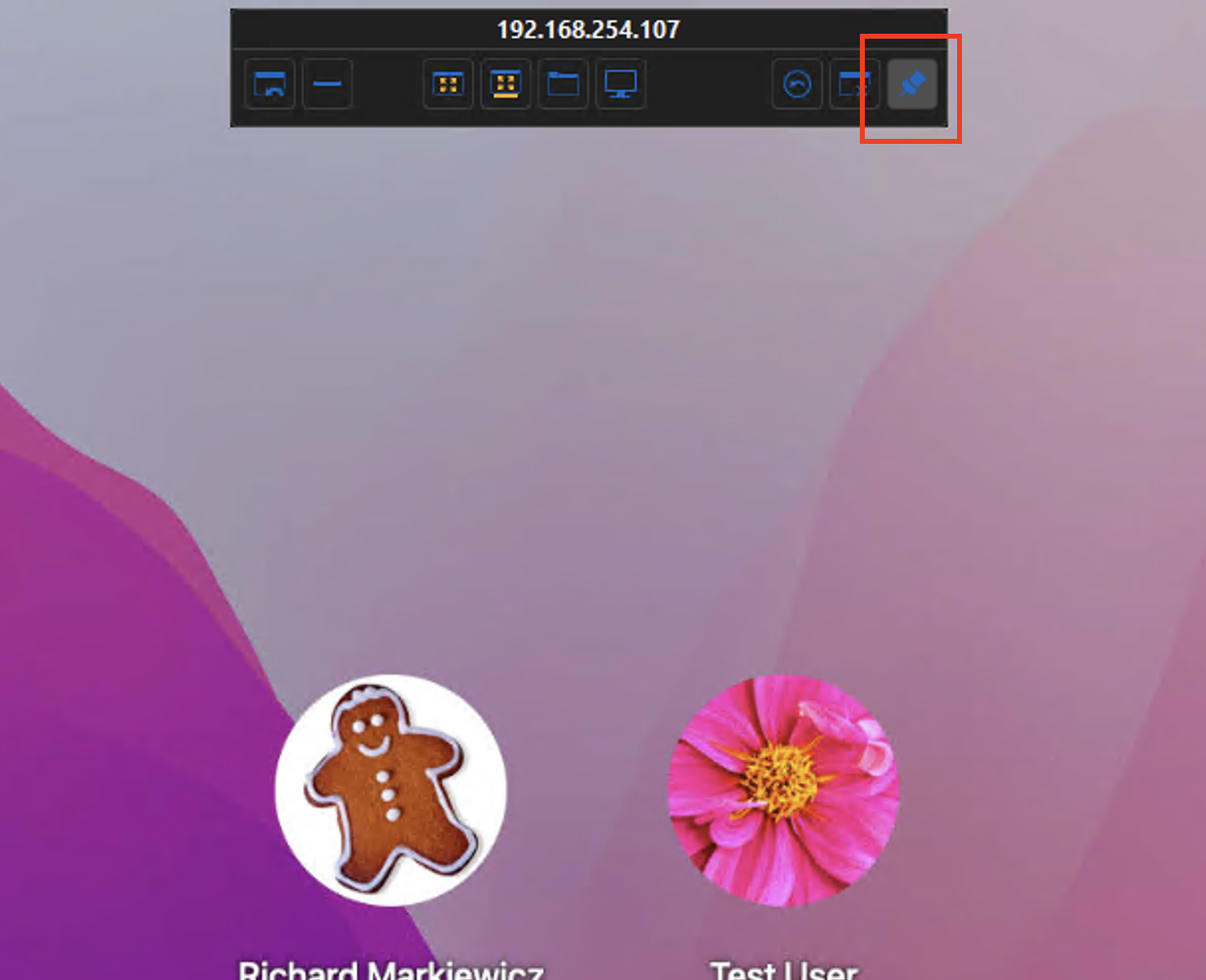
Then, once you move your mouse away, the toolbar will collapse. If you move your mouse back up to the top of the screen, it will unroll again (to allow you to exit full screen, redock the window, etc, etc).
Please let me know if you have any questions or something isn't working quite right.
Kind regards,
Richard Markievicz
Screenshot 2023-11-13 at 20.43.44.png