View all users with MFA enabled

Hello,
We are currently using RDM 2023.3.24 and are starting with implementing MFA.
The datasource we are using is MSSQL server
Under administration => users I can see the list of users, and I can reset MFA for a specific user if required.
But I don't see the status of MFA for the users, I was hoping to add the required column with the column chooser, but there is no column with that information. Running the Users report also does not contain any info about MFA
Is there another way to see the MFA status for the users, or am I just just overlooking something
Best regards
John Hoogeveen
All Comments (7)
Hello John,
Thank you for reaching out to us regarding this,
Unfortunately, to my knowledge, there would be no way to confirm this,
That being said, If you're looking to ensure the users connecting to your data source have the MFA configured, I'm wondering if the option "Force data source multi-factor configuration" may be helpful in your case? You can find it under "Administration" -> "System Settings" -> "Security Settings".
Let me know,
Best regards,
Samuel Dery
Hello,
In addition to what my colleague mentioned, we checked and it should be possible to add a column to show if the user currently has an MFA configured. I have opened a ticket for this.
Regards,
Hubert Mireault
We have the same wish as John, since we cannot force all users to enable TOTP/MFA systemwide. Some of our service accounts connect by powershell, which don't work anymore after forcing TOTP.
Hopefully this is somethng which can be added on short term?
Kind Regards,
Jeroen Griede
Hello Jeroen,
Just to confirm, you're talking about adding a column to see the MFA status for your users, in the user management window, is that correct? If so, I will check if we can increase the priority.
Regards,
Hubert Mireault
Hi Hubert,
Correct, for the TOTP validation for RDM itself, which can be set under Security -> 2-Factor Authentication -> Require a TOTP validation.
Kind Regards,
Jeroen Griede
Jeroen, do you mean the options located in File > Options > Security?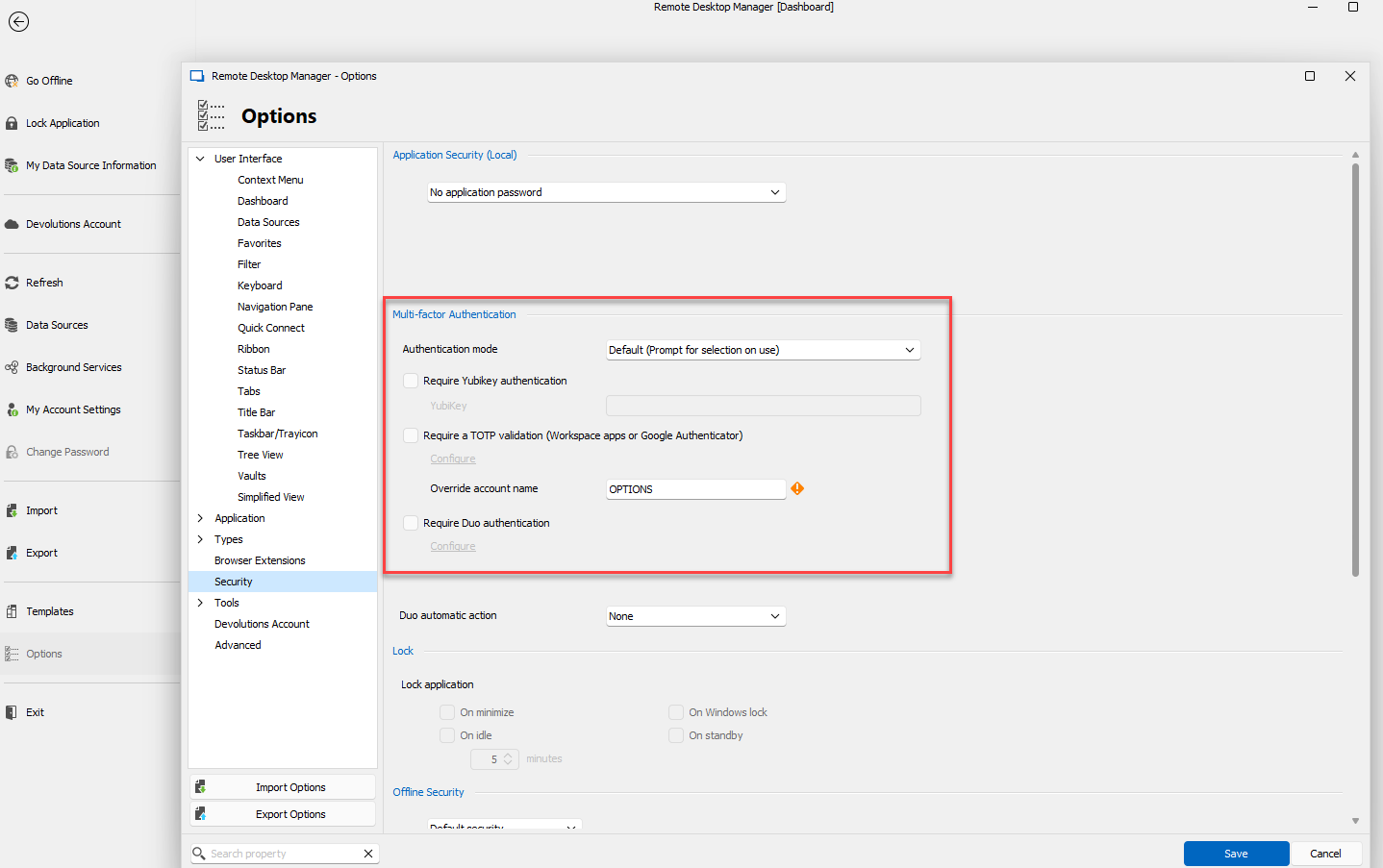
Unfortunately for this configuration, it wouldn't be possible to add a column on this. The reason for that is because these configurations in File>Options are saved locally on the machine, and are not saved in the database. They are meant for locking RDM, not for logging into the database.
There is an MFA configuration that is used to validate the connection to the database, and is stored in it. A user can configure this MFA by going in File > My Account Settings and clicking on Data Source MFA: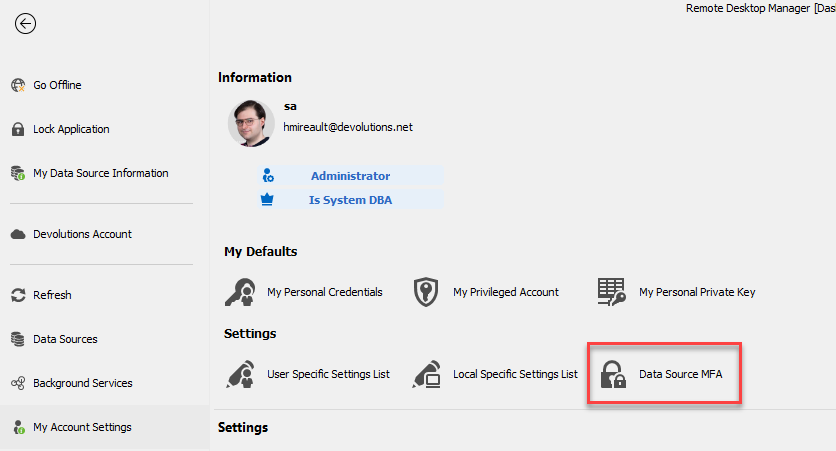
You should be able to force your users to configure this MFA by configuring the option "force data source multi-factor configuration" in the system settings: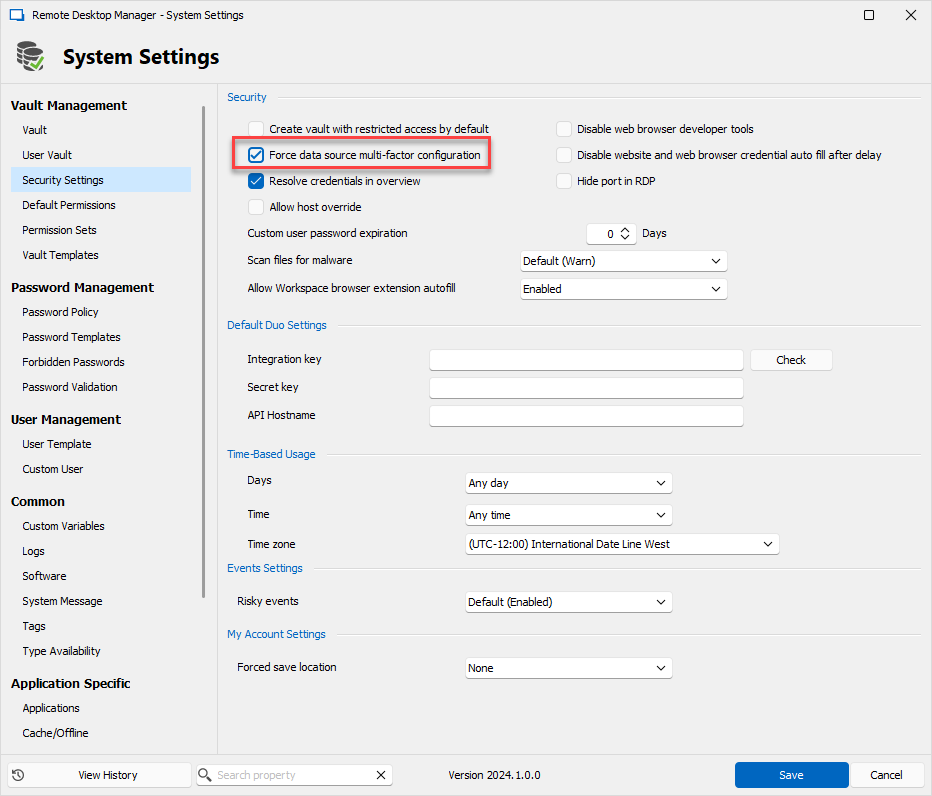
This data source MFA configuration is what we were aiming to add as a column, as this is actually saved in the database.
Regards,
Hubert Mireault
40362225-66bb-4a5a-9751-c665da1cfc5f.png
3df71cc4-0381-4486-8059-835fec6ffead.png
b60dcbd8-07a5-4ae6-93da-a5d2226eee82.png
Hello,
Letting you know that a column "Has MFA Configured" has been added to the user management window for SQL Server and will be available in our next minor update.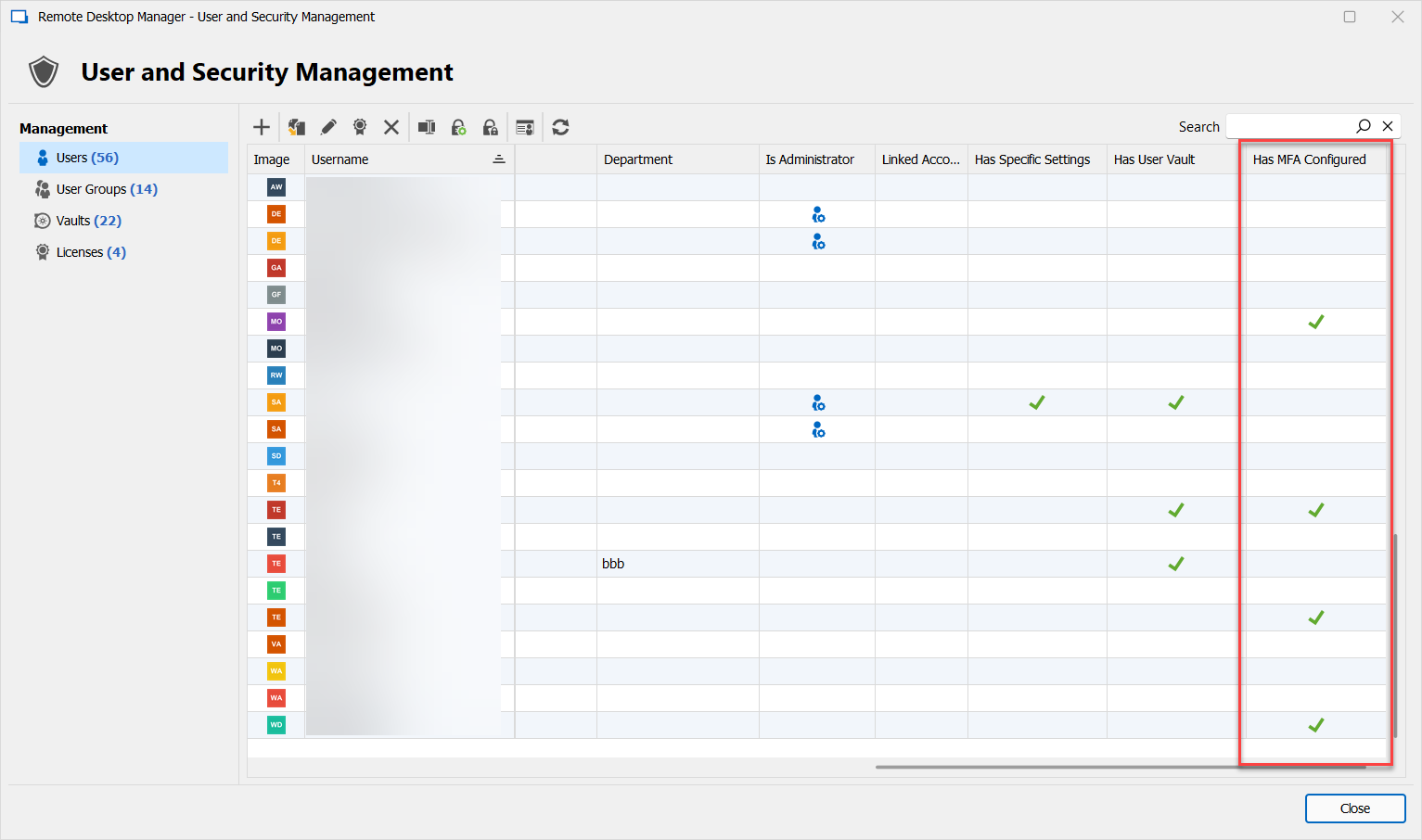
Regards,
Hubert Mireault
230e94de-6c54-4130-aeef-22e66ea9473a.png