Direct Connect / Proxy RDP Connections via BeyondTrust Password Safe Fail
Direct Connect / Proxy RDP Connections via BeyondTrust Password Safe Fail

Leveraging Devolutions Remote Desktop Manager for Direct Connect RDP sessions to BeyondTrust Password Safe are failing with "Failed to authenticate due to one or more factors". This is when you are attempting to use your credentials to obtain server access credentials from Password Safe to initiate an RDP session to a Windows server (proxying). We are able to duplicate this issue with Microsoft Remote Desktop Connection and found that when this issue occurs the following entry in the RDP file is missing. What setting or how do we get the equivalent of this setting in Remote Desktop Manager?
prompt for credentials on client:i:1
More details:
- Remote Desktop Manager v2023.2.27.0 64-bit
- HOST: Custom
- HOST: btappliance.domain.com:4489
- CREDENTIALS: Custom
- USERNAME: domain.com\myusername+domain.com\serveruser+serverhostname
- ALWAYS ASK PASSWORD: checked
This type of connection used to work but I can't tell you how long it has not been working. By using this method, the remote desktop connection uses your username, requests your password, validates you have access to the credential/system and pulls the credentials from BeyondTrust Password Safe applying them to the session. In the example above myusername would need access to serveruser for serverhostname. The RDP session would be to serverhostname logged in as serveruser.
All Comments (7)
Hello Roballen,
Thank you for contacting us regarding this matter.
In the 2023.3 release of RDM, which was deployed last week, there is now a BeyondTrust credential that can be leveraged. With it, you should be able to pass your BeyondTrust credentials directly and no longer need to use the 2-step method.
Would it be possible for you to try it with the new version?
If you do not wish to install it (it does require a database upgrade), can you try it with a portable version?
1- Download the .zip file below:
https://remotedesktopmanager.com/home/thankyou/rdmbin
2- Create a new folder on your Desktop
3- Extract the content of the .zip file into the folder created at #2
4- Go to this folder once the .zip file has been extracted and run remotedesktopmanager.exe
5- Enter your RDM Enterprise and BeyondTrust serial
Best regards,
Richard Boisvert
Thank you. We let our Enterprise license go and purchased individual last year as not enough people in our org were using the product. This will change that. Is there a way I can test, demo this functionality to justify the purchase? Also, will this work with BeyondTrust being in an SSO configuration?
Hello,
Unfortunately, we do not support SSO authentication currently.
If you are still interested, I will request our sales team to provide you with trial keys for RDM and BeyondTrust.
Best regards,
Richard Boisvert
Yes, please, I am still interested in seeing the functionality. Is SSO integration on the roadmap?
Hello,
I just sent you the keys via PM.
For the SSO integration, we are currently having difficulties hearing back from BeyondTrust, so for now, it is on the backlog.
Best regards,
Richard Boisvert
Thank you for the trial keys. However, when I attempt to add a BeyondTrust entry, it is requiring a System & Account, however those fields are greyed out. When clicking the three dots, it does nothing. Ideas?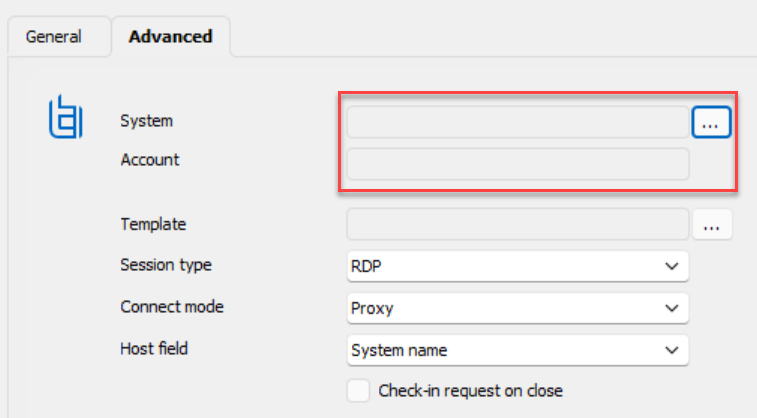
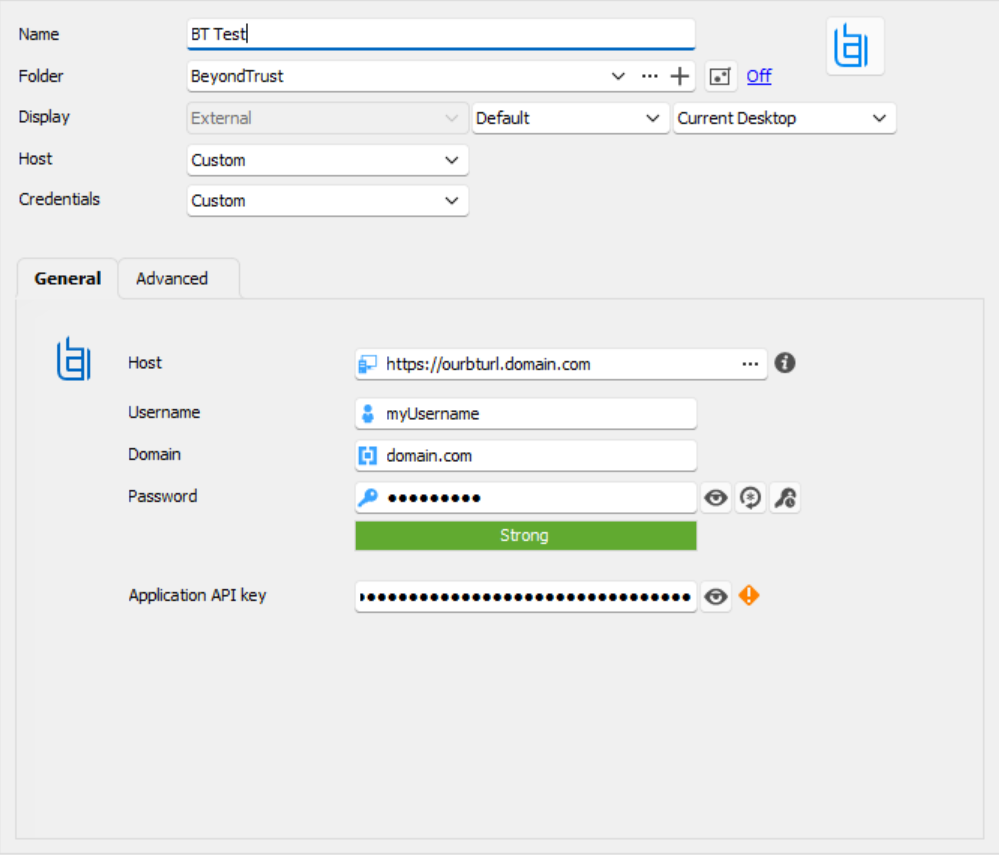
9266064e-4af5-4b36-ac94-16aa4648e788.png
1b5fb78b-5f5c-4740-8b2e-1d039d95e3a7.png
Hello,
The System and Account field cannot be modified manually, only the browse (...) button can be used to fill those values.
That said, the development team will verify why it is not returning anything.
Best regards,
Richard Boisvert