External browser open on every start with version 2023.3.20+

Hello.
With version 2023.3.20 (and now 2023.3.22), every time I start RDM and enter password, it opens default browser for authentication.
This is new behavior and it is not good - it may break something I am doing on the computer (if I do not want default browser to run) or can break flow in the browser (when it is running already).
How this can be stopped?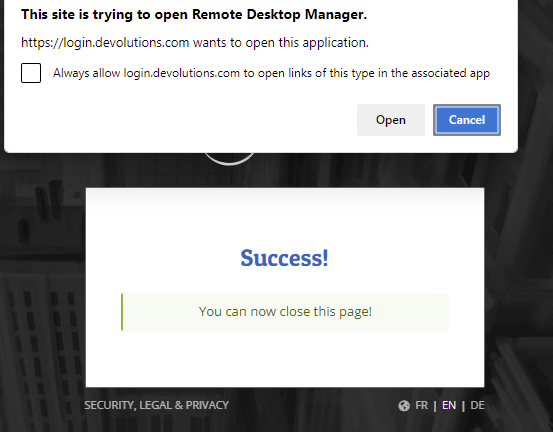
c07f2c62-8a55-4bf8-aac9-a08cd99f3cbe.png
All Comments (11)
Hello,
Are these option checked under File > Devolutions Account ?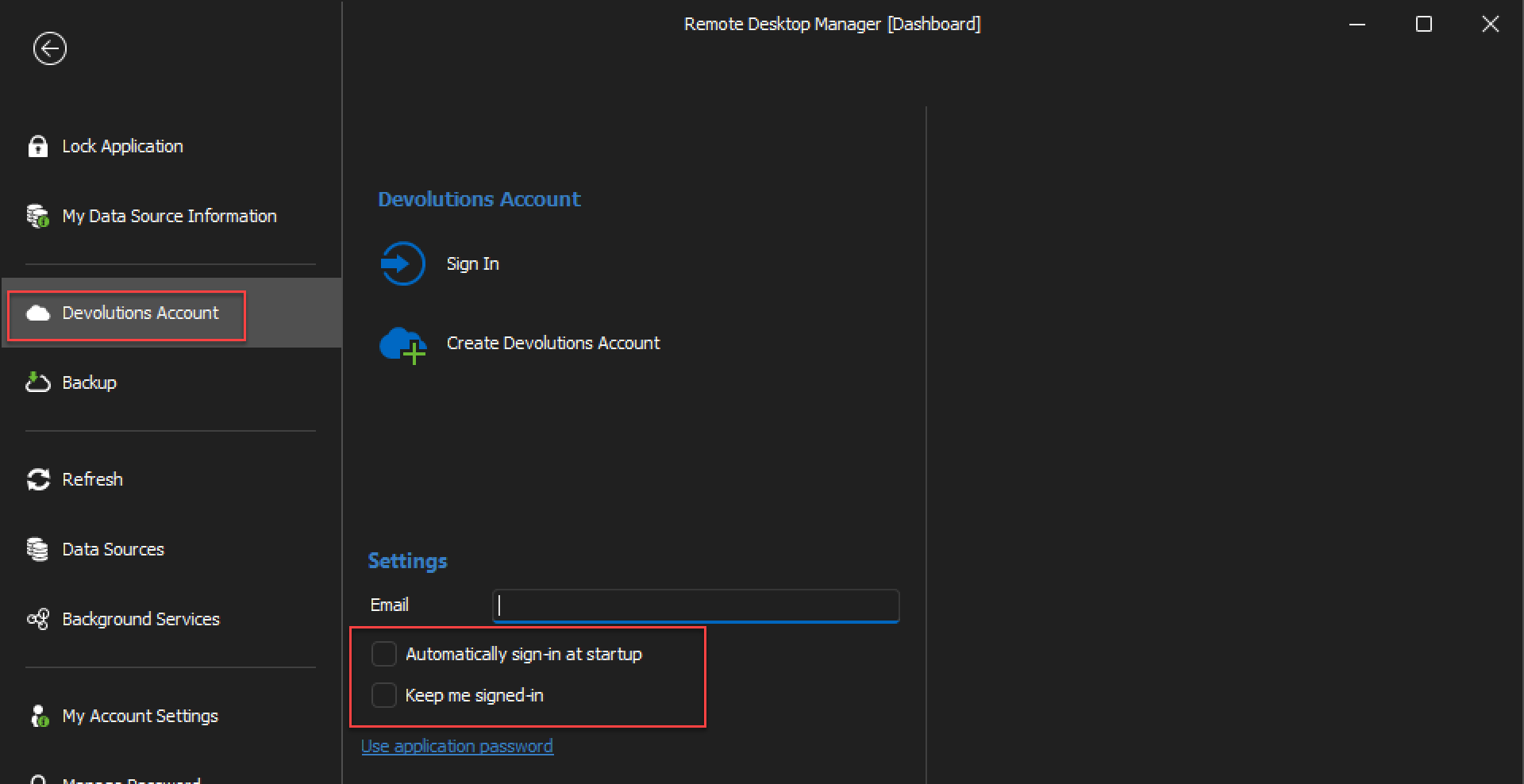
If so, uncheck them and I believe this will resolve the issue.
If it doesn't resolve the issue, what type of data source are you using ?
Best regards,
image_2023-11-06_152007430.png
Hello, thank you for the response!
I had both checked.
Unchecked and restarted - got exactly same behavior.
I am using Devolution Hub Personal and it looks like RDM have to authenticate with it on each login via browser to get vault loaded...
Hello,
Thank you for clarifying !
What you're experiencing is normal as the Hub Personal data source is cloud-based, and, as you mentioned, requires you to login in order to access your entries.
If you wish to have a completely local data source, I would suggest using an SQLite data source.
Best regards,
Hello!
All my data was in the cloud for several years already - starting with Devolution Online Drive and original Hub Personal - and for all these years I did not need to authenticate on every application launch!
Something has changed with version 2023.3.20 - looks like RDM stopped caching authentication token.
How this can be fixed?
Hello,
Can you confirm if you're getting the same issue in version 2023.3.24.0 of RDM ?
https://devolutions.net/remote-desktop-manager/home/downloadfree/
Best regards,
Hi!
Upgraded to 2023.3.24.0 and tested - same result.
Here is what is logged in the application log today. This is the last entry, nothing new after update:
[11/8/2023 1:00:12 PM - 2023.3.22.0 - 64-bit] Error Silent: Error connecting to https://login.devolutions.com/auth/jwks. Object reference not set to an instance of an object..
Keep in mind - I am running RDM from admin user but not elevated.
I am attaching diagnostics output in case you need it.
diagnostics.zip
Hello gromovd,
I've been trying to reproduce your issue here but to no avail. This might be an issue with the datasource type though, since we recently migrated Hub Personal to a new system the datasource has changed. It's supposed to do it automatically but we could always to delete and re-create the datasource to make sure it's the new type. From there I'll keep looking.
Best Regards,
Luc Fauvel
Hello!
Apologies for the delay, but I run some tests, including fresh install of RDM and I think the issue is when local application security is enabled with local files encryption.
I tested on two computers and when this is configured, RDM starts Hub login on every launch.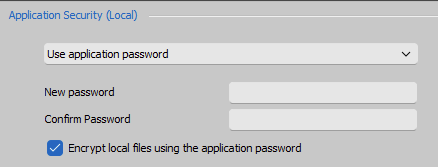
e68cc1a0-4584-4463-908f-dc9f9e7ed0d5.png
Hello gromovd,
I've managed to reproduce your issue and I created a ticket internally.
Best Regards,
Anthony Nelson
Hello gromovd,
I've managed to reproduce your issue and I created a ticket internally.
Great, thank you very much for your support!
Hello,
It's a pleasure !
We'll be sure to update you once this is fixed and the update is released.
Best regards,