Feature Request: VMWare Dashboard Entries for each VM.
Feature Request: VMWare Dashboard Entries for each VM.
0 vote

Hello Devolutions Team,
within the Remote Desktop Manager, we would like to be able to assign Passwords and Attributes for each VM within an VMWare Dashboard and be able to acess them via Macros.
Currently this is possible for a VMWare Workstation created seperately, but not for those within a VMWare Dashboard.
Best regards,
Dominik Mückstein
All Comments (3)
Hello Dominik,
Could you describe more what you mean with the macros? Do you mean being able to connect to these VMs easily without needing to send your credentials manually, or do you mean something else?
Regards,
Hubert Mireault
Hello Hubert,
for a singular VMWare Workstation I am able assign Passwords and Properties within it, which can be accessed by a Macro.
(Example)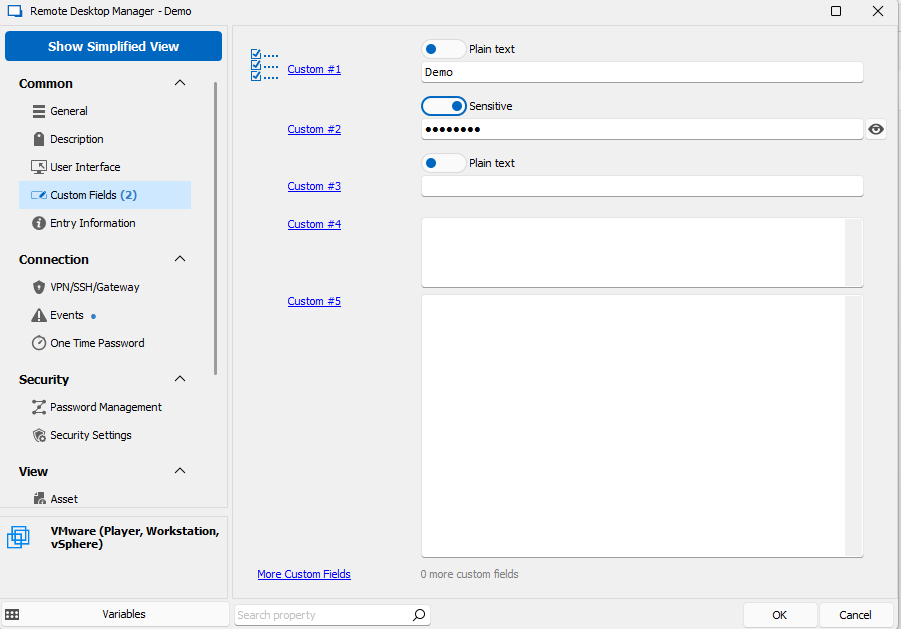
(Example Screenshot for Macro)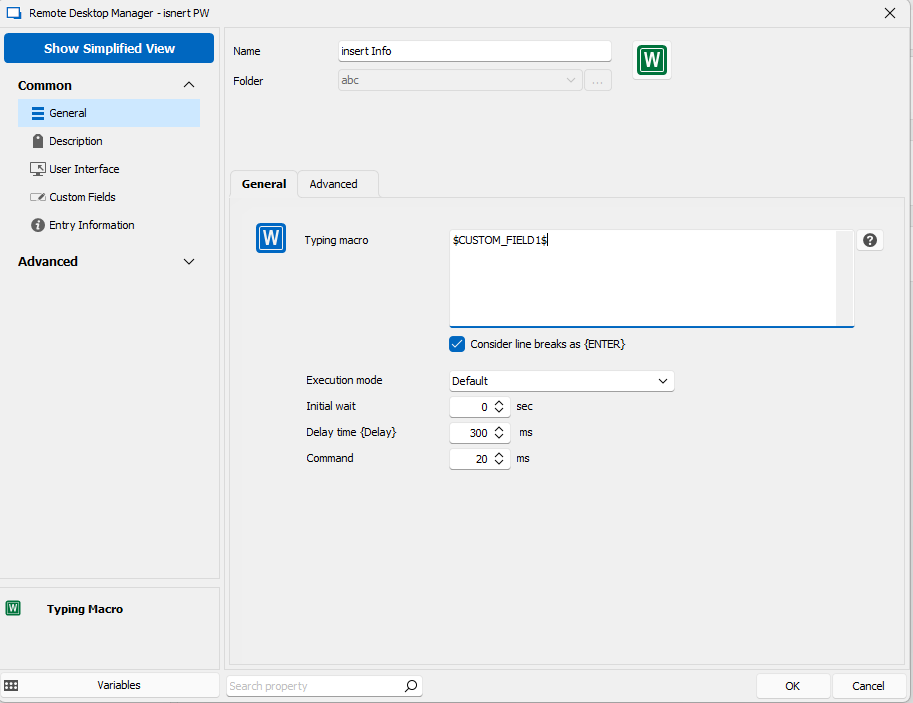
Under VMWare Dashboard (vCenter) I am unable to do more than "just" access the mashine (see Image).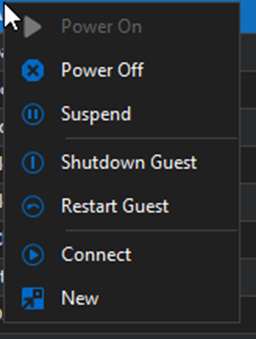
Best regards,
Dominik
e148f40a-1d5b-48b9-b066-78e7781c5e1d.png
6a6bd435-89d2-40b2-a402-40b6000f0223.png
81e0d6d2-3c56-4fd8-9282-e11a8b748a43.png
Hello,
Thank you for the clarification. At the moment this is not possible and we would have to rethink how the VMWare dashboard works to make this possible. The reason why is because within the dashboard itself, those entries aren't created within RDM, so it's not possible to configure any information inside of them.
For now, I would suggest creating your entries in your tree, either through the dashboard (which might take a while since it's one at a time), or through the VMWare synchronizer entry. That way, your entries can all be saved inside your datasource, and from there you can edit them to fit your needs.
Regards,
Hubert Mireault