App start showing HTTP 403 error after Devolutions Cloud is migrated
App start showing HTTP 403 error after Devolutions Cloud is migrated

Using Android version 2023.2.4.0
Desktop is upgraded to 2023.3.20.0
Hub Personal migrated
After this the App start showing HTTP 403 User already migrated error pop-up.
All Comments (26)
I'm having the same issue.
I also get the following status 422 error (The HTTP status code of the response was not expected) when editing a connection:
   at Devolutions.Hub.Clients.HubClient.<PutEntryAsync>d__71.MoveNext()
--- End of stack trace from previous location where exception was thrown ---
   at System.Runtime.ExceptionServices.ExceptionDispatchInfo.Throw()
   at System.Runtime.CompilerServices.TaskAwaiter.HandleNonSuccessAndDebuggerNotification(Task task)
   at Devolutions.Hub.Clients.HubClient.<>c__DisplayClass70_0.<<PutEntry>b__0>d.MoveNext()
--- End of stack trace from previous location where exception was thrown ---
   at System.Runtime.ExceptionServices.ExceptionDispatchInfo.Throw()
   at System.Runtime.CompilerServices.TaskAwaiter.HandleNonSuccessAndDebuggerNotification(Task task)
   at Devolutions.Hub.Clients.HubClient.PutEntry(Guid vaultId, Guid entryId, Entry entryToPut)
   at Devolutions.RemoteDesktopManager.Managers.DevolutionsHubDataSourceManager.SaveConnectionAsEntry(Guid dataSourceID, Guid repositoryID, Connection toSave, Connection[] currentConnections)
   at Devolutions.RemoteDesktopManager.Managers.DevolutionsHubDataSourceManager.SaveConnection(Guid dataSourceID, Guid repositoryID, Connection toSave)
   at Devolutions.RemoteDesktopManager.Business.DataSources.HubConnectionDataSource.SaveConnection(Connection connection)
Hi,
Thank you for reporting this issue, we will investigate.
Best Regards,
Nicolas Dufour
Hi,
Hub Personal has been migrated to RDM Windows version 2023.3.20.0 and now requires the most up-to-date version of RDM Android (2023.3.0.24).
Please make sure to update to the latest version of RDM Android.
Best Regards,
Nicolas Dufour
Hi,
Hub Personal has been migrated to RDM Windows version 2023.3.20.0 and now requires the most up-to-date version of RDM Android (2023.3.0.24).
Please make sure to update to the latest version of RDM Android.
Best Regards,
On the latest Android version, starting the session is good. EDITING now shows 403 error
Hi,
Since you are experiencing issues with RDM Windows, I will move your message to the RDM Windows forum and notify the team about the problem.
Best Regards,
Nicolas Dufour
Hi,
Since you are experiencing issues with RDM Windows, I will move your message to the RDM Windows forum and notify the team about the problem.
Best Regards,
The issue is ANDROID. Not Windows
Windows is completely ok
Hi,
Upon the initial launch of RDM Android 2023.3.0.24, a message will prompt you to initiate the migration of your Hub Personal data source.
Following your acceptance of the migration and its successful completion, you will find two data sources. If your data source was named "xyz," you should see the following two data sources: "(Deprecated) xyz" and "xyz." It is important to select the non-deprecated data source as your active data source. If you try to modify entries from the deprecated data source, a "403 error" message will be triggered.
Best Regards,
Hi,
Hub Personal has been migrated to RDM Windows version 2023.3.20.0 and now requires the most up-to-date version of RDM Android (2023.3.0.24).
Please make sure to update to the latest version of RDM Android.
Best Regards,
On the latest Android version, starting the session is good. EDITING now shows 403 error
Nicolas Dufour
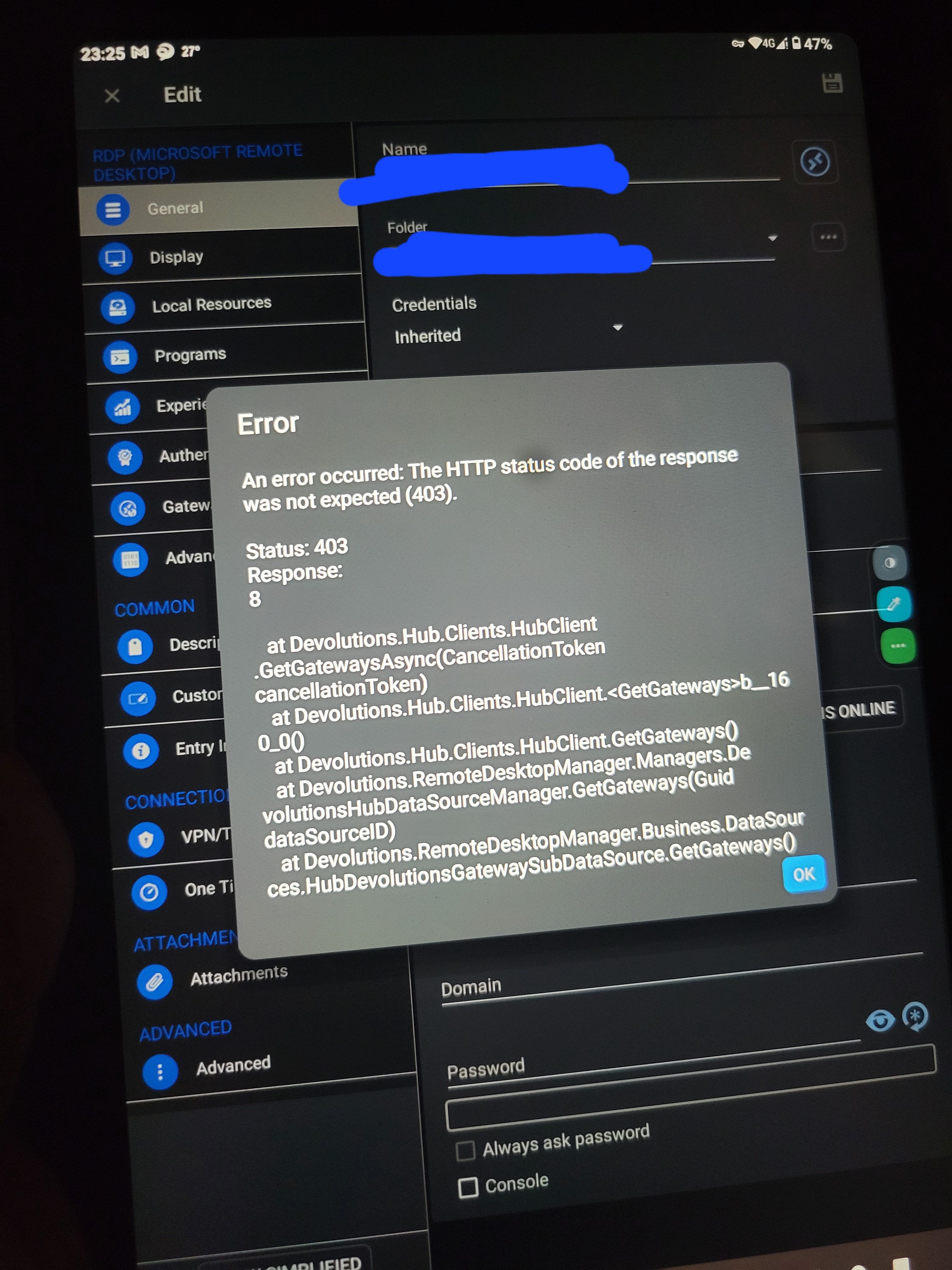
Yes Im talking about the new one. I have deleted the deprecated datasource. Please see the screen attached. It happens to ANY edit action on ANY entry
20231102_232517.jpg
Hi,
We were able to reproduce the issue and we are investigating. When you perform an edit action and you save your modifications, are the modified fields saved even if the error message is displayed?
Best Regards,
Nicolas Dufour
I guess the setting is saved. I can see the modified settings even though it shows the error.
Hi Antonyau
Our tests also confirmed that the data is being saved. We are actively working on a solution and will keep you informed as soon as the problem is fixed and a new update becomes available.
Best Regards,
Nicolas Dufour
Did you just removed that new version? Now I tried to reinstall from playstore and it gets back 2023.2.4.0 which now shows the user is migrated error. I cant make any changes now.
Hi,
We have halted the new release until we fix the issue. We will put it back. Please let us know once you've updated.
Best Regards,
Nicolas Dufour
thanks I have done that
Hi,
The Version 2023.3.1.1 is available. You shouldn't have the error anymore.
Kind Regards,
Nicolas Dufour
Hi,
I just upgraded to 2023.3.0.5 amd for Ubuntu and started getting this error after I had just upgraded the RDM on my windows environment.
Hi,
Can you update to the latest available version (2023.3.1.1). This version should fix the problem.
Best Regards,
Nicolas Dufour
yes it does. Thank you
Hi,
We are glad to hear that the update fixed the problem!
Kind Regards,
Nicolas Dufour
Hi,
I am having the same issue as above. Currently updated to the latest version of RDM. Any advice on how to resolve?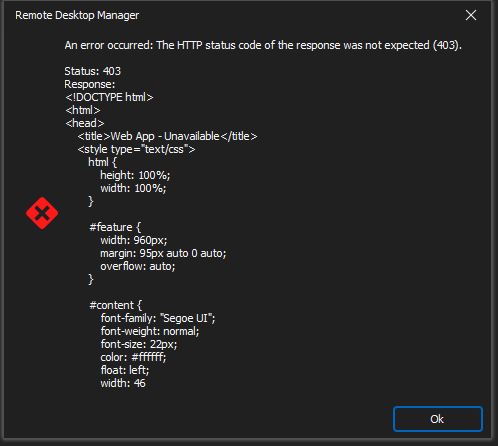
Capture.JPG
@nicholyeb,
It seems that your HUB Personal is still on our old platform (which is now the legacy platform) and was not migrated. Is this possible?
Currently, there's a brownout of this legacy platform.
Have you been contacted by email about the migration of your data?
https://docs.devolutions.net/hub/kb/hub-personal/how-to-articles/hub-personal-legacy-decommissioning/#manual-migration
Best regards,
Jeff Dagenais
Hi Jeff,
No i dont recall the email so it was not migrated. I followed the instruction for the manual migration but i get hub version and RDM are mismatched. datasource in sin read only mode. datasource says not connected.
Hello,
We are currently investigating an issue with the deployment of Hub Personal 2024.2. A quick fix is to do a rollback to 2024.1.32.0
https://devolutions.net/remote-desktop-manager/home/previousversions
We will keep you post on the status of this issue.
Sorry about that.
Best regards,
Jeff Dagenais
Just did that and things work fine now. Thanks. will hold off on updating for the time being.
Hello,
HUB Personal 2024.2 has been deployed. You should now be able to authenticate via RDM 2024.2.8.0.
You can download this latest release here
https://devolutions.net/remote-desktop-manager/home/download/
Best regards,
Jeff Dagenais