HPE iLO - Opens iLO website only after reload

Hi there,
Is anyone facing the same behavior with iLO session, where I need always to reload the site before it will opens the login form.
Open iLO session: always "navigation to this site was canceled"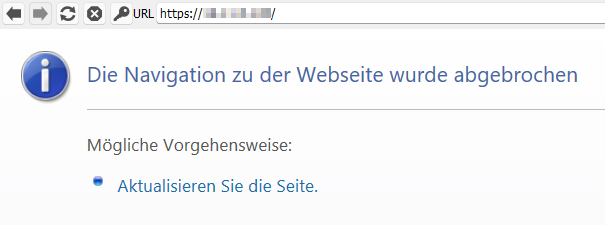
If I close this session and reopen it, it's still the same.
After a simple reload, site is loading. If I now close this session an reopen it, site is loading directly.
If I use this URL directly in a browser, the site is always loading directly.
Any idea what it could be? I'm on 2023.2.33.0 64-bit.
There are not much settings for that plugin/integration.
Thank you!
Best Regards,
Tobias
59eaa96f-cc34-4084-bee6-ccb63236208b.png
All Comments (11)
Hello Tobi,
Thank you for reaching out to us regarding this,
I see, that is indeed odd, I'm wondering If you could test with a regular "Website" type entry and let me know if you encounter the same problem?
Let me know,
Best regards,
Samuel Dery
Hi Samuel,
With a "Website" session the iLO site is loading, but stuck at certificate message "NET::ERR_CERT_AUTHORITY_INVALID".
By accepting the self-signed iLO cert, site is loading.
Could this be part of the issue?
I guess the iLO session ignores the certificate massages, because I don't get one in an iLO session, but why it's not loading?
Is there any trace option to trace a session with the issue and one with loading iLO site?
Thank you!
Best Regards,
Tobi
Hello Tobi,
Thank you for your reply,
I see! If you go into your entry "Website" entry "Properties" under the "More Settings" section you can enable the option "Ignore Certificate errors", your Web Browser under the genera; section would need to be set to "Google Chrome" or "Microsoft Edge" for this option to work.
Let me know if this helps in your case,
Best regards,
Samuel Dery
Hi Samuel,
It works as expected, but automated login is not working (html elements)
Should we use a Website session instead of an iLO session now as default, or is there a possibility to get iLO sessions working again?
Thank you!
Best regards,
Tobias
Hello Tobi,
Thank you for your reply,
From my understanding, the ILO entry type is very similar to a Website entry, my recommendation would be to simply use the website entry type in this case.
Regarding your issue with the autofill, could you have a look at this knowledge base article for the configuration? https://docs.devolutions.net/kb/devolutions-web-login/how-to-articles/website-authentication/
Let me know if this helps,
Best regards,
Samuel Dery
Hello Samuel,
I tried both, discover and manually with Dev-Tools to get the IDs, but it doesn't fill the credentials, even with a timeout of 10 seconds.
With discover, RDM sends the message like "no HTML element (username/password) found" ..
Do you have some more ideas? :)
Thanks for your help!!
Best regards,
Tobi
Hello Tobi,
Thank you for your reply,
I see, is your website public by any chance? If not, perhaps you could provide me with a screenshot of the resulting Inspect element from the development tools?
Let me know,
Best regards,
Samuel Dery
Hi Samuel,
I hope this is what you wanted?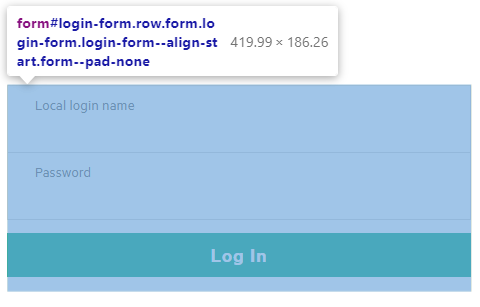
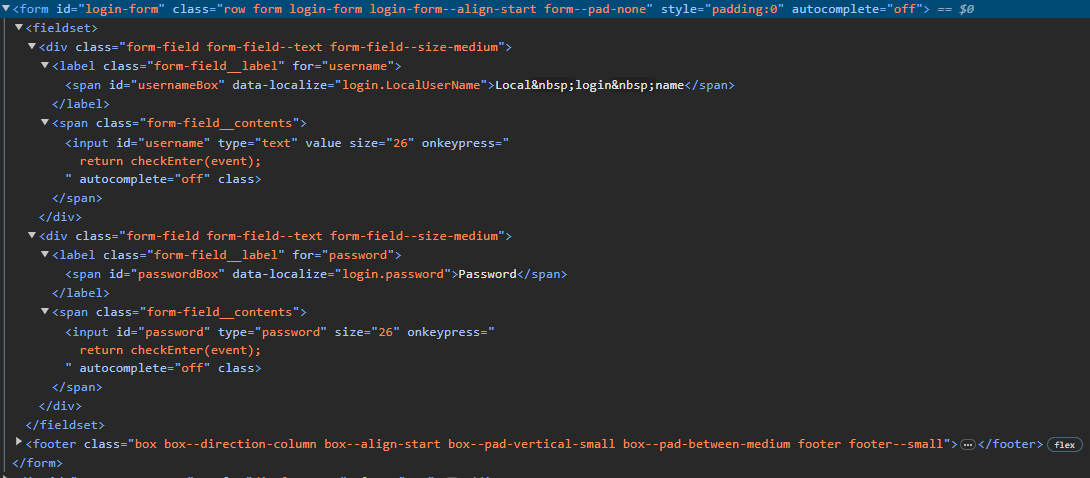
<form id="login-form" class="row form login-form login-form--align-start form--pad-none" style="padding:0" autocomplete="off"> <fieldset> <div class="form-field form-field--text form-field--size-medium"> <label class="form-field__label" for="username"><span id="usernameBox" data-localize="login.LocalUserName">Local login name</span></label> <span class="form-field__contents"><input id="username" type="text" value="" size="26" onkeypress=" return checkEnter(event); " autocomplete="off" class=""></span> </div> <div class="form-field form-field--text form-field--size-medium"> <label class="form-field__label" for="password"><span id="passwordBox" data-localize="login.password">Password</span></label> <span class="form-field__contents"><input id="password" type="password" size="26" onkeypress=" return checkEnter(event); " autocomplete="off" class=""></span> </div> </fieldset> <footer class="box box--direction-column box--align-start box--pad-vertical-small box--pad-between-medium footer footer--small"> <button id="login-form__submit" type="button" class="button login-form__submit button--primary" onclick=" return signIn(), !1; " style="width:100%"><span data-localize="login.loginButton">Log In</span></button> </footer> </form>
RDM: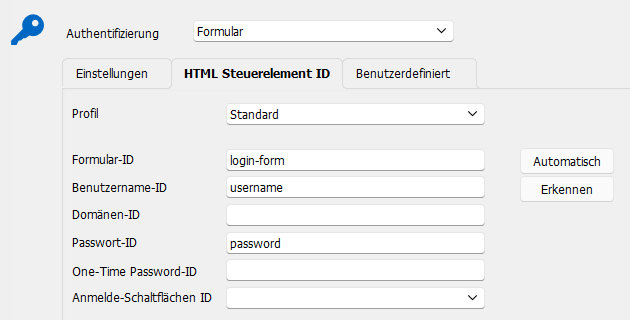
Thank you!
Best Regards,
Tobi
ddb8f9e3-581d-4fda-b0b0-a6254a26529e.png
fed78563-4a7e-4488-b51e-8639640fae57.png
ede15282-49df-4acc-b9c4-2adc173e1d58.png
Hello Tobi,
Thank you for your reply,
Indeed! I see, unfortunately, because of the autocomplete=off value, I'm afraid RDM will not be able to autofill the credentials on this website.
Perhaps you could attempt to use an "After open" "Typing Macro" under the "Events" section of your entry "Properties," but for security reasons, this would not be something I recommend.
https://docs.devolutions.net/kb/remote-desktop-manager/how-to-articles/entry-types-events-settings/event-auto-typing-macro
Let me know if you have further questions regarding this,
Best regards,
Samuel Dery
Hi Smuel,
Just one, is there a kind of tracing in RDM where I can trace the iLO session, why the fist session call will always cancel?
If I just refresh the canceled iLO session everything is working: auto complete + auto login.
If not, we have to live with that behavior ;-)
Thank you!
Best regards,
Tobi
Hello Tobi,
Thank you for your reply,
Normally, we could use the Profiler to generate some logs however, since the issue is occurring in the embedded browser, I'm unsure if it will be helpful.
That being said, it does not hurt to try, you can follow this knowledge base article to attempt to generate the logs:
https://docs.devolutions.net/kb/remote-desktop-manager/troubleshooting-articles/debugging/#method-ad-hoc-debugging
I will send you a link via private message so you can securely send us the logs.
Best regards,
Samuel Dery