Ability to hide OTP Key
0 vote

Hi All,
we often use OTP entries in RDM with Devolution Server.
A security concern rises when the user is allowed to see the key and export the value to anoter OTP mechanism.
This results in a possible 2FA "cloned" wallet.
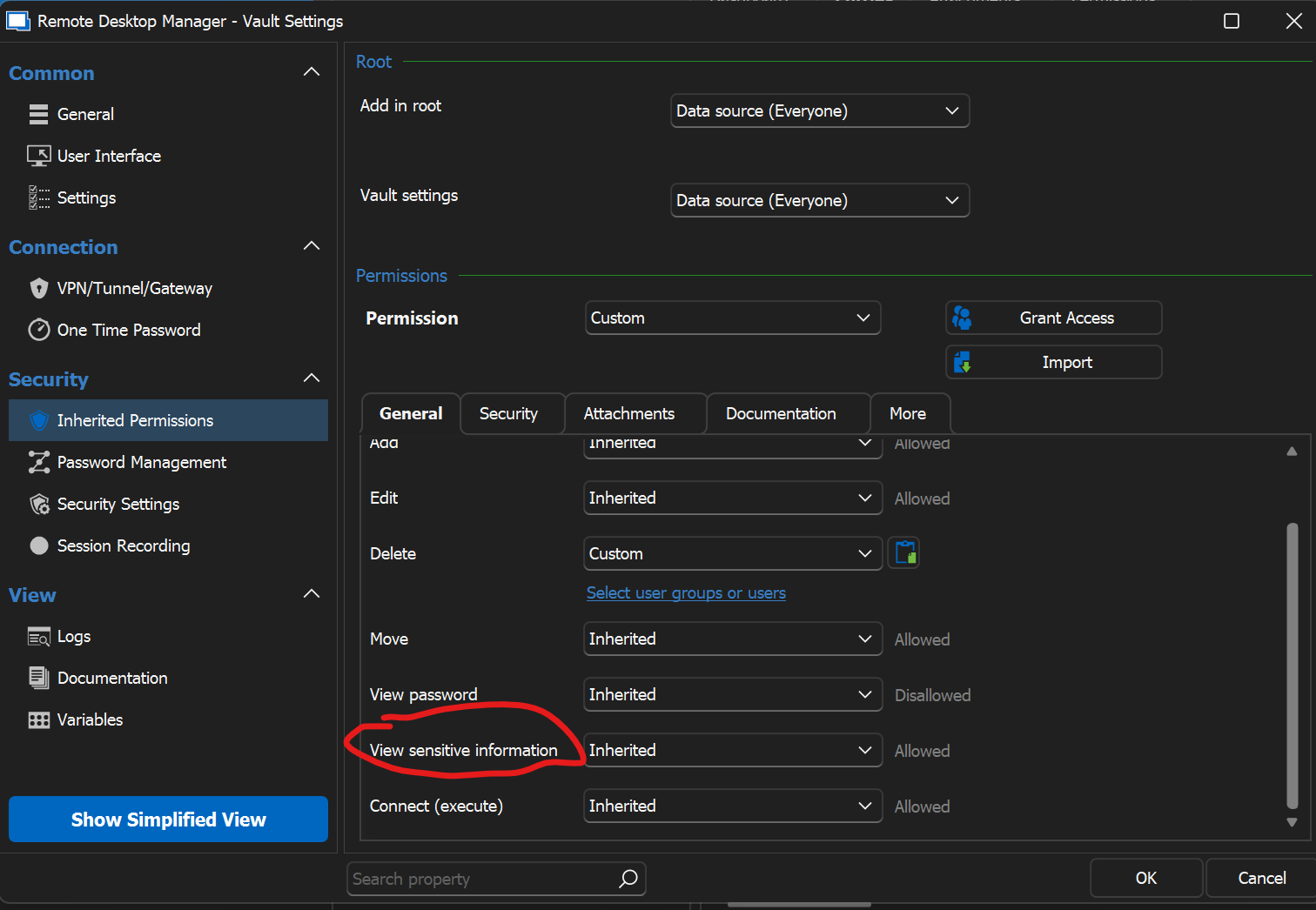
Can the "key" field be included into the sensitive information fields group?
Thank you.
Regards.
Stefano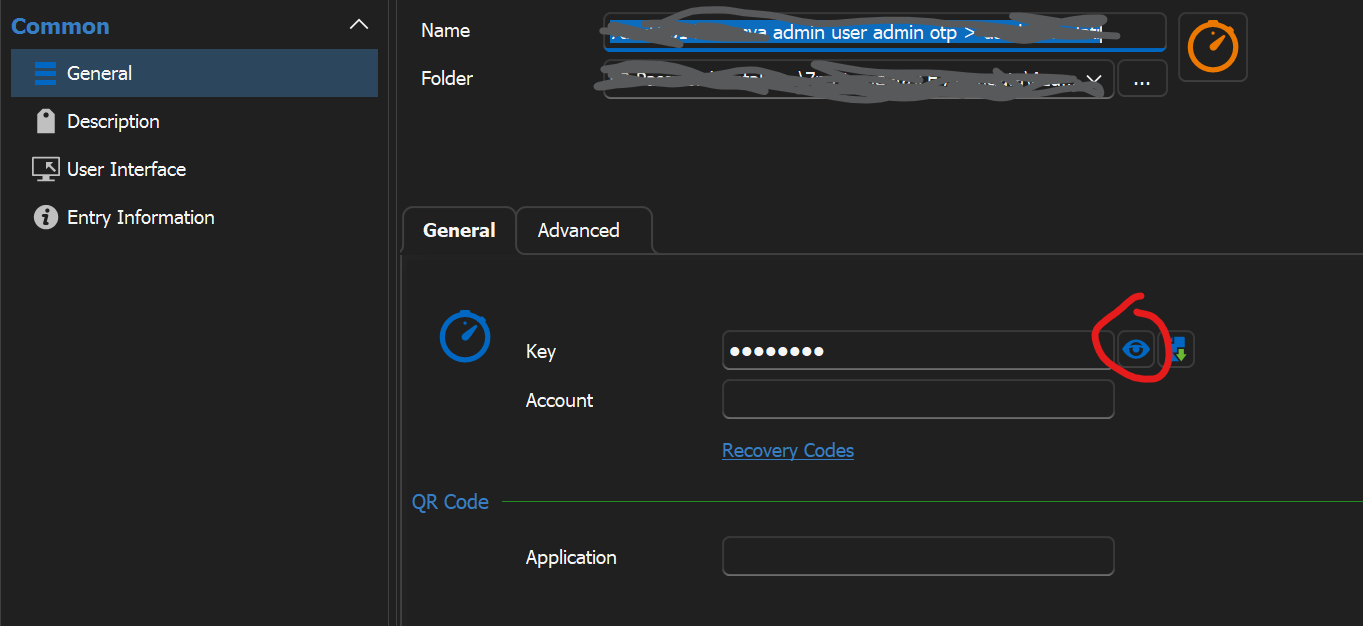
otp2.png
otp.png
All Comments (7)
Hello Stefano,
The Key field for OTPs is only visible for Administrators. If one of your users is an administrator, the permissions wouldn't apply to them anyway.
Did you encounter a case where one of your non-administrator users were able to reveal this value?
Regards,
Hubert Mireault
Hi Hubert,
Thank you for your quick response.
I confirm the behaviour described by you.
I made the wrong test using two different admin accounts.... sorry
May I ask you on other thing?
When I right click an entry with a linked credential and I select from the menu "View Password" the OTP section of the linked credential is not displayed.
Doing the same directly on the credential entry (right click - view passord), the OTP code is shown.
Is there a way to see user, password and OTP code directly from the entry?
Thank you.
Best regards.
Stefano
In your entry (for example RDP), you can go in the One Time Password tab and specify how you would want to use this OTP. If you only want to have "View password" show the OTP as well and this OTP is available in the main section's credential, you should be able to configure it with "current session's credentials".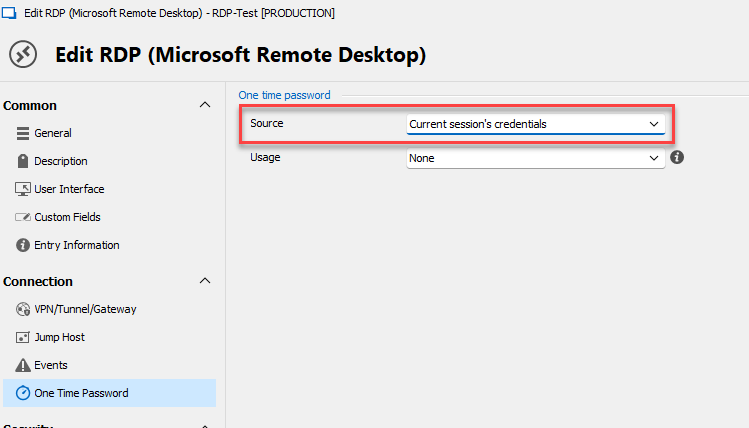
Let me know if this works.
Regards,
Hubert Mireault
681aaf39-0f65-48ab-aa8f-c26bbf4462a6.png
Hi Hubert,
your feedback is really appreciated, this is for sure a big step forward.
Anyway the best option for the Source drop down list would be "Use the OTP entry specified on General - Credentials".
In this way the link between the entry and the credentials is done once instead of two times for linked credentials.
We have a huge amount of records....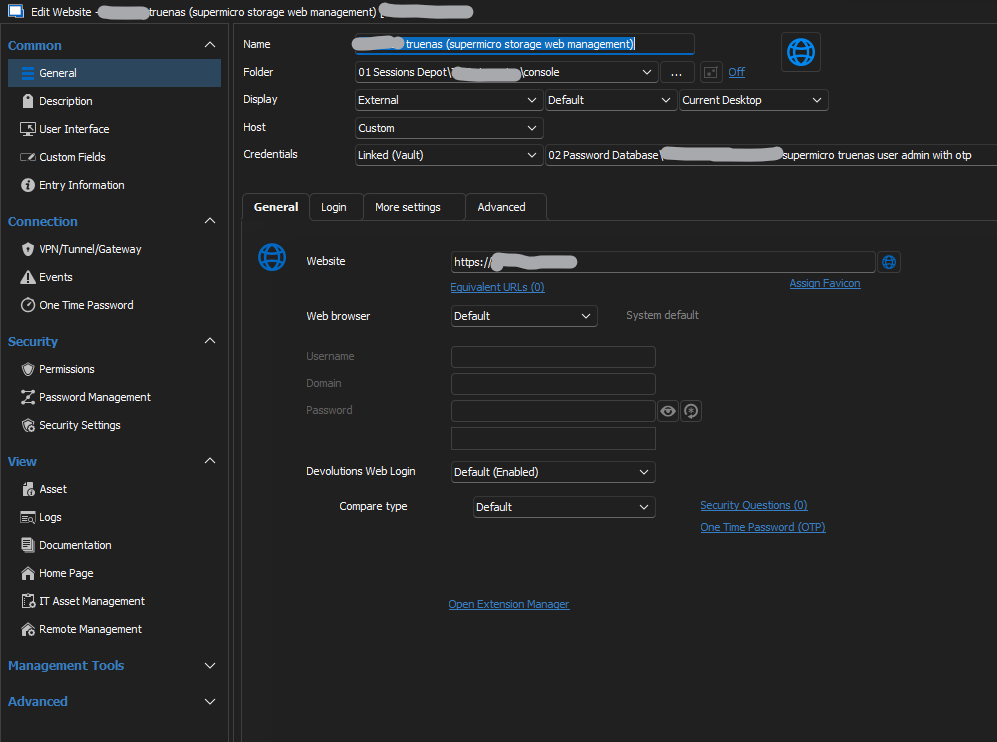
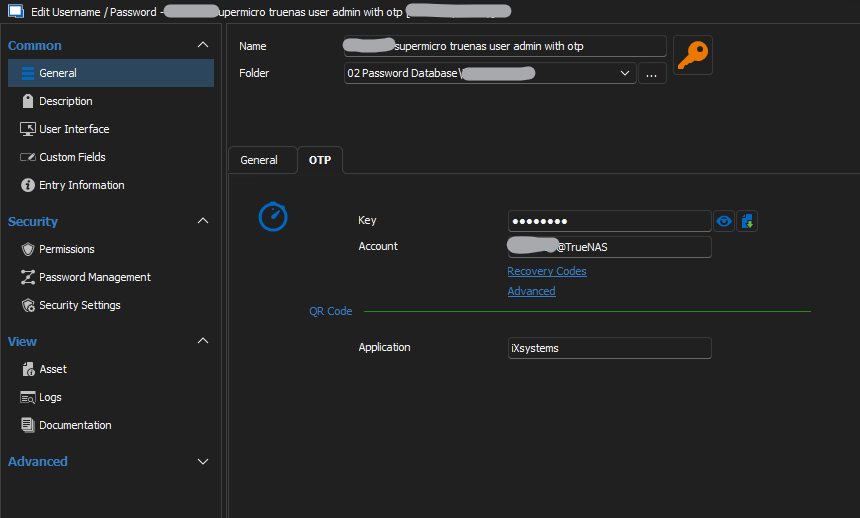
STEP 3 that could be avoided using the "missing option".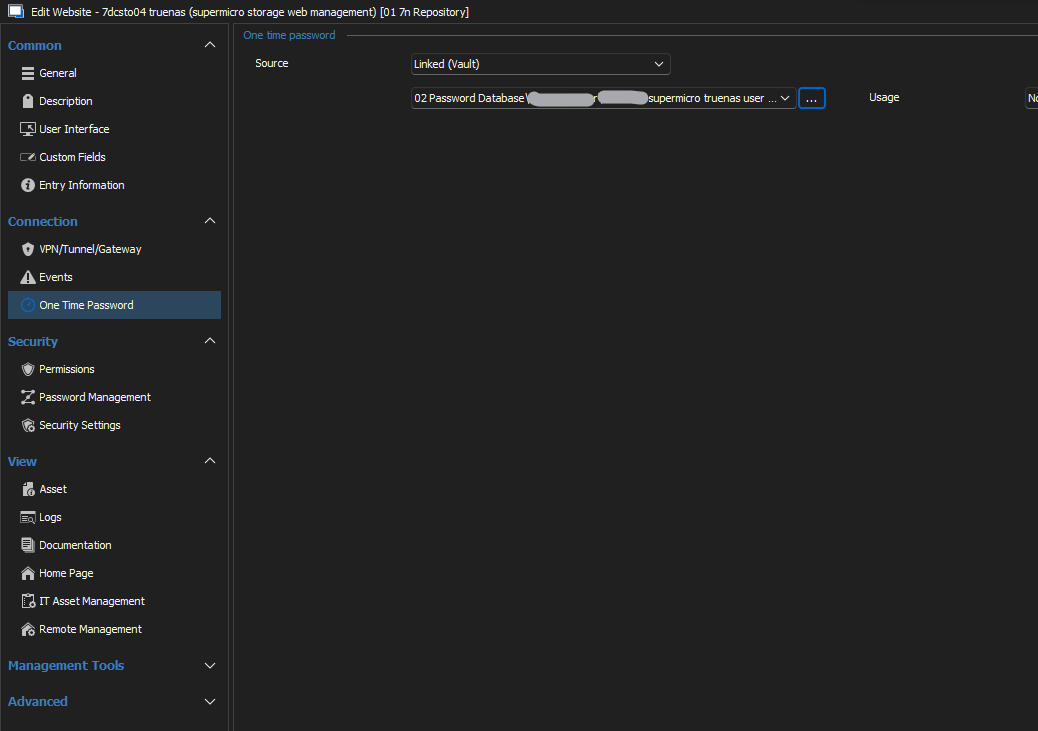
Thank you.
Regards.
Stefano
ex3.png
ex2.png
ex1.png
Hello Stefano,
If you use "current session's credentials" like I've shown in my previous post, it should achieve exactly what you're looking for. It will take the same credentials as in the general tab and fetch the OTP information from there. You don't need to use "Linked (vault)" if the information you need is already in the general tab.
As for needing to change the settings in multiple entries, you could use the batch edit feature to configure this setting. You can select the entries you want to modify, right click > edit > batch edit > edit entries (general settings).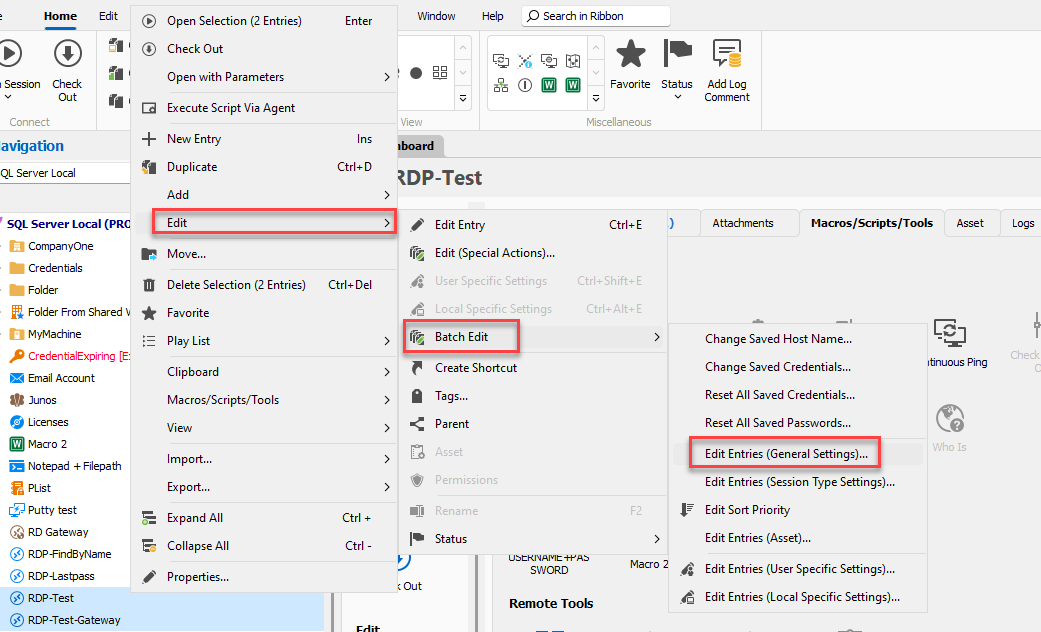
From there you can go in the OTP tab and configure the setting how you would want. It will then apply to your selection.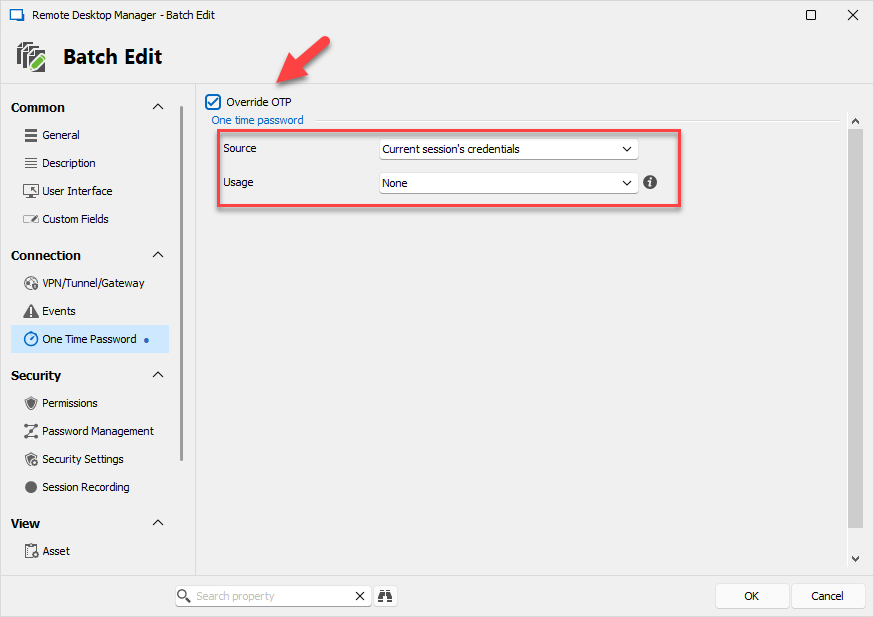
Regards,
Hubert Mireault
23c0d657-a36d-4c02-822f-1b892050f63f.png
5c07d56a-db74-4af4-bb39-ec4449d05493.png
Got it! Great!
Glad to hear this works for you! If you have any additional questions, please let us know.
Regards,
Hubert Mireault